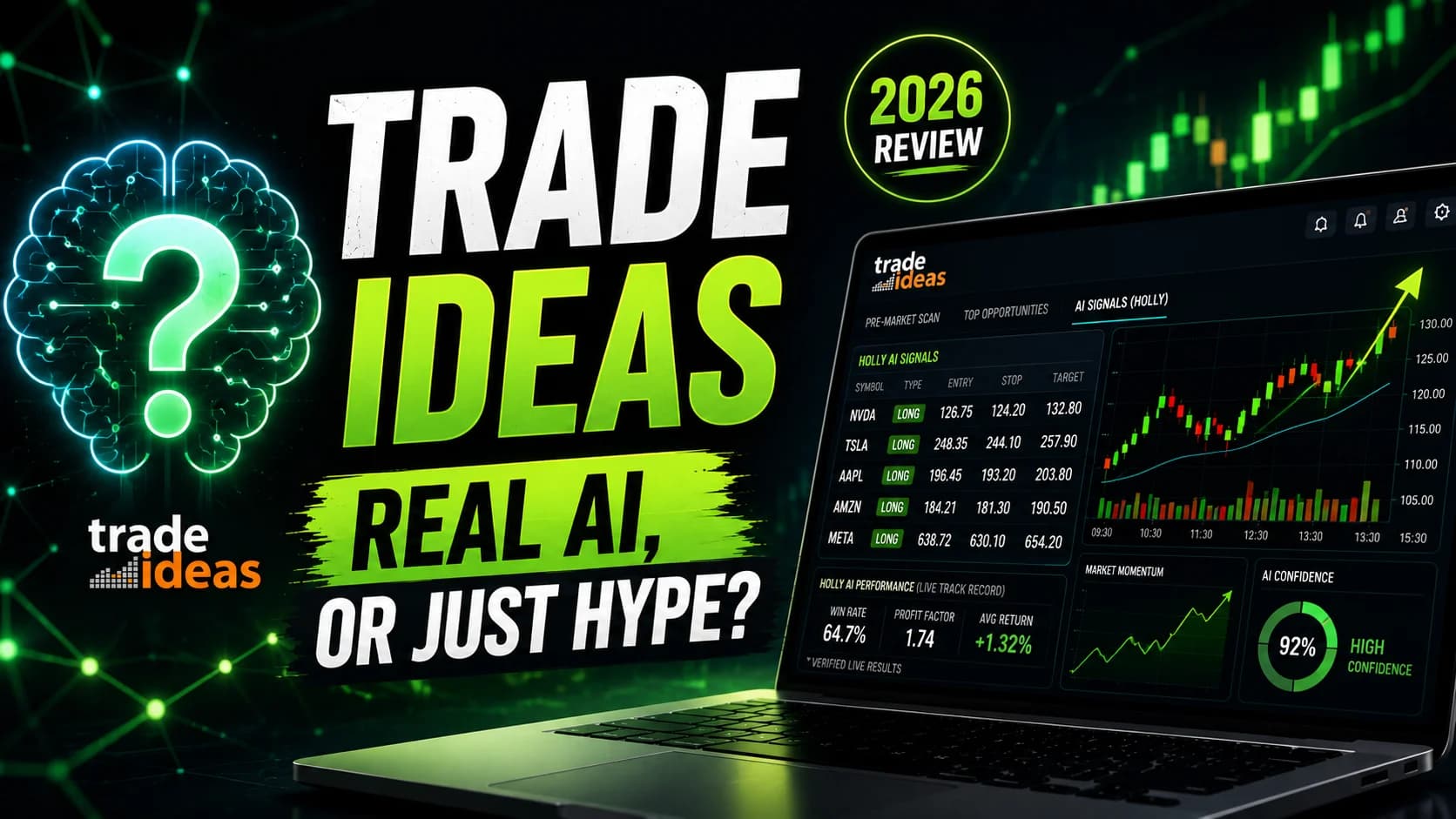
Trade Ideas Review 2026: Real AI, or Just Hype?

Disclosure: DayTradingToolkit is an official Trade Ideas affiliate partner. If you subscribe through our links, we may earn a commission at no extra cost to you. This partnership doesn't shape our analysis — the assessment below is based on independent research, the official documentation, and the publicly verifiable record.
Almost every trading tool bolted the word "AI" onto its homepage this year. Most of it is a marketing sticker on the same rules-based screener that's existed for a decade — a few if-then filters wearing a robot costume. So the useful question about Trade Ideas isn't "does it have AI." It's whether the AI is doing real work, and whether that work is worth $2,136 a year to you specifically.
This Trade Ideas review answers that. It's built on the official Trade Ideas documentation, the platform's own published performance record, and how the feature set maps to what an active day trader actually needs — not on a fabricated story about trading it daily for years. Where Trade Ideas earns its price, this guide says so plainly. Where it doesn't, it says that too.
Trade Ideas Review
A genuinely AI-driven discovery and execution platform with unmatched real-time scanning — held back by a steep learning curve and a price that only makes sense for active traders.
Pros
Strengths- Holly AI surfaces 5–25 intraday trade ideas a day — each with a defined entry, stop, and target — and Trade Ideas publishes her full live trade log, losing trades included
- Real-time, tick-by-tick scanning across the entire U.S. market against 500+ filters, a speed browser-based scanners can't match
- A true all-in-one workflow: discovery, charting, no-code backtesting, paper trading, and broker execution in one platform
- Direct execution via Brokerage Plus across Interactive Brokers, E*TRADE, TradeStation, and Alpaca
- A free, no-credit-card live trading room runs every market day — evaluate the platform in action before paying a cent
Cons
Trade-offs- Priced for active full-time traders — hard to justify if you trade only a few times a month
- Covers U.S. stocks and ETFs only — no futures, forex, options chains, or crypto
- The advanced features live in a Windows-native desktop app; Mac users need virtualization, which adds cost and friction
- A real learning curve — the power is there, but expect 20–30 hours before the platform feels natural
What Is Trade Ideas?
What is Trade Ideas? Trade Ideas is an AI-powered market intelligence platform for U.S. stock traders. Founded in 2003, it combines real-time scanning across 500+ filters, the Holly AI signal engine, charting, no-code backtesting, paper trading, and direct broker execution into one system — built to find and act on intraday setups faster than manual analysis allows.
Here's the mistake most first-time buyers make: they file Trade Ideas under "stock scanner" and compare its price to a $40 screener. That comparison guarantees you'll think it's overpriced, because you're measuring it against one-fifth of what it does.
The scanner is the foundation. What's built on top — the Holly AI signal engine, the OddsMaker backtester, simulated trading on live data, and direct broker execution through Brokerage Plus — is where the value (and the cost) actually lives. Whether that full stack is worth it to you is the real question, and the honest answer depends entirely on how you trade. We'll get there. First, the part everyone's actually asking about in 2026: the AI.
How the AI Actually Works (Holly and the Money Machine)
This is the section that matters most, because it's where Trade Ideas separates from the pack of tools that just relabeled their screener as "AI."
Holly is the engine that built the platform's reputation. Strip away the marketing and here's the mechanic: every night after the close, Holly runs over 60 proprietary algorithms against recent market data through thousands of simulations, looking for which strategies have lined up with the kind of conditions setting up for the next session. When the market opens, she issues real-time signals — usually 5 to 25 trade ideas across the day — each with a specific entry price, stop-loss, and target. No configuration required. She trades only her own strategies, they're not customizable, and she closes everything before the bell (Holly doesn't hold overnight).
The single most important thing to understand about Holly is what she is and isn't. She's a probability engine, not a prediction machine. A signal means a setup resembles ones that have historically behaved a certain way — not that the trade will work. And here's the detail that earns Trade Ideas genuine credibility: it publishes Holly's complete live trade record, including the losers. Most "AI signal" services show you a highlight reel of winners and bury everything else. The fact that you can see Holly's misses is the best reason to take her seriously — and the clearest reminder that your own risk management, not the AI, is what keeps you solvent. For the full mechanics of her three variants (Holly Grail, Holly 2.0, and Holly Neo) and how traders use each, this guide goes deep in the Holly AI explainer.
The Money Machine is the second-generation layer, and it's a different beast. Where Holly flags setups for you to act on, the Money Machine is end-to-end: it identifies the strongest momentum names in real time, then handles entry, position sizing, stop-loss, exit timing, and rotation automatically through Brokerage Plus. You pick a direction — upside, downside, or both — and it keeps you positioned in the market's top momentum candidates, swapping a fading name for a fresher one as conditions shift.
It's powerful and it's exactly where caution belongs. Automation amplifies a sound process — and amplifies a flawed one just as fast. Trade Ideas seems to know this: the Money Machine runs in a full simulation mode (on live data) for every Premium subscriber, with live execution rolling out in waves rather than flipping on for everyone at once. The right way to use it is the slow way: run it in simulation for weeks before a single real dollar is involved. The full breakdown is in the Money Machine walkthrough.
And this isn't a niche tool with a handful of users testing the AI — Trade Ideas reports its subscribers traded 55.2 million shares in May alone. That's the signal of an active, heavily-used platform, not a thin signal service coasting on the "AI" label.
Real AI vs. AI Hype: Where Trade Ideas Lands
Because "AI" is the most abused word in trading software right now, it's worth being precise about which side of the line Trade Ideas sits on.
A lot of what gets sold as AI trading is a fixed set of rules with a chatbot pasted on the front — the logic never changes, it just sounds futuristic. Trade Ideas is in the smaller group where there's real machine-driven work happening: nightly re-evaluation across dozens of strategies, simulation at scale, and signal selection that adapts to recent conditions rather than running a static rulebook. That doesn't make it magic. It makes it a legitimately AI-driven tool rather than a rebranded screener.
If you're weighing it against the broader field, this guide's Best AI Tools for Day Traders roundup separates the real machine learning from the branding across the whole category, and the complete AI day trading guide covers how these tools fit a real workflow. Two honest counterweights worth reading before you spend anything: the 7 AI trading risks every buyer should know, and the blunt case for why AI won't make you a better trader on its own. The AI is a force multiplier — it multiplies whatever edge you bring, including a negative one.
The Rest of the Platform, Beyond the AI
The AI gets the headlines, but the surrounding toolkit is what makes Trade Ideas a workflow rather than a feature.
The scanning engine processes every market tick on institutional-grade servers — when a stock meets your criteria, the alert fires in real time rather than on a 15- or 30-second refresh. Over 500 configurable alert types cover essentially any objective setup: gaps, volume spikes, breakouts, VWAP crosses, relative-strength shifts. The Channel Bar layers 30+ pre-built workspaces on top of that for traders who don't want to start from a blank screen.
The OddsMaker is the no-code backtester, and it's underrated. Define a strategy with the platform's filters and it tests the rules against historical tick data, returning win rate, profit factor, average winner versus loser, and drawdown — so you can kill a bad idea before it touches real capital. Simulated trading runs on live data, so practice happens under genuine conditions. And Brokerage Plus closes the loop with direct execution through Interactive Brokers, E*TRADE, TradeStation, and Alpaca — scanner alert to order ticket without leaving the platform. (Prefer your own charts? External Linking sends a symbol straight to TradingView, thinkorswim, or whatever you run.)
Two things genuinely worth your time before buying: the free live trading room, which streams every market day with no credit card required, and — when one is available — the low-cost Test Drive that opens up full Premium access for a couple of weeks. Between them, you can evaluate the real thing before committing to an annual plan.
Who Trade Ideas Is Best For
"Is it worth it" depends entirely on who's asking. Here's the honest breakdown by profile.
Active day traders (several trades a week) are the core audience. If you're at the screens during market hours hunting intraday setups, the combination of real-time scanning, Holly's signals, and one-click execution is built for exactly your day. Premium is the tier that makes sense here — Holly is the reason you're paying.
Systematic and semi-automated traders may get the most leverage of anyone. The OddsMaker validates rules with data, Holly supplies signals from pre-backtested strategies, and the Money Machine automates momentum execution. If you think in rules and statistical edges, this is the platform that takes a system from spreadsheet to live.
Swing traders can use it, but the cost-benefit is tighter — you don't need tick-by-tick processing for positions held over days. Basic at the lower tier, or a lighter screener, may serve you better.
Newer traders still building a foundation should wait. Trade Ideas assumes you can already read structure and manage risk; it helps you find setups faster, it doesn't teach you what a setup is. Start with the free tier and the trading room, build a real strategy first, and upgrade when "I can't find setups fast enough" becomes your actual bottleneck. The Beginner's Guide is the place to start that work.
One outdated belief to clear up, because it still shapes a lot of buying advice: you no longer need a $25,000 account to actively day trade. FINRA eliminated the old Pattern Day Trader minimum effective June 4, 2026, replacing it with a risk-based intraday margin framework that starts near $2,000 — the full story is in the PDT elimination guide and the intraday margin explainer. The lower barrier is real, but it doesn't change the math on whether a premium platform fits a small account.
Trade Ideas Pricing
Three tiers, and the structure pushes toward annual billing.
| Plan | Monthly | Annual | Effective Monthly (Annual) |
|---|---|---|---|
| Free (Par) | $0 | — | Delayed data; explore the interface only |
| Basic — "The Core" | $127/mo | $1,068/yr | $89/mo |
| Premium — "The Apex" | $254/mo | $2,136/yr | $178/mo |
Basic — Trade Ideas calls it The Core — gives you real-time scanning, charting, paper trading, Brokerage Plus, and the trading room. Premium, branded The Apex, adds the full AI stack — Holly, the Money Machine, OddsMaker backtesting, Smart Risk Levels, and auto-trading. If the AI is why you're here, you need The Apex.
Is $178 a month cheap? No. But all U.S. market data is bundled in (most platforms bill $40–60/month separately for that), and annual billing runs roughly 30% below paying monthly. We deliberately won't reprint promo codes here — codes and the current best stacked discount live on the deals page, and the full savings math is laid out in the maximum Trade Ideas discount guide. Check those before you subscribe; there's almost always a code worth applying.
What the Research Likes
A few things genuinely set Trade Ideas apart, and they're worth naming specifically rather than in generalities.
- Holly's record is transparent. It publishes the full live trade log, losers included — rare for an AI signal service, and it lets you judge the tool on the whole picture instead of a curated highlight reel.
- The scanning speed is a different category. Server-side, tick-by-tick processing beats any browser screener refreshing on a timer, and for momentum trading those seconds are the whole game.
- The consolidation is real. Discovery, backtesting, simulation, and execution genuinely live in one place, which removes the context-switching tax of running five disconnected tools.
- The OddsMaker prevents expensive mistakes. It lets you test a rule set against historical data before risking a dollar on it — the kind of validation most traders skip because other tools make it too hard.
Limitations
No tool is right for everyone, and a review that pretends otherwise isn't worth reading.
- US equities only. No futures, forex, options chains, or crypto — if you trade anything outside U.S. stocks and ETFs, Trade Ideas has zero coverage for it. This is the single biggest functional limit.
- Windows-native desktop app. The advanced features live there, so Mac users need Parallels or similar — extra cost and setup friction, and the web version lacks Holly and the OddsMaker.
- A steep learning curve. Expect 20–30 hours before the platform feels comfortable, and considerably more for advanced scan-building. The power is real, but it isn't plug-and-play.
- The crowding question. When thousands of subscribers get the same Holly signal at once, the initial rush can affect fills — the most legitimate criticism of the platform. It's manageable with timing (taking the pullback rather than the first spike), but it's real and worth knowing before you buy.
How Trade Ideas Fits a Modern AI Trading Stack
In practice, very few serious traders run Trade Ideas alone. The common pattern is Trade Ideas for discovery and execution, paired with a dedicated charting platform for deep analysis — the scanner finds it, the chart confirms it, Brokerage Plus executes it. If you want to see how it lines up against specific alternatives, this guide has direct head-to-heads with TradingView and the full Trade Ideas alternatives roundup. And if you're trying to assemble an AI-aware toolkit rather than buy a single product, the ChatGPT vs. Gemini vs. Claude for traders comparison covers where general-purpose AI fits alongside a purpose-built tool like this one.
If You'll Actually Use the AI
Frequently Asked Questions
Does Holly AI actually work, or is it just marketing?
Each night Holly re-evaluates over 60 strategies against recent market conditions and issues 5–25 intraday signals the next session, each with an entry, stop, and target. The reason to take it seriously isn't a promise of wins — it's that Trade Ideas publishes Holly's full live trade log, losers included, so you can judge the real hit rate yourself. Like any signal system, results vary with market conditions, and your own risk management still decides whether you come out ahead.
Key Takeaway: Holly is real AI that gives you a researched starting point, not a crystal ball — see the Holly AI explainer for how her three variants differ.
Is Trade Ideas just an expensive stock scanner?
This was a fair criticism years ago. Today, Trade Ideas with Holly, the Money Machine, the OddsMaker, and Brokerage Plus is a full discovery-to-execution workflow, not a single tool. The flip side: if you only use the scanner and ignore the rest, you are overpaying. The value comes from using the ecosystem.
Key Takeaway: Judge the price against everything it replaces, not against a standalone screener — the alternatives roundup breaks down where each piece fits.
If everyone gets the same Holly signal, doesn't the edge disappear?
When thousands of subscribers receive an alert simultaneously, the initial rush can move price and affect fills. This is the most legitimate criticism of any widely-used signal service. The practical workaround is to treat the signal as a heads-up rather than a market-order trigger — wait for the pullback, confirm on your own chart, and size accordingly.
Key Takeaway: The crowd effect is manageable with discipline, but it's a genuine reason not to blindly market-buy every alert.
Can you make money with Trade Ideas?
It's a force multiplier: it amplifies whatever edge you bring. With a sound strategy and proper risk control, it helps you act faster and more consistently. Without an edge, it helps you lose money faster with more professional-looking tools. The platform creates efficiency, not profitability.
Key Takeaway: Trade Ideas is a professional tool, not a money printer — and AI won't make you a better trader on its own.
How is Trade Ideas' AI different from the newer "AI trading tools"?
The distinction that matters is whether the logic adapts or just sounds futuristic. Trade Ideas re-runs and re-selects strategies against recent conditions rather than executing a static rulebook, which puts it in the smaller group of legitimately AI-driven platforms. That doesn't make it better for everyone — but it's not marketing veneer.
Key Takeaway: For the full field, the Best AI Tools roundup separates real machine learning from the hype.
Is Trade Ideas legit or a scam?
A platform doesn't survive two-plus decades integrated with brokers like Interactive Brokers, E*TRADE, and TradeStation if it isn't legitimate — those firms run their own due diligence before integration. The free trading room offers daily, public transparency into how the tools and signals perform in real time, and the scale is real: Trade Ideas reports subscribers traded 55.2 million shares in May alone.
Key Takeaway: Trade Ideas is expensive and has a learning curve, but it's unquestionably legitimate — verify it yourself in the free trading room.
Does Trade Ideas work for swing trading?
The cost-benefit is simply tighter for swing traders. If you check the market once or twice a day and hold for days or weeks, the Basic plan or a lighter screener may cover you for far less than Premium. The Weekly Swing Picks add-on is built for this audience specifically.
Key Takeaway: Trade Ideas works for swing trading, but evaluate Basic before paying for the real-time Premium tier.
Does Trade Ideas support futures, forex, or crypto?
This is the platform's single biggest functional limitation. Its depth in U.S. stocks is unmatched precisely because that's all it focuses on, but if you trade other markets, you'll need separate tools for them. Don't buy Trade Ideas expecting any coverage outside U.S. equities.
Key Takeaway: US stocks and ETFs only — a strength for equities traders, a dealbreaker for everyone else.
Does Trade Ideas have a mobile app?
There's no full-featured dedicated mobile app. The web-based version handles scanning, charting, and monitoring on the go, but serious trading functionality — Holly signals, the OddsMaker, the Money Machine — lives on the Windows desktop platform. Mac users run it through virtualization.
Key Takeaway: Plan to use Trade Ideas primarily on a desktop; the web version is for monitoring, not full trading.
How much does Trade Ideas cost, and are there discounts?
All paid plans include real-time U.S. market data at no extra charge — a $40–60/month value most platforms bill separately. The deepest savings come from annual billing plus a code applied at checkout.
Key Takeaway: See the maximum discount guide for the full savings math and the deals page for the current code.
Does Trade Ideas offer a free trial?
The free tier lets you explore the interface; the Test Drive (when running) is the best way to evaluate the real platform, Holly included, for a small one-time cost. The free trading room is open every day regardless.
Key Takeaway: Start in the free tier and trading room, then catch a Test Drive for the full experience before committing.
Do I need a $25,000 account to use Trade Ideas?
That outdated requirement still appears in a lot of buying advice, so it's worth correcting: you can actively day trade with far less capital now. What hasn't changed is the practical question of whether a premium subscription makes sense for a small account — if the cost is a meaningful slice of your capital, it's too early.
Key Takeaway: The $25K barrier is gone — see the PDT elimination guide — but match the tool to your account size and trading frequency.
Disclaimer
Was this helpful?

Written by
Kazi Mezanur RahmanFounder, independent researcher, and editor of DayTradingToolkit, a one-person publication focused on risk-first trading education, documented tool research, and clear explanations.
Keep Reading
Reviews
Benzinga Pro Review 2026: An Independent Research Review
This guide evaluates Benzinga Pro's news speed, squawk box, and screener for day trading. Here's our honest verdict on who should subscribe — and who should skip it.
Reviews
StocksToTrade Review 2026: Worth It for Penny Stocks?
StocksToTrade review: we tested its penny-stock scanners, Oracle AI, and $179.95/mo price. See whether it earns its cost — and who should pass.
Reviews
TC2000 Review 2026: An Active Trader's Honest Take
Our in-depth TC2000 review covers EasyScan speed, PCF formulas, charting depth, options workflow, integrated brokerage, and exactly who should use it in 2026.
Reviews
Scanz Review 2026: Is It Worth It for Day Traders?
Scanz review for day traders: we tested its real-time scanner, fast news feed, and $89–$199/mo pricing. See who it fits — and who should skip it.
Comments
No comments yet. Be the first to share your thoughts.