Trade Ideas Chat Room: Free Live Trading Community & Educational Platform

In this article15 sections
Day trading doesn't have to be a solo mission. While most traders spend their days isolated behind screens, making split-second decisions without a sounding board, there's a better way—and it won't cost you a dime.
The Trade Ideas chat room is a free, live trading community where you can watch an experienced trader work in real time, ask questions, and learn alongside hundreds of other active traders. No subscription required. No monthly fees. Just pure, unfiltered access to a professional trading environment that most competitors charge $100 to $300 per month to access.
This guide reflects extensive research. The Trade Ideas trading room breaks that mold. It's ranked the #1 free stock chat room by DayTradingZ.com, and after diving deep into how it works, we understand why.
In this guide, we'll walk you through everything you need to know about the Trade Ideas live trading room—what it is, how to access it, what you'll learn, and whether it's right for your trading journey. Let's get started.
Ready to see it for yourself? Join the free Trade Ideas Live Trading Room here and start learning from professional traders today—no credit card required.
What is the Trade Ideas Chat Room?
The Trade Ideas chat room is a web-based, interactive trading community where traders gather Monday through Friday during market hours to watch live trading demonstrations, share ideas, and learn trading strategies in real time.
Think of it as a virtual trading floor. Instead of shouting across a chaotic pit like the old-school Chicago exchanges, you're joining a structured, HD-quality live stream where an experienced moderator shares his screen, walks through his analysis, and executes real trades with real money while you watch and learn.
This isn't a passive experience. You can ask questions, engage with other traders in multiple chat categories, and access tools like real-time alerts and downloadable scan templates—all through your web browser.
A Live Educational Trading Environment
Here's what sets the Trade Ideas trading room apart from reading articles or watching recorded videos: it's live. The market is moving. Catalysts are breaking. Opportunities are appearing and disappearing. And you're seeing exactly how a professional trader processes all of that information in real time.
The room operates as both a community hub and an educational platform. You're not just getting static lessons about "how to trade"—you're watching the entire thought process unfold as it happens. Entry decisions. Risk management adjustments. Exit strategies. The wins and the losses.
It's the difference between reading a cookbook and watching a chef work a live dinner service.
Unlike many chat rooms that devolve into chaotic noise or become vehicles for pumping questionable penny stocks, the Trade Ideas trading room maintains a clear focus: education through demonstration. The moderator isn't telling you what to buy. He's showing you how to analyze, how to think, and how to use the Trade Ideas platform to identify high-probability setups.
Meet Your Host: Barrie Einarson
The Trade Ideas chat room is hosted by Barrie Einarson, an experienced day and swing trader who discovered his passion for the stock market after earning an Engineering Degree in Metallurgy.
That engineering background shows up in his approach. Barrie isn't flashy. He's methodical, patient, and systematic—exactly the traits you want from someone teaching you how to navigate volatile markets.
In 2013, Barrie suggested to Trade Ideas that they should have a trading room. What started as a simple text-based forum evolved into the robust, live-streaming community it is today. Barrie has been running the room ever since, sharing his screen and chatting live with attendees every single trading day.
Teaching Philosophy and Approach
Barrie's teaching style is refreshingly straightforward. He explains things in clear, accessible language. If you're confused, you can ask questions—and he'll answer them. If a trade doesn't work out, he'll walk through what went wrong and what he should have done differently.
This transparency is rare. Many trading "gurus" hide their losses and only showcase their winners. Barrie does the opposite. You see everything: the good setups, the bad entries, the profitable exits, and the stop-outs.
His focus is on helping you become an independent trader, not a follower. He's not building a "signal service" where you blindly copy his trades. He's building a community where you learn to think like a trader—so you can eventually make your own decisions with confidence.
Barrie primarily focuses on day trading and swing trading using technical analysis. He relies heavily on the Trade Ideas platform (naturally) to scan for setups, and over the years, he's refined his approach to two primary strategies that he uses consistently. You'll see these setups play out repeatedly in the room, which means you can actually learn them through repetition and observation.
Trade Ideas Chat Room Hours and Schedule
The Trade Ideas live trading room runs Monday through Friday during U.S. market hours.
Operating Hours: 8:00 AM - 3:30 PM ET
This schedule covers the entire regular trading session, from the pre-market buzz through the closing bell. Barrie is live, sharing his screen and interacting with the community for the full duration.
Session Replay Availability
Can't make the live sessions? No problem. The Trade Ideas team archives session replays on their YouTube channel. You can go back and review past sessions to see how specific setups played out or re-watch Barrie's explanations on key concepts.
The sessions are cleared daily from the chat room itself (messages and alerts don't carry over to the next day), but the archived video content gives you a permanent learning resource.
Key Features of the Trade Ideas Trading Room
Let's break down what you actually get when you join the Trade Ideas chat room. This isn't just a text chat—it's a full-featured trading environment.
Live Screen Sharing & Trade Demonstrations
The centerpiece of the room is Barrie's live screen share. You're watching his actual trading setup in high-definition quality.
On his screen, you'll see:
- Trade Ideas scanner running with alerts triggering in real time
- Charts for stocks in play
- Order entry windows showing his actual executions
- Level 2 and time & sales data
- Stock screener settings and configurations
This is the real deal. You're not watching a polished, edited highlight reel. You're seeing the entire trading workflow—including the messy parts, the waiting, and the moments when nothing's happening because there simply aren't any good setups.
Barrie narrates his thought process as he goes. "This stock just hit my scanner because it broke above the 20-day moving average on heavy volume. Let me pull up the chart and see if there's actually a tradeable setup here..." That kind of real-time commentary is invaluable for learning how to filter signals and make decisions under pressure.
Interactive Chat Functionality
The Trade Ideas trading room includes multiple chat categories to keep conversations organized:
Stocks Only: This is where the core trading discussion happens. During market hours, the expectation is that conversation stays focused on stocks, setups, and market action.
Swing Trading: A dedicated space for swing traders to discuss longer-term setups and overnight positions. If you're not glued to your screen all day, this is your spot.
Tech Support: Got questions about how to use the Trade Ideas platform? This category is monitored by both Barrie and other experienced users who can help you troubleshoot.
Off-Topic: Need a break from charts? This is the casual conversation area where traders can chat about anything (within reason—the room is professionally moderated).
Barrie's Home Page: This section contains useful links, resources, and reference material that Barrie has compiled for the community.
You can use the @mention feature to direct questions or comments to specific users, and if someone's being disruptive, you can mute them. The interface is designed to give you control over your experience without requiring a moderator to babysit every conversation.
Real-Time Alerts and Watchlists
When you're in the room, you'll see an alerts window that displays stocks triggering on Barrie's watchlist.
These aren't generic alerts. These are the specific stocks that Barrie is actively monitoring based on his scanner settings and current market conditions. You'll see a brief description of why the alert fired—"Breaking above VWAP on volume spike" or "Pullback to 50-day MA support"—which helps you start recognizing these patterns on your own.
This alert feed is essentially a curated list of "stocks in play" for the day, filtered through the lens of Barrie's experience.
Access to Barrie's Scans and Layouts
Here's a huge value-add: Barrie shares his custom Trade Ideas scanner templates and platform layouts with the community.
These are the actual scan settings he uses to find his daily trade ideas. You can download these templates and import them directly into your own Trade Ideas platform.
There's a catch (sort of): to actually use these scans, you need an active Trade Ideas subscription. The chat room itself is free, but if you want to replicate Barrie's workflow on your own platform, you'll need to be a subscriber.
That said, even if you don't subscribe, watching how Barrie uses these tools is still incredibly educational. You'll learn what criteria matter, how to filter for high-quality setups, and how to adjust your focus based on changing market conditions.
File Sharing and Resources
The room includes a storage drive where Barrie and other moderators occasionally upload helpful files—chart screenshots, trading guides, educational PDFs, and more.
Anyone in the room can access and download these shared resources. It's not updated daily, but when new material is added, it's usually something worth grabbing.
Understanding the Trading Room Interface
The Trade Ideas chat room is built on a web-based platform that doesn't require any software downloads. It's HTML5-based (no Flash or Java plugins needed), and it works directly in your browser.
When you first log in, you'll see a dashboard-style layout with several windows or "widgets" that you can customize.
Customizable Layout Options
Not everyone wants to see the same thing. Some people want to focus exclusively on the live stream. Others want the chat front and center. The Trade Ideas trading room gives you five layout presets:
All in One: This is the default view. You'll see the screen share, alerts window, and chat box all displayed simultaneously. It's a lot of information, but it gives you the complete picture.
Presentation Only: This hides everything except Barrie's screen share. Use this if you want to focus entirely on the live trading demo without any distractions.
Alerts & Chat: This view shows only the alerts window and the chat box, hiding the screen share. Useful if you're listening to Barrie via audio but want to monitor the chat and alerts on a second screen.
Chat Only: Full-screen chat view. Great for mobile devices or if you just want to engage with the community.
Alerts Only: Full-screen alerts feed. Perfect for quickly scanning what's moving without the visual noise of the other elements.
You can switch between these layouts on the fly using the burger menu (three horizontal lines) in the top-left corner of the dashboard.
Widget Customization
Beyond the presets, you can also manually adjust individual widgets. Move them around. Resize them. Position the alerts window at the bottom instead of the side.
There's also a theme toggle to switch between light mode and dark mode, and you can adjust chat settings (compact mode vs. regular mode) to control message density.
The interface isn't going to win any design awards—it's functional and a bit dated-looking—but it works. And honestly, when the market's moving, you're not thinking about aesthetics. You're thinking about whether that breakout is real or a fakeout.
Navigating the Dashboard
The participant count is displayed at the top, so you can see how many people are currently in the room. On a typical day, you'll see anywhere from a few dozen to a few hundred active participants.
All settings are accessed through that burger menu. Page Layouts. Page Settings. It's straightforward once you click around for a minute or two.
What You Can Learn in the Trade Ideas Chat Room
Let's talk about the actual educational value. What are you going to walk away with after spending time in this room?
How to Use Trade Ideas Software
The Trade Ideas platform is powerful—but it's also complex. There's a learning curve. The live trading room solves this problem by showing you the software in action, every single day.
You'll see:
- How to configure and run the stock scanner to find movers
- How to set up custom alerts based on specific criteria
- How to use the AI features (like Holly, the virtual trading analyst)
- How to read and interpret the charting tools
- How to organize your workspace for maximum efficiency
This is essentially a free, ongoing tutorial on one of the best stock scanners in the market. And because you're seeing it used in live market conditions—not in a sanitized demo environment—you're learning how to adapt and adjust based on what's actually happening.
Trade Setup Identification
Barrie focuses on two primary trading setups that he uses consistently. Over time, you'll become intimately familiar with these patterns because you'll see them play out repeatedly.
What makes this so valuable is the context. You're not just memorizing a pattern. You're seeing:
- When the setup works
- When it fails
- What additional confirmation Barrie looks for
- How he adjusts his risk based on market conditions
- Why he might skip a "textbook" setup if the broader market context is wrong
You're learning pattern recognition, but more importantly, you're learning discretion—when to trade the pattern and when to let it pass.
Trading Psychology and Discipline
Here's something most trading courses gloss over: the emotional and psychological aspects of trading.
In the live room, you'll see Barrie manage his emotions in real time. You'll hear him talk about position sizing decisions. You'll watch him take losses and explain why he's cutting a position early instead of "hoping" it comes back.
This transparency is incredibly powerful. Trading psychology isn't something you can learn from a PDF. You have to see it modeled by someone who's actually doing it day after day.
Some of the psychological lessons you'll absorb:
- Why patience matters more than speed
- How to avoid "revenge trading" after a loss
- When to stay out of the market entirely
- How to manage the fear of missing out (FOMO)
- Why small, consistent gains beat huge, risky swings
You won't find Barrie bragging about big wins. You'll find him emphasizing risk management, capital preservation, and the importance of consistency. That's the mindset that separates professional traders from gamblers.
Market Analysis and Strategy
Beyond individual setups, you'll start to develop a feel for market context.
Barrie frequently discusses:
- Broader market trends (is the SPY in an uptrend or downtrend?)
- Sector rotation (are energy stocks leading? Tech lagging?)
- Catalysts (earnings, news, economic data)
- Volume and liquidity conditions
- How market internals (like the advance/decline ratio) inform his trading decisions
This macro-level perspective is critical. A great setup in a terrible market environment is still a losing trade. The live room helps you connect the dots between micro (individual stock patterns) and macro (overall market conditions).
Trade Ideas Chat Room Cost: Completely Free
Let's address the elephant in the room: what's the catch?
The Trade Ideas chat room is 100% free. No subscription required. No trial period that converts to a paid plan. No hidden fees.
You need to provide your name and email to register, but that's it. You don't even need a credit card.
What Free Users Can Access
As a free user, you get:
- Full access to the live stream during market hours
- Ability to chat and ask questions in all categories
- View the alerts window
- Download shared files from the storage drive
- Watch Barrie's screen as he uses Trade Ideas software
This is not a "freemium" model where they cripple the free version to force you to upgrade. The free experience is the full experience.
What Requires a Trade Ideas Subscription
Here's the only limitation: if you want to use the Trade Ideas scanner, AI features, and Barrie's custom scans on your own platform, you'll need an active Trade Ideas subscription.
Think of it this way: the chat room is free education. The Trade Ideas software itself is a paid tool.
Current pricing for Trade Ideas:
- Standard Plan: $118/month or $999/year
- Premium Plan: $228/month or $1,999/year
Both plans include access to the live trading room, but obviously, you already have that for free. The subscription is for the scanner, AI, charting, backtesting, and other platform features.
Is it worth subscribing? That depends on your trading style and whether you'd actually use the scanner. DayTradingToolkit has written a comprehensive Trade Ideas review that breaks down the full platform if you want to dive deeper. You can also explore how to get the maximum Trade Ideas discount or check out the Trade Ideas test drive and trial options before committing.
Bottom line: You can absolutely benefit from the chat room without ever paying a cent. Thousands of traders do exactly that.
Don't trade alone. Join the free Trade Ideas Live Trading Room now and connect with a community of active traders every market day.
How to Access the Trade Ideas Live Trading Room
Ready to get started? Here's the step-by-step process.
Registration Process
- Go to the Trade Ideas Live Trading Room signup page
- Enter your name and email address
- Click "Register" or "Join Now"
- Check your email for login credentials
- Follow the link to access the room
The entire process takes less than 2 minutes.
First-Time User Tips
When you first log in, here's how to set yourself up for success:
Create Your Trading Room Nickname: You'll be prompted to choose a display name. Pick something professional. This is a trading community, not a gaming forum.
Allow Popups: The room opens in a new browser window. If you've blocked popups, you'll need to allow them for the Trade Ideas site.
Start with "Presentation Only" Mode: On your first visit, we recommend selecting the "Presentation Only" layout. This lets you focus entirely on watching Barrie's screen without getting overwhelmed by chat and alerts.
Lurk Before You Leap: Spend a few sessions just observing. Read the chat. Watch how Barrie analyzes setups. Get a feel for the room culture before you start asking questions.
Don't Feel Pressure to Trade: This is critical. You're there to learn, not to copy every trade Barrie makes. Treat it like a masterclass, not a signal service.
Ask Questions in the Right Category: If you have a technical question about the platform, use the Tech Support chat. If you want to discuss a stock, use Stocks Only. Keeping conversations organized makes the room more useful for everyone.
Bookmark the Session Replays: If you miss a particularly interesting session, you can find the replay on Trade Ideas' YouTube channel later.
Who Should Join the Trade Ideas Chat Room?
The beauty of a free resource is that there's virtually no barrier to entry. But let's be real: not every trading room is right for every trader. So who benefits most from the Trade Ideas live trading room?
Ideal for Beginners
If you're new to day trading, this room is gold.
Why? Because you're getting free mentorship from an experienced trader who's genuinely trying to teach, not sell.
Most beginners make the mistake of jumping into live trading before they understand the basics. They blow up their accounts. They get discouraged. They quit. The Trade Ideas chat room gives you a safe space to learn by observation before you risk a single dollar.
You'll learn:
- What a documented use case looks like
- How to identify high-probability setups
- How professional traders manage risk
- What tools and software you actually need (and what's just noise)
Plus, the room is moderated and professional. You won't get sucked into the chaos of Reddit forums or Discord servers where everyone's pumping the latest meme stock.
Value for Intermediate Traders
Even if you've been trading for a while, the room offers value—particularly if you're stuck in a plateau or struggling with consistency.
Maybe you know the patterns, but you're not sure when to pull the trigger. Watching Barrie's discretion in real time can help you refine your timing.
Maybe you're still figuring out which scanner settings work best. Barrie's custom scans give you a starting point to reverse-engineer and adapt.
And maybe you're dealing with psychological challenges—overtrading, revenge trading, or lack of discipline. Seeing those same struggles play out (and get managed) by an experienced trader can be the reality check you need.
Benefits for Trade Ideas Subscribers
If you're already paying for Trade Ideas, the live room is a no-brainer.
You're not just getting software. You're getting a live demonstration of how to use that software effectively. It's like buying a high-end camera and then getting free lessons from a professional photographer every single day.
You can follow along with Barrie's scans in real time, implement his layouts on your own platform, and immediately apply what you're learning. The room transforms the Trade Ideas platform from "powerful but complicated" to "powerful and accessible."
Trade Ideas Chat Room vs. Competitors
Let's put this in perspective. How does the Trade Ideas chat room stack up against the competition?
How It Compares to Paid Chat Rooms
Warrior Trading:
- Cost: $97-197/month for chat access + $997-3,997 one-time course fee
- Focus: Small-cap momentum trading
- Community: 5,000+ members
- Verdict: Excellent room, but expensive. Trade Ideas offers similar educational value for free.
Investors Underground:
- Cost: ~$150-200/month
- Focus: Momentum, swing, and OTC trading
- Community: 1,000+ pro traders, multiple moderators
- Verdict: One of the best paid rooms available. More moderators and trading styles than Trade Ideas, but you're paying a premium for it.
Benzinga Pro:
- Cost: $197/month
- Focus: Market news, audio squawk, multiple chat categories
- Community: Professional traders across multiple asset classes
- Verdict: Great for news-driven trading. More comprehensive than Trade Ideas but significantly more expensive.
Bear Bull Traders:
- Cost: $99-179/month
- Focus: Day trading education with live streams and scanners
- Community: Fast-growing, structured curriculum
- Verdict: Solid educational focus. Trade Ideas matches this at zero cost.
The Trade Ideas Advantage:
Here's the simple math: Trade Ideas gives you free access to a professional, moderated live trading room with daily demonstrations of a top-tier stock scanner. Most competitors charge $100-300/month for similar (or sometimes lesser) experiences.
If you're on a budget or just testing the waters, starting with Trade Ideas makes perfect sense. You can always upgrade to a paid room later if you need additional features or a different trading style.
Unique Advantages
Free Access: We can't stress this enough. Zero dollars. Forever.
Focus on Education, Not Signals: Barrie isn't building a "follow me" cult. He's teaching you to think independently.
Integration with Top-Tier Scanner: You're watching the Trade Ideas platform—consistently ranked as one of the best stock scanners in the industry—being used by an expert. That's invaluable for learning the software.
Professional Moderation: The room maintains a high standard. Pump-and-dump schemes get shut down. Trolls get banned. It's a clean, focused environment.
Ranked #1 by DayTradingZ.com: Independent reviewers have recognized the Trade Ideas chat room as the best free option available.
Honest Limitations
Let's be balanced. The Trade Ideas trading room isn't perfect.
Occasional Unprofessional Comments: It's a free platform. That means you'll occasionally encounter comments or off-topic chatter that wouldn't fly in a paid room. The moderation is good, but it's not as tight as a $200/month service.
Data Cleared Daily: Chat messages and alerts don't persist beyond the current session. If you want to reference something from yesterday, you'll need to rely on your own notes or the YouTube replays.
Non-Subscribers Have Limited Functionality: If you don't have a Trade Ideas subscription, you can watch and chat, but you can't implement the scans or use the tools yourself. This limits hands-on practice.
Basic UI: The interface is functional but dated. It's not sleek or modern. If aesthetics matter to you, this might feel clunky compared to newer platforms.
Single Moderator: Barrie is excellent, but he's one person. Larger rooms like Investors Underground have multiple moderators with different trading styles, which provides more diverse perspectives.
Pros and Cons of the Trade Ideas Trading Room
Let's consolidate everything into a quick reference.
Advantages
- ✅ Completely free access for both subscribers and non-subscribers
- ✅ Experienced, patient moderator who genuinely teaches
- ✅ Live trade demonstrations with real money (transparent wins and losses)
- ✅ Interactive Q&A environment where you can ask questions and get answers
- ✅ Multiple chat categories to keep conversations organized
- ✅ HTML5 web-based platform (no Flash or Java plugins required)
- ✅ High-quality educational content covering scanner usage, trade setups, and psychology
- ✅ Visual access to top-tier scanner without paying for it
- ✅ Session replays available on YouTube for on-demand learning
- ✅ Professional moderation that maintains focus and quality
Disadvantages
- ❌ Occasional unprofessional comments due to free, open access
- ❌ Inaccessible outside operating hours (no 24/7 community)
- ❌ Non-subscribers have limited functionality (can't implement scans without software)
- ❌ Chat and alerts cleared daily (not permanently archived)
- ❌ Basic UI design that feels dated compared to modern platforms
- ❌ Single moderator (no diversity of trading styles like larger paid rooms)
- ❌ Not a signal service (doesn't provide specific buy/sell alerts)
Maximizing Your Experience in the Trading Room
You can join the room and passively lurk, or you can actively engage and accelerate your learning. Here's how to get the most out of your time.
Best Practices for Learning
Treat It as Education, Not a Signal Service: This cannot be overstated. If you join the room expecting Barrie to tell you exactly when to buy and sell, you're missing the point. The goal is to learn how to analyze markets yourself.
Take Notes on Barrie's Thought Process: Don't just watch the trades. Listen to the reasoning. Write down the criteria he mentions. "I'm looking for volume above 2 million shares, price breaking above the 20-day MA, and relative strength vs. SPY." That's your homework right there.
Ask Specific Questions in Appropriate Channels: Vague questions like "What should I trade?" won't get you far. Specific questions like "When you say you're looking for volume confirmation, what threshold are you using?" will get detailed, useful answers.
Review Session Replays on YouTube: If you hear Barrie mention a concept you don't fully understand, find a replay where he demonstrates it. Repetition is how you internalize these patterns.
Practice Setups in Paper Trading First: Seeing a setup is one thing. Trading it yourself is another. Use a paper trading account to practice what you're learning without risking real capital. Check out our guide on how to use a paper trading account effectively if you're new to sim trading.
Etiquette and Community Guidelines
The Trade Ideas trading room has an unspoken culture. Follow these norms to be a good community member:
Keep Market Hours Chat Focused on Trading: During live market hours, the expectation is that the "Stocks Only" chat stays on topic. Save the casual conversation for the Off-Topic channel or after the close.
Use Tech Support for Platform Questions: Don't clog up the main chat with "How do I change my scanner settings?" questions. That's what the Tech Support category is for.
Don't Spam or Promote Other Services: This should be obvious, but it happens. Don't use the room to advertise your own trading service, course, or Discord. You'll get banned.
Respect Moderators and Community Members: Barrie and the admin team work hard to keep the room useful. If they ask you to move a discussion to a different category or tone down the off-topic chatter, just do it.
Don't Post Large Earnings Claims Without Verification: If you're going to brag about a huge win, expect to be asked for proof. The room has a culture of accountability, which is a good thing.
How to Decide if You Need a Trade Ideas Subscription
The free room is great for learning, but at some point, you might wonder if you should subscribe to the full Trade Ideas platform.
Use the Free Room as a "Try Before You Buy": Spend a few weeks in the room. Watch Barrie use the scanner. Ask yourself: "Would I actually use this tool in my own trading?"
Evaluate if Barrie's Setups Align with Your Style: If you're a long-term investor who holds positions for months, the Trade Ideas scanner (and the chat room focus) won't be relevant. But if you're a day trader or swing trader who relies on technical setups, the alignment is strong.
Consider if You'd Use the Scanner Features: The room shows you the scanner in action, but you can't use it yourself without a subscription. If you find yourself constantly thinking, "I wish I could run that scan myself," that's a sign you'd benefit from subscribing.
Review Pricing Options and Discounts: Trade Ideas isn't cheap, but there are ways to reduce the cost. Our article on how to get the maximum Trade Ideas discount breaks down all available promotions. You can also explore the Trade Ideas test drive for a low-cost trial period.
Compare to Alternatives: Trade Ideas is powerful, but it's not the only scanner out there. Check out our Trade Ideas alternatives comparison to see how it stacks up against competitors.
For more context on the full platform beyond just the chat room, read our detailed Trade Ideas review. You'll also want to explore specific features like the Trade Ideas Money Machine if AI-driven trade recommendations interest you.
Real User Experiences and Testimonials
We don't just want to tell you what we think. Let's hear from traders who've actually spent time in the room.
Long-Term User Feedback:
One trader who's been in the room for years said: "I spent months looking at other rooms and training programs. I purchased Trade Ideas because not only is this software great and seems to upgrade constantly, Barrie has taught me more about trading than all the paid programs."
Another member shared: "I'm only 3 months into trading, once I started with TI and actually listening to the regulars on here, my performance almost doubled!"
A user who switched from another platform commented: "I am so glad I found trade-ideas. Been with the Wordens TC2000 for 7 years but it is far from what Trade Ideas can do. I appreciate what you do in the chatroom. Been a member for 2 trading sessions and already at good profit."
What Users Value Most:
Based on feedback research and trader accounts show across multiple forums and review sites, these are the consistent praise points:
- Barrie's Teaching Style: Patient, clear, and accessible. He explains concepts without talking down to beginners.
- Transparency: You see the wins and the losses. There's no "guru" persona or cherry-picked results.
- Software Demonstrations: Watching the Trade Ideas platform in action helps users understand its full capabilities.
- Community Support: The regular members are helpful and welcoming. It's not a cutthroat, competitive environment.
- Zero Cost: Hard to beat free, especially when most comparable rooms cost $100+/month.
Honest Critiques:
The most common complaint? "The biggest improvement would be to more consistently keep the room to actual stock ideas, but it's a human thing to want to brag on your good trades or seek commiseration on your losing ones."
In other words, the free, open access means you'll occasionally encounter off-topic chatter or emotional venting. It's a trade-off. Paid rooms have tighter moderation, but they also cost money. Most users feel the trade-off is worth it.
Getting Started Today
You've read this far. You know what the Trade Ideas chat room offers. You understand the pros and cons. Now it's time to make a decision.
Here's our take: if you're even remotely curious about day trading, swing trading, or how professional scanners work, there's zero reason not to check out the room. It's free. It's educational. And it's run by someone who genuinely cares about helping traders improve.
You don't need to commit to anything. You don't need a credit card. You just need an email address and 2 minutes to register.
What to Expect on Your First Day:
When you log in for the first time, you'll probably feel a bit overwhelmed. There's a lot happening. The screen is moving. Chat messages are flying. Alerts are popping up.
That's normal. Just breathe. Start with "Presentation Only" mode so you can focus on Barrie's screen. Listen to his commentary. Watch how he navigates the software. Don't worry about understanding everything immediately.
After a few sessions, patterns will start to emerge. You'll recognize the setups. You'll understand the jargon. And you'll feel less like an outsider and more like part of the community.
The Real Value:
The Trade Ideas chat room won't magically make you a profitable trader. Nothing will. Trading is hard. It requires discipline, patience, and relentless practice.
But what the room can do is shorten your learning curve. It can show you what professional trading actually looks like. It can help you avoid common beginner mistakes. And it can give you a community of like-minded people who understand the unique challenges of this profession.
That's worth far more than the $0 price tag.
Ready to join? Access the free Trade Ideas Live Trading Room here and start learning from Barrie and the community today.
Frequently Asked Questions About the Trade Ideas Chat Room
Is the Trade Ideas chat room really free?
The Trade Ideas chat room offers completely free access to both Trade Ideas subscribers and non-subscribers. You only need to provide your name and email to register. There are no monthly fees, no premium tiers that you'll be pressured to upgrade to, and no "trial period" that converts to a paid subscription.
You get full access to the live stream, all chat categories, the alerts window, and shared resources. The only thing you can't do as a free user is implement Barrie's custom scans on your own Trade Ideas platform—that requires an active subscription to the software itself.
This is genuinely free educational content, not a freemium marketing funnel. Trade Ideas uses the room to showcase their platform in action, but there's no hard sell. You can participate indefinitely without ever paying a cent.
Key Takeaway: The Trade Ideas chat room is one of the few truly free trading communities that doesn't compromise on quality. It's ranked the #1 free stock chat room by DayTradingZ.com for good reason.
Do I need a Trade Ideas subscription to access the chat room?
The Trade Ideas live trading room is open to everyone, regardless of whether you're a paying Trade Ideas customer. Free users can watch the live stream, participate in chat discussions, view real-time alerts, and ask questions.
However, if you want to use the Trade Ideas scanner, AI features, or Barrie's custom scan templates on your own platform, you'll need an active Trade Ideas subscription (Standard or Premium plan).
Think of it this way: the chat room is free education. The Trade Ideas software itself is a separate product that requires a subscription. You can absolutely benefit from the room without ever subscribing to the platform, but if you want hands-on access to the tools Barrie is demonstrating, you'll need to become a subscriber.
Key Takeaway: Free access to the room is permanent and unrestricted. A subscription only matters if you want to use the Trade Ideas platform yourself.
What time does the Trade Ideas trading room open?
Barrie Einarson hosts the room every trading day during regular U.S. market hours. The room opens at 8:00 AM ET, giving you 30 minutes of pre-market coverage before the opening bell, and stays live until 3:30 PM ET, which is the market close.
This schedule ensures you can follow along from the pre-market setup through the entire trading day. If you can't attend the live sessions, don't worry—replays are archived on Trade Ideas' YouTube channel, so you can watch past sessions on demand.
The room is closed on weekends and U.S. market holidays. Chat data and alerts are cleared daily, so messages don't carry over from one session to the next.
Key Takeaway: The room covers the full trading day, Monday through Friday. Session replays are available if you miss the live broadcast.
Who is Barrie Einarson?
Barrie discovered his passion for the stock market after earning an Engineering Degree in Metallurgy. That analytical, methodical mindset shows up in his trading approach—he's systematic, patient, and detail-oriented.
In 2013, Barrie suggested to Trade Ideas that they should create a trading room. What started as a simple text-based forum has evolved into a full-featured, HD live-streaming community that runs every trading day.
Barrie's teaching philosophy is refreshingly straightforward: he's not building a signal service where you blindly follow his trades. He's building an educational community where you learn to think like a trader. He shares his screen, walks through his analysis, executes real trades with real money, and transparently discusses both his winners and losers.
His focus is on helping traders become independent and disciplined. He uses the Trade Ideas platform extensively and has refined his approach to two primary trading setups that he demonstrates consistently.
Key Takeaway: Barrie is an experienced trader with over a decade of hosting the room. His transparent, educational approach has earned him a loyal following.
Can I ask questions in the Trade Ideas chat room?
One of the biggest advantages of the Trade Ideas live trading room is that it's not a one-way broadcast. You can actively engage with Barrie and the community through the chat interface.
During live market hours, Barrie monitors the chat and responds to questions. If you're confused about a setup, curious about why he took (or didn't take) a trade, or need clarification on how to use a specific Trade Ideas feature, you can ask.
The room has multiple chat categories to keep conversations organized:
Stocks Only: For trading-related questions and discussions
Tech Support: For platform and software questions
Swing Trading: For longer-term setup discussions
Off-Topic: For casual conversation
Use the @mention feature to direct questions to specific users, including Barrie. Just remember to be respectful of everyone's time. During volatile market moments, Barrie may be focused on managing trades and might not respond immediately. But generally, he's accessible and happy to answer thoughtful questions.
Key Takeaway: The room is interactive, not passive. Ask questions, engage with the community, and learn through dialogue.
Does the Trade Ideas chat room give buy/sell signals?
This is an important distinction. The Trade Ideas live trading room is an educational platform, not a signal service.
Barrie shares his screen, walks through his thought process, and executes his own trades in real time. You can see exactly what he's doing and why. But he's not saying, "Buy XYZ at $50 right now." He's saying, "Here's why XYZ looks interesting to me based on these criteria, and here's how I'm approaching the risk."
The goal is to teach you how to analyze markets yourself, not to create a dependency where you're blindly copying trades. This approach is healthier for long-term development. Signal services can be useful, but they don't teach you to think independently.
If you're looking for explicit buy/sell alerts with specific entry and exit prices, you'll need to explore dedicated alert services or Trade Ideas' AI features (like the Money Machine). But if you want to learn the actual skill of trading—pattern recognition, risk management, decision-making under pressure—the chat room is perfect.
Key Takeaway: The room teaches you how to find and analyze trades yourself. It's education, not hand-holding.
How is the Trade Ideas chat room different from paid alternatives?
Let's compare the Trade Ideas chat room to some major paid alternatives:
Warrior Trading ($97-197/month + $997-3,997 course): Warrior offers multiple chat rooms, verified moderators with badges, and live video/audio streams. It's more comprehensive, but the cost is significantly higher. Trade Ideas delivers similar core value (live demonstrations, community interaction, educational focus) for free.
Investors Underground (~$150-200/month): IU has multiple moderators with different trading styles, larger community, and more diverse perspectives. If you want exposure to various approaches, IU is worth considering. But Trade Ideas is free and focuses on a single, consistent methodology, which can be easier for beginners to follow.
Benzinga Pro ($197/month): Benzinga excels at news-driven trading with audio squawk, real-time news feeds, and multiple chat rooms. If you're a news trader, Benzinga offers more. But for scanner-based, technical trading, Trade Ideas provides better value at zero cost.
The Trade Ideas Advantage:
Zero cost vs. $100-300/month
Focus on education, not just trade calls
Integration with top-tier scanner (you're learning industry-leading software)
Professional moderation (clean, focused environment)
The Trade-Offs:
Single moderator (paid rooms often have multiple moderators with diverse styles)
Less tight moderation (occasional off-topic chatter in free room)
Daily data clearing (paid rooms often archive chat history)
Key Takeaway: Trade Ideas offers 80% of the value of paid rooms at 0% of the cost. If you're budget-conscious or just starting out, it's the obvious choice.
Can beginners benefit from the Trade Ideas trading room?
If you're new to trading, the Trade Ideas live trading room is one of the best free resources available.
Why It Works for Beginners:
Learn by Observation: You can watch an experienced trader work without risking any of your own money. This is infinitely safer than jumping into live trading based on YouTube videos or Reddit posts.
Ask Questions: Beginners have a million questions. The interactive format lets you get answers in real time from both Barrie and experienced community members.
See the Workflow: Most beginners don't understand what a documented use case looks like. The room demystifies the process—you'll see how to scan for stocks, analyze charts, manage risk, and execute trades.
Professional Environment: The room is moderated and maintains a focus on education. You won't get sucked into the chaos of meme stock forums or pump-and-dump schemes.
Zero Financial Risk: It's free. You're not paying $200/month before you even know if trading is right for you.
What Beginners Should Do:
Spend at least 2-4 weeks just observing before you start trading with real money
Take notes on the setups Barrie discusses repeatedly
Practice in a paper trading account alongside the room (see our guide on paper trading for more)
Focus on learning, not copying trades
Key Takeaway: The Trade Ideas chat room is perfect for beginners who want free, high-quality education from an experienced trader. Just remember: observe first, trade later.
What tools does Barrie use during live sessions?
When you watch Barrie's screen in the live room, you'll see him using several key components of the Trade Ideas platform:
Trade Ideas Scanner: This is the core tool. Barrie runs custom scanner templates (which he shares with the community) to identify stocks that meet specific criteria—things like volume spikes, price breakouts, moving average crosses, or relative strength vs. the market.
Charting: Trade Ideas has built-in charting functionality. While it's not as advanced as dedicated charting platforms like TradingView, it's sufficient for quick technical analysis. Barrie pulls up charts to confirm scanner alerts and identify support/resistance levels.
Alert System: You'll see the alerts window displaying stocks as they trigger on Barrie's scanner. Each alert includes a brief description of why it fired (e.g., "Breaking above VWAP with volume").
Stock Information Window: This displays key data for the stock Barrie is currently analyzing—current price, volume, market cap, float, and other relevant metrics.
Order Entry Platform: Barrie demonstrates his actual trade executions through his broker integration. You'll see him place orders, adjust stops, and exit positions in real time.
Occasionally: AI Features (Holly): Trade Ideas' AI assistant, Holly, provides trade recommendations based on backtested strategies. Barrie occasionally references Holly's suggestions during sessions.
All of these tools are part of the Trade Ideas platform. If you want hands-on access to use them yourself, you'll need a subscription. But watching Barrie use them in live market conditions is incredibly educational even if you don't subscribe.
Key Takeaway: Barrie uses the full Trade Ideas platform—scanner, alerts, charting, and order entry—to demonstrate a complete trading workflow from idea generation to execution.
Are the chat sessions recorded or archived?
The Trade Ideas live trading room operates on a daily reset schedule. At the end of each trading day, all chat messages and alerts from that session are cleared. They don't carry over to the next day, and they're not stored in a searchable archive within the platform.
However, video replays of Barrie's screen-sharing sessions are uploaded to the Trade Ideas YouTube channel. You can go back and watch past sessions to review specific concepts, see how certain setups played out, or catch up on days you missed.
This hybrid approach keeps the live room clean and focused (no clutter from old messages), while still providing a permanent learning resource through the video archive.
Practical Tips:
If you hear Barrie explain a concept you want to remember, take your own notes. Don't rely on being able to search the chat history later.
Bookmark or subscribe to the Trade Ideas YouTube channel so you can easily find session replays.
If you want to reference a specific day's discussion, use the YouTube replay timestamp feature to jump to relevant sections.
Key Takeaway: Live chat is temporary (cleared daily), but session replays are permanently available on YouTube for on-demand learning.
Was this helpful?
Be the first to weigh in

Written by
Kazi Mezanur RahmanFounder, independent researcher, and editor of DayTradingToolkit. A one-person publication focused on risk-first trading education and documented tool research. He trades his own capital as a retail trader and combines personal market experience with systematic primary-source research.
Keep Reading
Tools & Tutorials
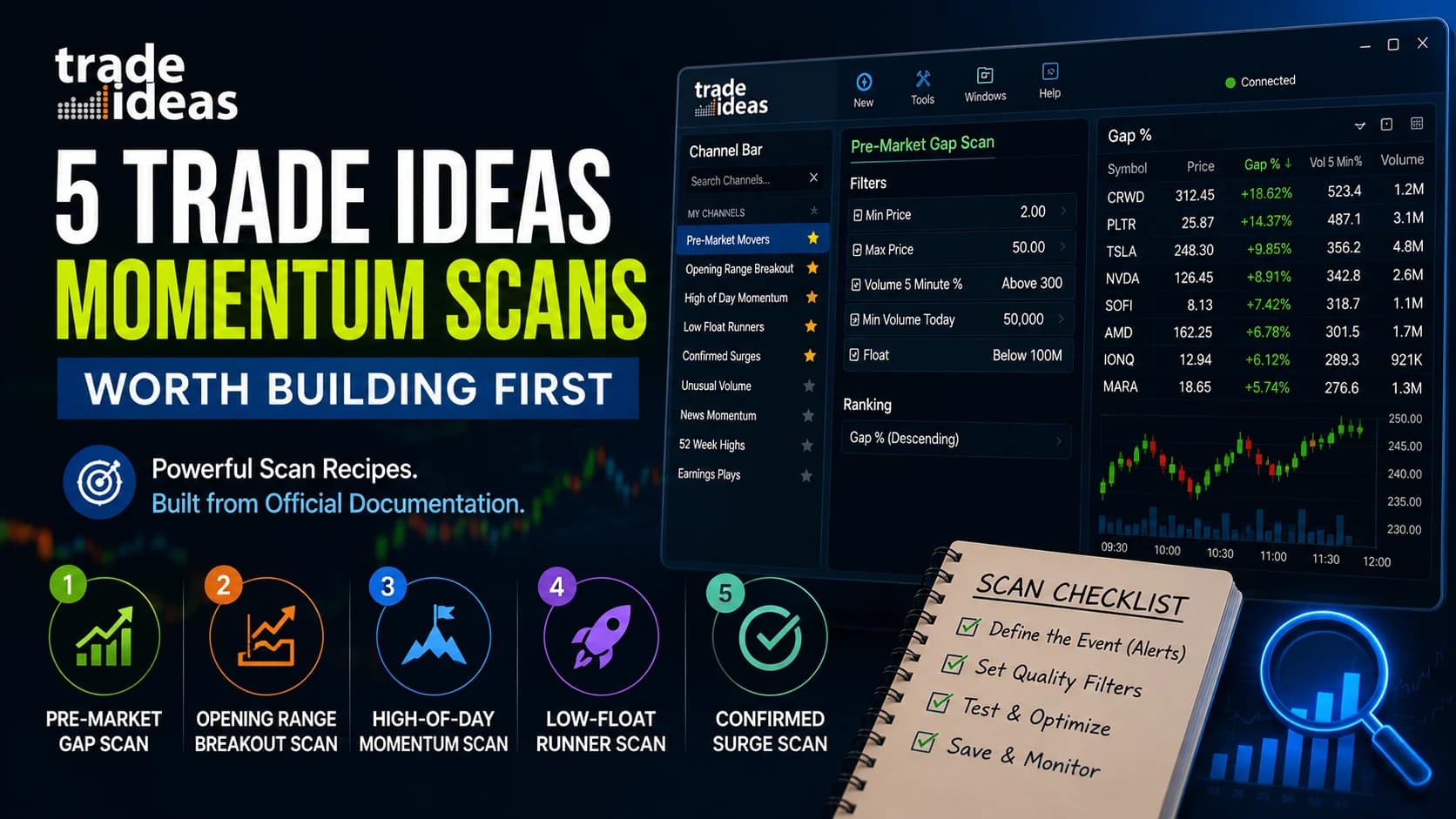
Best Trade Ideas Scans for Momentum Traders: 5 Recipes Worth Building First
Five complete momentum scan recipes for Trade Ideas — exact alerts, filters, and starting values built from the official documentation, plus the OR/AND logic that breaks most beginner scans, the Multi-Strategy consolidation setup, and how to validate any scan before trading it.
Tools & Tutorials
Trade Ideas Setup Guide for Beginners: From Download to Your First Scan
A step-by-step Trade Ideas setup guide built from the official documentation: account decisions, system requirements and Mac options, install gotchas, the Channel Bar quick start, your first custom scan, and the paper-trading connection to make before anything else.
Tools & Tutorials
Trade Ideas Brokerage Plus Review: One-Click Orders, Auto-Trading, and the Simulator
A complete review of Trade Ideas Brokerage Plus: how the four broker connections actually work (including the documented quirks), why the built-in simulator is the module's most valuable component, the auto-trading workflow and its safety rails, and who integrated execution genuinely fits.
Tools & Tutorials
Trade Ideas OddsMaker Review: No-Code Backtesting, Honestly Explained
An honest review of OddsMaker, Trade Ideas' no-code event-based backtester: how to run and read a backtest, the optimization loop and its overfitting trap, and the documented limits — 1-minute candles, no spread modeling, ~64 days of history — that determine when its results can be trusted.
Comments
No comments yet. Be the first to share your thoughts.