You already know news moves markets. What you probably haven't settled is whether you need a dedicated news platform to trade those moves — or whether the free headline feed on your broker is good enough.
This guide evaluates Benzinga Pro on and off since 2021, running it alongside our primary scanning and charting stack during live sessions. The question we tried to answer wasn't "is this tool impressive?" — it clearly is in places. The question was: does it change anything about how you actually trade? We'll give you the honest version.
What's good
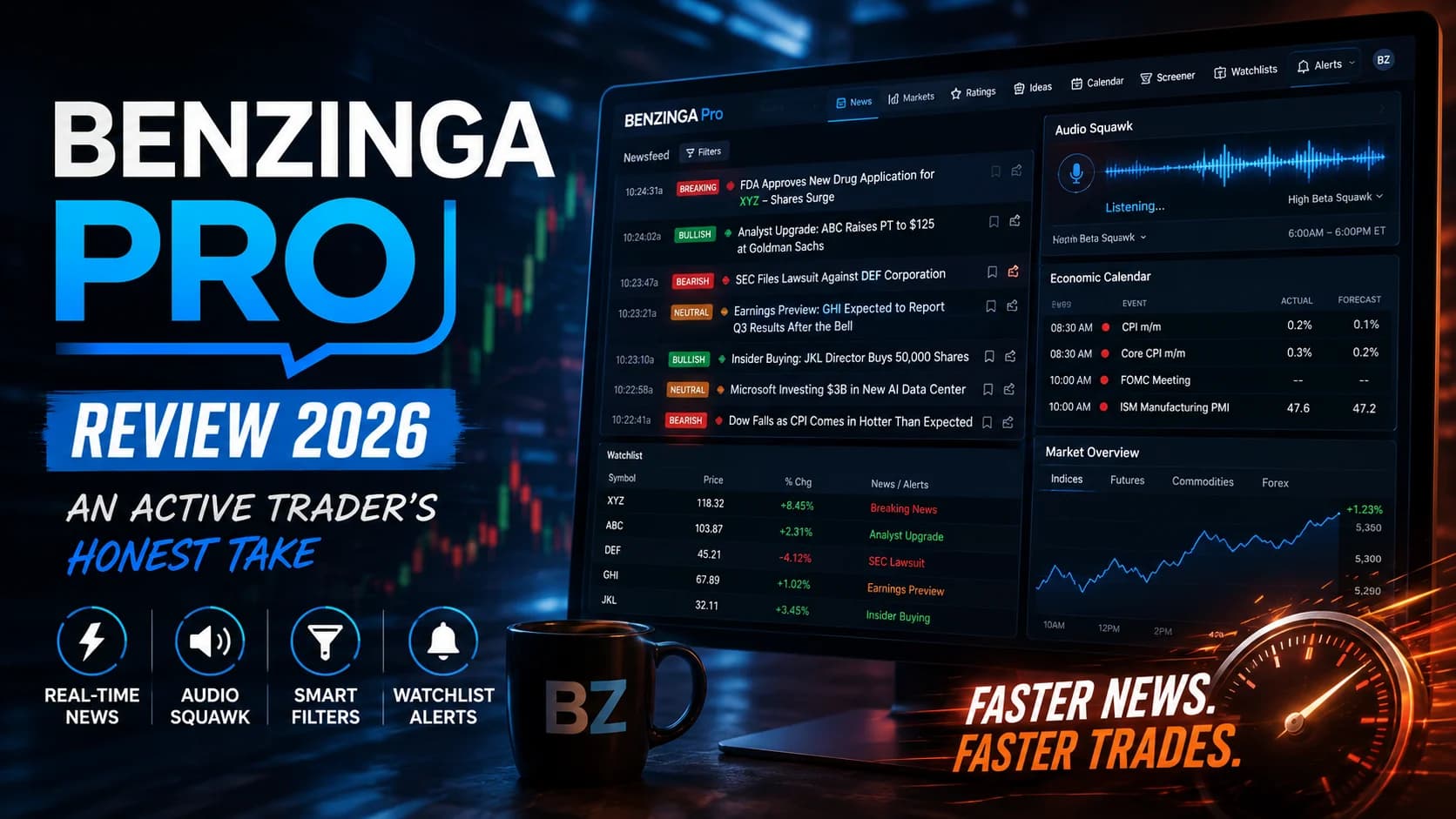
- Real-time news feed with sub-second delivery consistently beats mainstream financial media
- Audio Squawk broadcasts breaking headlines hands-free from 6 AM–6 PM ET, keeping you informed without breaking your chart focus
- Sentiment indicators on every headline give you an instant bullish/bearish read before clicking through
- Economic calendar integration ties macro events directly into the news workflow
- Watchlist alerts push notifications to desktop and mobile when your stocks appear in breaking news
Trade-offs
- Essential plan costs $197/month — a steep price point for traders who don't trade news daily
- Built-in stock screener is basic compared to dedicated scanning platforms; not a substitute for a real scanner
- Trustpilot reviews are mixed, with some users noting customer SupportSupport is a price level where buying pressure has historically overcome selling pressure, causing price to stop declining and reverse — it's the floor where demand enters the market, and when it holds, it's a potential long entry; when it Read definition → inconsistencies
- No direct broker integration means reaction speed depends entirely on how fast you can switch windows
What Is Benzinga Pro?
What is Benzinga Pro? Benzinga Pro is a real-time financial news and market intelligence platform built specifically for active traders. It delivers breaking headlines, EarningsAn earnings report is the quarterly financial disclosure a public company files with the SEC, revealing revenue, earnings per share (EPS), profit margins, and forward guidance — it's the most significant regular catalyst for individual stocRead definition → data, analyst ratings, SEC filings, and audio news broadcasts before most retail traders see them — the core pitch being that faster news awareness translates into faster trading decisions.
The company behind it, Benzinga, is a financial media outlet that runs its own newsroom. That's worth understanding from the start. Unlike platforms that aggregate headlines from third-party sources, Benzinga publishes original financial content — meaning their news team is writing stories that feed directly into the Pro terminal. This newsroom-plus-platform model is their structural advantage, and it's what gives Pro subscribers access to stories that haven't hit the broader financial web yet.
The platform runs in a browser interface and covers U.S. equities, options, crypto, and forex. It's designed as a workflow layer — you'd typically run it alongside your charting platform and scanner, not in place of them.
Key Features of Benzinga Pro
The Real-Time Newsfeed is the centerpiece. Headlines arrive in a live-scrolling feed tagged with sentiment indicators (bullish, bearish, or neutral) and color-coded by story type — earnings, analyst upgrades, SEC filings, FDA decisions, and more. The filtering is what separates this from free news sources. On the Essential plan, you can filter the feed by market cap, price RangeA range (or trading range) is a price zone where a stock oscillates between a defined support floor and resistance ceiling without making meaningful new highs or lows — price is consolidating rather than trending, and the dominant trade is Read definition →, SectorA broad grouping of companies that operate in the same segment of the economy — such as Technology, Healthcare, Energy, or Financials. Stocks within a sector tend to move together in response to shared economic, regulatory, and sentiment faRead definition →, and story type, which means you're not drowning in irrelevant headlines during a fast market.
Audio Squawk is the feature this review considers most useful. It runs from 6 AM to 6 PM ET on market days, and it does exactly what it sounds like: an audio broadcaster reads key headlines aloud as they cross the wire. If you trade with multiple monitors — charting on one, order entry on another — you don't have to glance at the newsfeed to stay informed. You hear "FDA approves ticker XYZ drug application" and you're already looking at the chart before the sentence finishes. There's also a High Beta Squawk channel for volatile stocks specifically, and you can run multiple channels simultaneously.
This isn't a feature most people think about until they've experienced it. But once you've traded with a hands-free audio feed in the background, going back to purely visual news is noticeably slower.
The Economic Calendar aggregates all major macro events — FOMC, CPI, NFP, GDP, ISM reports — with countdown timers, consensus estimates, and prior readings. It functions as a scheduling layer within the platform, so when a market-moving release hits, the newsfeed and audio squawk are already primed for it. For traders who build their session around scheduled catalysts, this is genuinely useful workflow integration.
Watchlist Alerts let you create custom watchlists and receive desktop and mobile push notifications when any of your stocks appear in breaking news or hit price targets. The mobile app carries this through, so if you step away from the screens, you're still in the loop.
Stock Screener is present on the Essential plan and offers 50+ filters including price, volume, market cap, and float. It's functional — it does the job of narrowing the universe — but it's not a real-time, continuously refreshing scanner in the way dedicated platforms are. Think of it as a watchlist-builder rather than a momentum-detection tool.
Signals and Unusual Options Activity (Essential and above) surface unusual options flow and pre-market movers. These are additive features rather than core strengths; traders with a dedicated options flow tool shouldn't expect Benzinga Pro to replace it.
Who Benzinga Pro Is Best For
The honest answer: Benzinga Pro is built for a specific kind of trader, and it's excellent for them. If you're outside that profile, it's an expensive add-on you probably don't need.
It fits you well if you trade news catalysts as your primary edge. If your strategy depends on reacting to earnings surprises, FDA decisions, analyst upgrades, or macro data releases before the market fully digests the news, then speed and reliability of that news feed is worth paying for. The gap between hearing a headline on Benzinga Pro and seeing it on CNBC is real — and in catalyst trading, that gap matters. Our guide to understanding stock catalysts covers why those windows of information asymmetry exist at all.
It fits you well if you trade with multiple monitors and want audio coverage. The Squawk feature changes the workflow calculus significantly for multi-monitor setups. Keeping a visual newsfeed open means dedicating screen real estate. Audio gives that back to you.
It fits you well if you trade biotech, small-cap, or event-driven stocks. These are the categories where news impact is most direct and most sudden. FDA decisions, insider filings, secondary offering announcements — Benzinga Pro's newsroom covers this territory specifically and fast.
It's probably not the right fit if your strategy is primarily technical. If you're a trend trader, VWAP trader, or pattern-based momentum trader who uses news mainly as a secondary filter rather than your primary setup trigger, the Essential plan is a significant cost for features you'll underuse. Your free broker newsfeed and a quality screener likely cover what you need. See our strategies hub for the full range of setup approaches that rely less on news speed.
It's not a substitute for a scanner. Benzinga Pro surfaces news. It doesn't continuously scan the market for technical breakouts, momentum setups, or pattern-matching criteria. If you're looking for a tool that finds which stocks are moving and why — combining technical criteria with news context — a scanner is the other half of that equation.
Benzinga Pro Pricing
Benzinga Pro currently offers three tiers. The Basic plan (~$37/month) covers the real-time newsfeed, watchlist alerts, and the Movers feature, but lacks advanced filtering — which means the feed is unfiltered and harder to act on. For active traders, we'd consider this a starting point to explore the platform, not a workable long-term setup.
The Essential plan (~$197/month) is where the full product lives — real-time quotes, the filtered newsfeed, audio squawk, Benzinga AI, trader chat, sentiment indicators, the full calendar suite, and the signals feature. This is the plan we'd evaluate seriously if you're considering Benzinga Pro as a real workflow tool.
The Options Mentorship plan (~$457/month) adds mentorship access, an inner circle trading room, options picks, and educational content. It's structured for options-focused traders who want community alongside the platform.
A 14-day free trial is available (no credit card required), which is genuinely worth taking before committing. You'll get a feel for whether the squawk becomes a habit or just background noise within the first week.
For current pricing and any available discounts, check our deals page.
One honest note on the pricing: the $197/month Essential plan works out to roughly $6.50 per trading day on an annual basis. That math only makes sense if you're an active trader who uses the platform most market days. If you'd open Benzinga Pro twice a week, the cost-per-use math doesn't hold up.
What Works Well
News speed is legitimately faster than free alternatives. This isn't marketing language — it's observable in live trading. When a significant headline breaks, Benzinga Pro users tend to see it before the same story appears on free services. The delta is often 30–90 seconds, which sounds small in normal life and matters enormously in a volatile catalyst setup.
The sentiment tags are genuinely useful at speed. When you're scanning a live news feed during the open, you don't have time to read every headline fully. A color-coded bullish/bearish tag above the headline means you can triage at a glance: is this a story that moves a stock up, down, or sideways? It's a small thing that compounds to real time savings over a session.
The economic calendar integration removes a workflow step. Most traders run a separate calendar tab. Having it built into the same interface, tied to the same news feed, means you see the macro context for any catalyst story without switching windows.
The mobile experience is solid. The app carries the essential features through reliably — breaking news, watchlist alerts, and movers. For traders who step away from the desk during the session, mobile alerts from a watchlist are a genuine quality-of-life improvement.
Limitations
The screener is a supporting cast member, not a lead. If you come to Benzinga Pro hoping to replace a dedicated scanner, you'll be disappointed. The 50+ filter screener is useful for building watchlists and doing basic stock selection, but it doesn't continuously scan the market for momentum setups in real time the way a purpose-built scanning platform does. A stock can go from flat to up 40% on news, and Benzinga Pro will tell you why — it won't necessarily find it first.
The Essential plan price point is the main barrier. At $197/month, Benzinga Pro is priced for traders who use it every day and trade news-driven setups. For part-time traders, swing traders, or traders whose edge has little to do with news speed, there are better places to spend that capital — building skills, tools, or account size.
Customer service reviews are mixed. Benzinga's Trustpilot rating sits around 2.9 as of early 2026, with a meaningful portion of negative reviews touching on billing issues and support responsiveness. This doesn't reflect on the platform's trading utility, but it's worth knowing before you subscribe, and worth checking the cancellation terms before your trial ends.
It doesn't integrate directly with brokers. Your reaction chain is: hear/see headline → manually switch to your broker or scanner → execute. In a fast catalyst environment, that manual handoff is a real limitation. Tools that offer one-click execution from within the same interface have an edge here for pure reaction speed.
How It Fits a Day Trader's Workflow
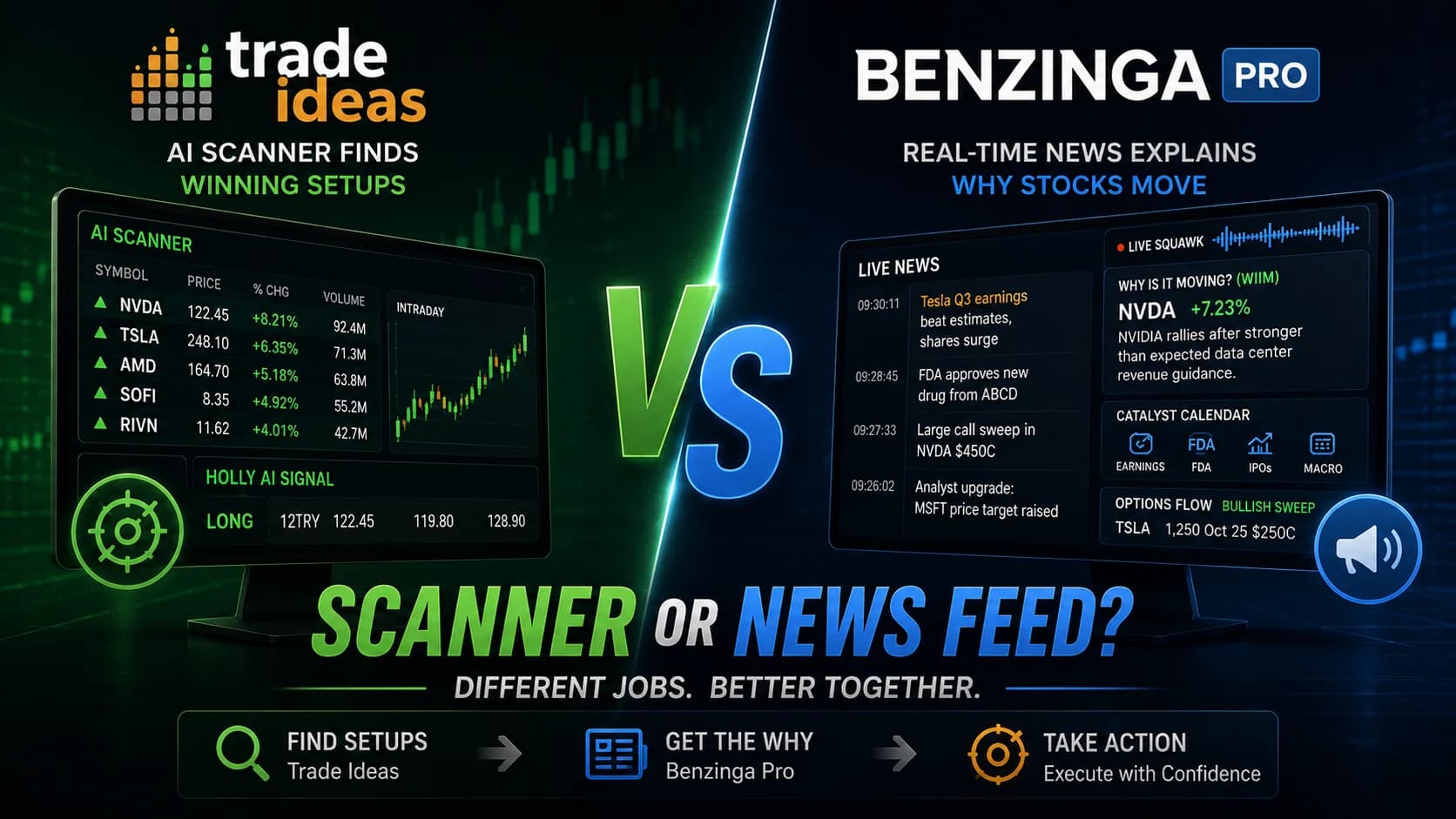
Benzinga Pro answers the question "why is this stock moving?" News tells you about the catalyst. What it doesn't do as well is continuously answer "which stock is moving right now?" — that's a different tool category.
This distinction is worth internalizing before you subscribe. If you already have a scanner or platform that surfaces real-time movers across the market, Benzinga Pro layers a news-speed advantage on top of that. If you don't have a scanner, the news platform alone means you'll react to stories about stocks you're already watching, but you may miss setups in stocks you haven't thought to monitor.
For traders who want both workflows — news speed and real-time technical scanning combined — the typical approach is to run a dedicated scanning platform alongside Benzinga Pro. If that's the direction you're evaluating, our full head-to-head breakdown covers the overlap and the gap in detail: Trade Ideas vs. Benzinga Pro.
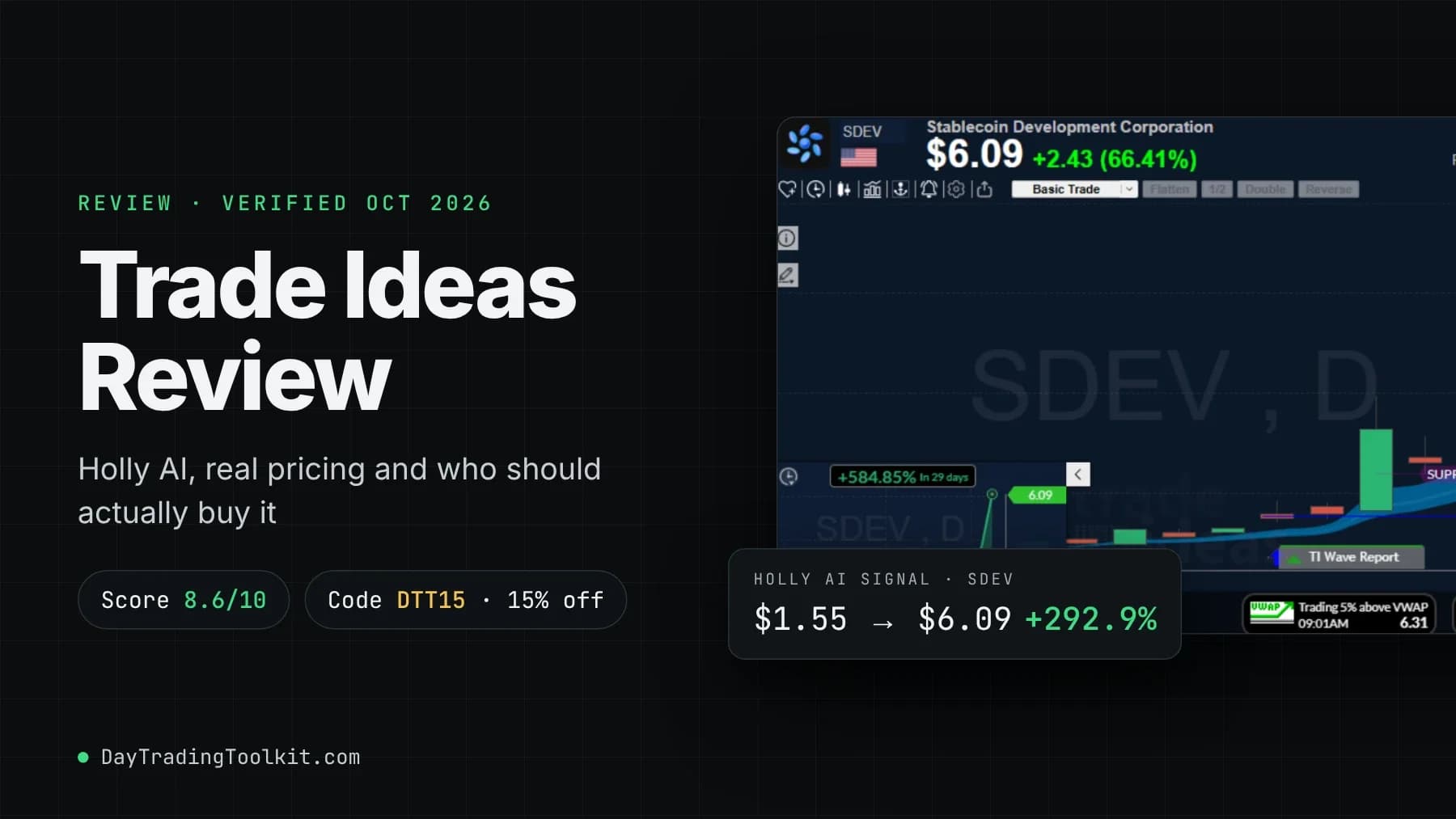
Trade Ideas, as our full review covers, approaches the information problem from the opposite end: it scans across the market continuously for stocks meeting momentum, volume, and technical criteria — then its news integration explains what's driving those moves. The two tools solve related but different problems, and many serious catalyst traders run both.
Fast News Worth Paying For — If Catalysts Drive Your Trading
Benzinga Pro delivers on its core promise: faster news, better filtering, and a genuinely useful audio squawk that changes how multi-monitor traders stay informed. The platform earns its price if you trade news-driven setups daily and benefit from the hands-free squawk workflow. If news is a secondary input to a primarily technical approach, the $197/month Essential plan is difficult to justify.
Active day traders who trade earnings surprises, FDA decisions, macro releases, and other catalyst-driven setups as a primary strategy — especially those running multi-monitor setups who benefit from audio coverage.