
Most scanners try to be neutral — they'll find you a setup in Apple or a sub-dollar biotech with equal indifference. StocksToTrade doesn't pretend. It was built, from the ground up, with penny-stock and small-cap momentum traders in mind, and it wears that identity openly. The pre-built screeners are tuned for fast-moving low-FloatFloat is the number of shares of a company that are actually available for public trading — it excludes shares held by insiders, major institutions with lock-ups, and the company itself.Read definition → plays. The Oracle algorithm leans toward sub-$5 names. Even the education ecosystem behind it grew out of penny-stock trading.
That focus is exactly why this review needs to be specific. StocksToTrade at $179.95 a month is a real commitment, and the platform sits inside a sprawling ecosystem of trainers, upsells, and add-on products that can make it hard to see the tool clearly. So let's separate the software from the marketing. Is the actual platform good? Who is it genuinely right for? And at that price, does it earn its keep — or are you paying for a brand as much as a tool?
Our team has tracked StocksToTrade across the scanner landscape for years. This review covers what the platform does in 2026, the current pricing, the honest strengths and limitations, and a clear verdict on who should subscribe.
What's good
- Best-in-class pre-built screeners for penny stocks and low-float momentum plays
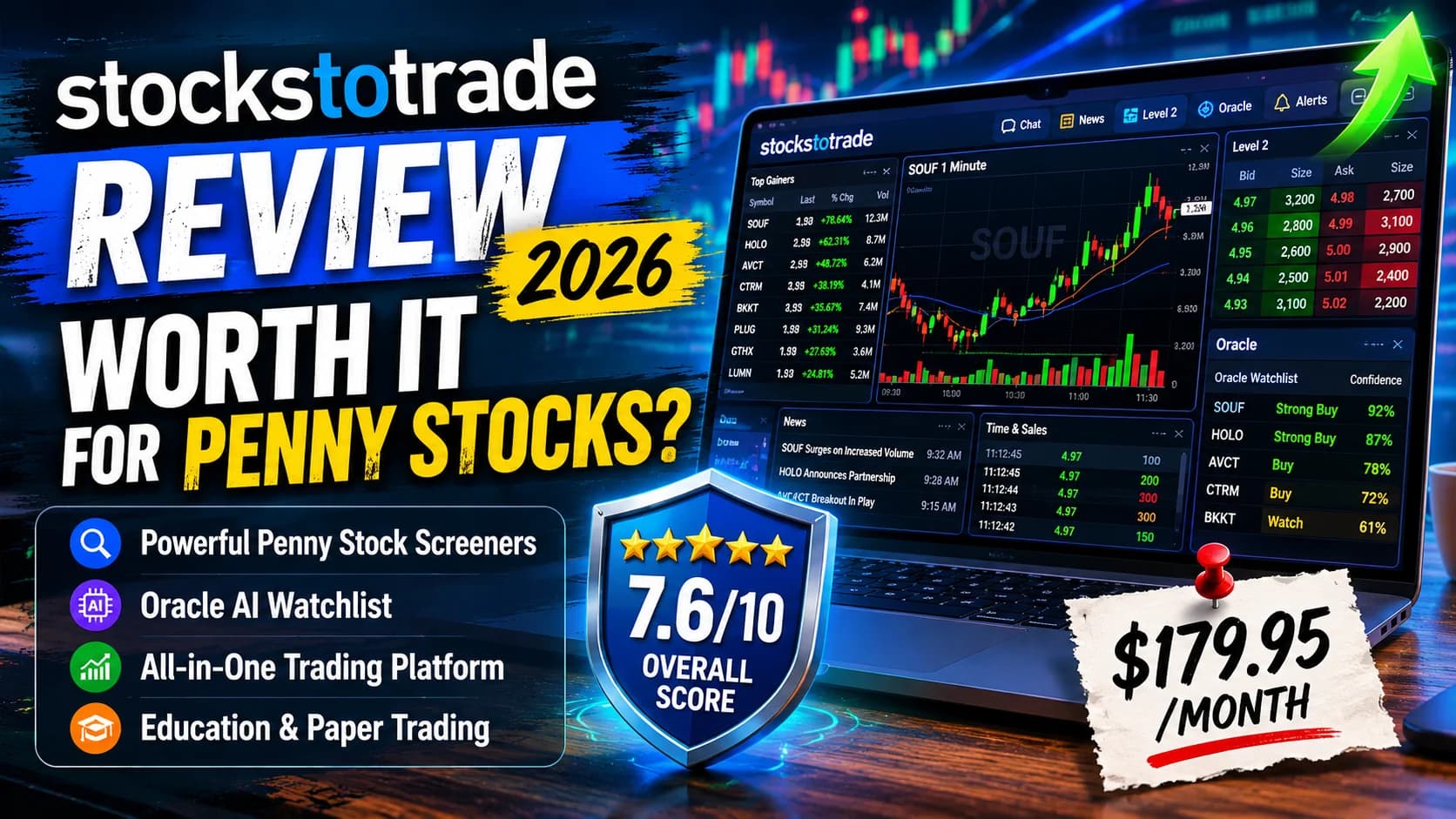
- True all-in-one workflow — scanner, charts, Level 2, news, and watchlists in one window
- Oracle generates a daily algorithmic watchlist, useful as an idea starting point
- Paper trading includes Level 1 real-time data, which is rare
- StocksToTrade University offers genuinely useful built-in education
Trade-offs
- At $179.95/mo, it's priced for committed, active traders — steep for beginners or part-timers
- Surrounded by a heavy ecosystem of separately-priced upsells and mentorships
- Desktop software is Windows-focused, with limited Mac SupportSupport is a price level where buying pressure has historically overcome selling pressure, causing price to stop declining and reverse — it's the floor where demand enters the market, and when it holds, it's a potential long entry; when it Read definition →
- Alerts are less customizable than the pattern-based alerts on some charting platforms
What Is StocksToTrade?
What is StocksToTrade? StocksToTrade is an all-in-one desktop trading platform built primarily for penny-stock and small-cap momentum traders. Closely associated with penny-stock trader Tim Sykes, it combines scanners, charting, Level 2 DataLevel 2 data shows the full order book — all the bids and asks queued at multiple price levels beyond the inside bid and ask — giving traders visibility into where supply and demand are stacking up before price gets there.Read definition →, news, watchlists, paper trading, and the Oracle algorithm in a single interface.
StocksToTrade's identity is tied to the penny-stock world. The platform is closely associated with Tim Sykes — the trader famous for turning a small sum into millions trading penny stocks — and its lead trainer, Tim Bohen, built much of the algorithmic tooling around that style. That heritage shapes everything: the default scans, the Oracle signals, and the education all orient toward fast-moving, low-priced, low-float stocks.
It runs as desktop software (Windows-focused) rather than a browser tab, and the pitch is ConsolidationConsolidation is a period where price moves sideways within a relatively tight range after a directional move — it reflects a temporary equilibrium between buyers and sellers before the next move.Read definition →: instead of bouncing between a scanner, a charting site, a news feed, and a Level 2 window, you get all of it in one screen. For a momentum trader watching several fast movers at once, that single-window workflow is a real part of the appeal — and understanding that all-in-one, penny-stock-first design is the key to judging whether it fits you.
Key Features
StocksToTrade packs a lot into one interface. Here's what you're actually getting.
Penny-stock screeners. This is the platform's signature strength. The pre-built scans are tuned for exactly the kind of setups penny-stock traders hunt — sub-dollar movers, low-float runners, percent-gainers, high Relative VolumeRelative volume (RVOL) compares a stock's current trading volume to its average volume for the same time of day, expressed as a multiple — a stock with 5x RVOL is trading five times more actively than normal, signaling unusual interest and Read definition → on small caps. You can build custom screens from thousands of variables too, but the out-of-the-box penny-stock scans are what set it apart. (If this is your world, our guide on how to day trade penny stocks and our explainer on float and short interest pair directly with this kind of scanning.)
Oracle. According to StocksToTrade's current support documentation, the Oracle Scanner is available exclusively to Daily Income Trader members. Oracle is an algorithmic feature — it scans the market and produces a daily watchlist of trade ideas, weighted toward penny and small-cap names, with suggested buy/sell levels. It's best understood as an idea generator and starting point, not a signal to follow blindly. Like any algorithm, it surfaces candidates based on its built-in logic; what you do with them is on you. (For a clear-eyed take on what trading algorithms can and can't do, see our guide on AI trading bots: what's real vs. marketing hype.)
All-in-one charting, Level 2, and news. The platform bundles charting with the standard indicators pre-loaded (RSI, MACD, stochastics, moving averages), Level 2 order book data, and a news feed with one-click access to filings and earnings. Everything lives in one customizable layout, which is the core workflow advantage.
Paper trading with real-time Level 1 data. StocksToTrade's simulator runs on Level 1 real-time data, which is genuinely uncommon — most paper trading uses delayed feeds. That makes practice meaningfully closer to live conditions, and it's a real plus for traders testing a new setup before risking capital.
Alerts and watchlists. You can set alerts on individual tickers by price, volume, VWAP, or breaking-news headlines, and build dynamic watchlists that update as stocks qualify. The alerting works, though it's not as deeply customizable as the pattern-based alert systems on dedicated charting platforms.
StocksToTrade University. Built-in education — training videos, best practices, and support — sits alongside the software. It's a real resource, and for a newer penny-stock trader it adds value beyond the tool itself.
Who StocksToTrade Is Best For
Let's be direct about fit.
StocksToTrade is a strong choice for the active penny-stock and small-cap momentum trader. If your bread and butter is sub-$5 runners, low-float gappers, and OTC plays, the pre-built screeners and Oracle are tuned for exactly that, and few platforms match that specialization. This is the trader the whole platform was designed around.
It also suits the trader who wants everything in one window. If you're tired of juggling a scanner in one tab, charts in another, and news in a third, the consolidated layout is a genuine workflow upgrade — especially when you're tracking several fast movers at once.
And it fits the developing trader who wants tool plus education together. StocksToTrade University and the surrounding content mean you're not just handed software and left alone. For someone learning the penny-stock game, that combination has value.
Where it's a weaker fit: the large-cap, futures, forex, or options trader. The platform's whole orientation is equities, heavily flavored toward small-caps — you can use it for any stock, but you'd be paying a premium for a specialization you don't need. It's also a tough sell for the cost-sensitive beginner; at $179.95/mo, this isn't a starter tool, and the surrounding upsell ecosystem can be a lot to navigate when you're new.
One practical note for smaller accounts: penny-stock traders often start with modest capital, and the old $25,000 Pattern Day Trader minimum that used to shape that decision was eliminated in 2026 under a new risk-based margin framework. If account size is part of your calculation, our guide to how much money you actually need to start reflects the current rules.
StocksToTrade Pricing
Here's the current, verified pricing — and the part where you need to look past the marketing.
- Plan
- 14-Day Trial
- Price
- $7
- What You Get
- Two weeks to test the core platform
- Plan
- Monthly
- Price
- $179.95/mo
- What You Get
- Full platform access + StocksToTrade University
- Plan
- Annual
- Price
- $1,899.50/yr
- What You Get
- Same as monthly, with $250 off the yearly cost
| Plan | Price | What You Get |
|---|---|---|
| 14-Day Trial | $7 | Two weeks to test the core platform |
| Monthly | $179.95/mo | Full platform access + StocksToTrade University |
| Annual | $1,899.50/yr | Same as monthly, with $250 off the yearly cost |
The core platform is $179.95 a month, or $1,899.50 a year (which works out to a $250 saving versus paying monthly). The $7 14-day trial is a genuinely low-risk way to test it before committing — we'd suggest using it fully.
The thing to go in clear-eyed about is the surrounding ecosystem. Beyond the core software, StocksToTrade markets a range of separately-priced add-ons and mentorships — algorithmic products like Silver Dollar Club and IRIS Analytics, and programs like the Daily Income Trader. None of these are required to use the platform, and the core tool stands on its own. But you'll encounter the upsells, and it's worth deciding in advance what you actually need versus what's being marketed to you. The software is the product; the rest is optional.
For current pricing and any available discounts across the scanner and platform tools we cover, check our deals page. Frame the $179.95 honestly against your trading: it's justifiable if you trade penny-stock momentum actively and the all-in-one workflow saves you real time and missed setups. If you trade occasionally or are still learning the basics, that's a heavy monthly cost to carry.
What Works Well
After real use, a few things consistently stand out.
The penny-stock screeners are the genuine article. This is where StocksToTrade earns its specialization. The pre-built scans for low-float runners and sub-dollar movers surface the kind of setups penny-stock traders actually want, faster than building everything from scratch on a general-purpose scanner. If that's your niche, this is a real edge in workflow.
The all-in-one layout is more valuable than it sounds on paper. When a small-cap is running and you need the chart, the Level 2, and the news headline that's driving it — all at once, without alt-tabbing — having it in a single window genuinely changes how fast you can read a situation. That consolidation is the platform's quiet strength.
Oracle is a useful starting point. Treated correctly — as an idea generator, not gospel — Oracle's daily watchlist gives you a curated set of candidates to investigate rather than a blank screen at the open. It does some of the initial legwork of narrowing the universe.
And the Level 1 real-time paper trading deserves credit. Practicing against real-time data instead of a delayed feed makes the simulator meaningfully more honest, which matters for traders genuinely trying to build a repeatable process before going live.
Limitations
Now the honest part. StocksToTrade is capable, but several things matter for the right-fit decision.
The price is steep, and the ecosystem is heavy. At $179.95/mo, this is a serious line item — built for committed, active traders, not casual ones. And the platform sits inside a large marketing ecosystem of trainers, mentorships, and add-on products. The core software is solid and stands alone, but you'll be marketed to, and a newer trader can find it hard to tell the essential tool from the optional upsell. Going in knowing the software is what you're paying for — and the rest is opt-in — helps you avoid overspending.
It's Windows-focused desktop software. StocksToTrade runs as a desktop application oriented toward Windows, with limited Mac support. If you're a Mac-first trader, confirm the current compatibility before subscribing — this is a real friction point for some users.
Alerts are less customizable than some competitors. You can alert on price, volume, VWAP, and news, which covers the basics well. But if you want deep, pattern-based technical alerts — "tell me when this forms a specific candlestick structure at a specific level" — dedicated charting platforms offer more granular control.
The specialization cuts both ways. Built for penny stocks and small-caps, the platform is less compelling if that's not your focus. You can trade any stock with it, but a large-cap or multi-asset trader is paying a premium for tuning they won't use. None of these are reasons to avoid StocksToTrade — they define who it's right for: the active penny-stock and small-cap momentum trader who values an all-in-one workflow and will use the platform enough to justify the cost.
How It Fits a Day Trader's Workflow
Here's the practical way to think about StocksToTrade in a real setup.
StocksToTrade solves a specific problem extremely well: giving penny-stock and small-cap momentum traders a consolidated, specialized workspace. Where the decision gets interesting is when you ask whether you need that specialization — and whether the surrounding ecosystem is something you want to be inside.
If your edge isn't specifically penny stocks — if you want AI-assisted scanning across the whole market, integrated backtesting, and an all-in-one platform without the guru-ecosystem packaging — then a comprehensive platform like Trade Ideas is the natural thing to weigh against it. Trade Ideas is more than a scanner: it pairs real-time scanning across 500+ filters with Holly, an AI engine that generates signals based on nightly backtesting, plus built-in charting, paper trading, OddsMaker backtesting, and Brokerage Plus for live execution through brokers like Interactive Brokers and E*TRADE. The two represent different philosophies — StocksToTrade is the penny-stock-first specialist; Trade Ideas is the broader, market-wide AI-assisted platform. You can read the full breakdown in our Trade Ideas review.
There's also a community angle worth naming. A lot of what draws traders to StocksToTrade is the education and the sense of a group learning the penny-stock game together. If that community element is a big part of the appeal for you, it's worth comparing against a dedicated trading community on its own terms — our Investors Underground review covers a serious day-trading community with live trade commentary, separate from any single software platform.
The point isn't that one tool replaces another. It's that StocksToTrade answers a narrow question — "what's the best all-in-one workspace for penny-stock momentum trading?" — exceptionally well. If that's your question, it's a strong answer. If your question is broader, weigh the alternatives.
How StocksToTrade Compares
A quick, fair read on where StocksToTrade sits next to the tools traders weigh against it.
Against Trade Ideas, it comes down to specialization versus breadth. StocksToTrade is the penny-stock-first, all-in-one specialist with built-in education; Trade Ideas is the broader, market-wide AI-assisted platform with deeper backtesting and execution integration. If penny stocks are your whole game, StocksToTrade's tuning is hard to beat; if you want market-wide AI scanning and testing, Trade Ideas is the stronger fit.
Against Finviz, it's depth-and-workflow versus price-and-breadth. Finviz Elite is dramatically cheaper and excellent for visual screening and end-of-day work across all stocks, but it isn't a real-time, all-in-one momentum cockpit the way StocksToTrade is. For a budget-conscious trader or one who screens more than they day trade, Finviz often makes more sense — see our Finviz review.
The honest summary: StocksToTrade isn't trying to be the cheapest tool or the most general one. It's trying to be the best all-in-one workspace for penny-stock and small-cap momentum trading — and within that lane, it's among the strongest options available. Outside that lane, the value proposition gets harder to justify.
A Strong Penny-Stock Platform at a Premium Price
StocksToTrade is a genuinely capable all-in-one platform with best-in-class penny-stock screeners, a consolidated workflow, and useful built-in education. It's the right choice for active penny-stock and small-cap momentum traders who will use it enough to justify $179.95/mo. It's the wrong choice for cost-sensitive beginners, large-cap or multi-asset traders, and anyone uncomfortable navigating the heavy surrounding ecosystem of upsells.
Active penny-stock and small-cap momentum traders who want a specialized all-in-one workspace and will trade frequently enough to earn back the premium price.
StocksToTrade is right for you if:
- You actively trade penny stocks, low-float runners, or small-cap momentum
- You want a true all-in-one workspace — scanner, charts, Level 2, and news in one window
- You'll use the platform frequently enough to justify the $179.95/mo cost
- You value built-in education alongside the software
StocksToTrade is probably not right for you if:
- You trade mainly large-caps, futures, forex, or options
- You're a cost-sensitive beginner still building the basics
- You're a Mac-first trader and need full native support
- You'd rather avoid a heavy ecosystem of upsells and mentorships
Frequently Asked Questions
Is StocksToTrade worth it for penny stocks?
How much does StocksToTrade cost in 2026?
The annual plan saves $250 versus paying monthly. Beyond the core software, StocksToTrade markets separately-priced add-ons and mentorship programs — none of which are required to use the platform. The $7 trial is a low-risk way to evaluate the tool before committing to a full month. Key Takeaway: Budget $179.95/mo for the core tool and ignore the upsells unless you specifically need them; check our deals page for current discounts.