Trade Ideas vs TradingView: Do You Actually Need Both?

In this article8 sections
Most "Trade Ideas vs TradingView" comparisons try to pick a winner. This one won't — because framing it as a competition misses the point. These two platforms answer completely different questions, and the right verdict for most active day traders isn't "one or the other." It's understanding what each does, where they stop overlapping, and whether your workflow justifies both.
Trade Ideas vs TradingView
Best for AI DiscoveryTrade Ideas 8.6/10 | Best for ChartingTradingView 8.6/10 | |
|---|---|---|
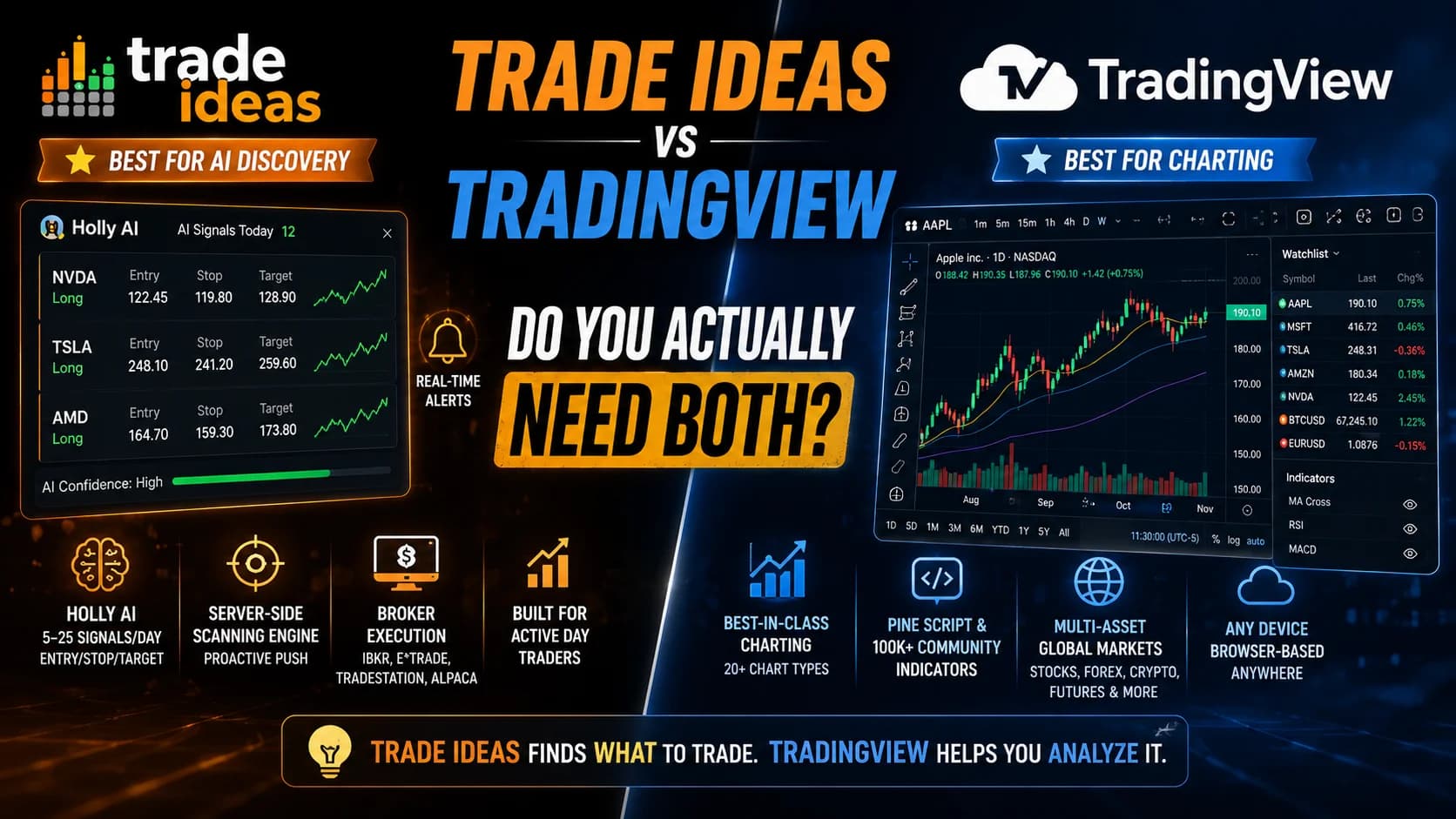
| AI signals | Holly AI, 5–25/day, entry/stop/target | None — Copilot is analysis only |
| Scanning engine | Server-side, proactive push | Client-side screener, manual |
| Charting depth | Functional, not primary | Best-in-class, 20+ chart types |
| Asset coverage | US stocks/ETFs only | Stocks, forex, crypto, futures globally |
| Broker execution | Yes — IBKR, E*TRADE, TradeStation, Alpaca | Via third-party webhook only |
| Mac compatible | Needs virtualization | Fully browser-based, any device |
| Data fees | All US exchange data bundled | Charged separately per exchange |
| Entry price | $127/mo (The Core) | Free / $14.95/mo (Essential) |
| Get started | Read Trade Ideas Review | Read TradingView Review |
What is the difference between Trade Ideas and TradingView? Trade Ideas is a real-time AI scanning platform: it finds stocks matching your criteria the moment they trigger and surfaces Holly AI signals with defined entry, stop, and target levels. TradingView is a charting and analysis platform: it lets you analyze any market with institutional-grade tools, community indicators, and multi-asset coverage. Trade Ideas tells you what to look at. TradingView tells you how to analyze it.
The Core Difference (And Why It Matters)
Put the two platforms side by side and the functional gap is immediately obvious.
Trade Ideas is built around discovery. Its scanning engine processes every tick on U.S. markets server-side and fires an alert the moment a stock meets your defined criteria — gaps, volume spikes, VWAP crosses, relative strength shifts, whatever combination you set. Holly AI runs nightly simulations across dozens of strategies and issues real-time signals the next session: entry, stop, target, hold time. The platform is pushing information to you constantly. You're not hunting; you're filtering.
TradingView is built around analysis. It offers 20+ chart types, hundreds of built-in indicators, and Pine Script — a proprietary coding language backed by over 100,000 community-created scripts. When a stock lands on your radar, TradingView is where you go to confirm the setup, draw your levels, and check the broader structure. It doesn't generate signals. It helps you evaluate them.
Here's the honest summary: Trade Ideas wins on scanning and AI alerts. TradingView wins on charting and community. Neither does the other's job equally well — and that's not a weakness in either platform. It's a product decision.
What Trade Ideas Does That TradingView Can't
Trade Ideas' core capability is real-time server-side scanning. That phrase matters more than it sounds. When you build a scan in Trade Ideas, it runs on Trade Ideas' own servers and pushes alerts to you the moment a condition fires. TI lets you keep dozens of stock screens running throughout the trading day, automatically refreshing every few seconds.
TradingView's screener is client-side and manual. You set it up, you run it, you read the results. It's a tool you operate. Trade Ideas is a system that operates on your behalf.
For active intraday trading, the distinction is real and practical. A stock can gap through a key level, spike volume, and retrace in under two minutes. If your scan refreshes every 30 seconds on your browser, you may find the setup after it's already extended. Server-side alerts that fire in seconds give you a different category of edge — not a guaranteed one, but a timing one.
The other gap TradingView can't fill: Holly AI. Trade Ideas Holly AI provides real-time trade signals with entry and exit points, with nightly backtesting deployed the next session. TradingView has added an AI Chart Copilot (currently in beta, limited to 15 requests per day), but it's a conversational analysis assistant, not a signal engine. It can describe what's on your chart; it doesn't tell you what to trade.
What TradingView Does That Trade Ideas Can't
Trade Ideas' charting is functional but not deep. Trade Ideas includes charts with standard drawing tools and 10–20 simultaneous views depending on your plan. Charting is NOT its centerpiece. It may fall short for pure technical analysis. Most serious Trade Ideas users confirm this: they run their charts in TradingView, thinkorswim, or another dedicated platform rather than leaning on Trade Ideas' built-in charts for confirmation work.
TradingView's charting is best-in-class at the retail level. The Pine Script library, the multi-timeframe analysis, the social layer where traders publish and share setups — none of that exists in Trade Ideas.
Then there's asset coverage. While Trade Ideas strictly focuses on the stock market, TradingView also covers the commodity, forex, bond, and cryptocurrency markets. If you trade anything outside U.S. equities, Trade Ideas has nothing for you. TradingView covers virtually every market you'd want to chart.
And the platform accessibility gap is real. Trade Ideas' advanced features — Holly, OddsMaker, the Money Machine — live in a Windows desktop application. Mac users need Parallels or similar virtualization, which adds cost and setup friction. TradingView is fully browser-based: any device, any operating system, no installation.
The Pricing Reality
This is where the comparison gets sharper.
Trade Ideas runs $127/month for Basic ("The Core") or $254/month for Premium ("The Apex") — or $1,068/$2,136 billed annually, which saves roughly 30%. Holly AI requires The Apex. Brokerage Plus bundled with the data for all U.S. exchanges is included at no extra charge — that data alone costs $40–60/month on most other platforms.
TradingView's structure is different. Essential is $14.95/month, Plus is $29.95/month, and Premium is $59.95/month, with annual plans saving roughly 16–17%. There's also a genuinely useful free plan that works indefinitely, with no trial clock. One honest caveat: for most retail traders, the real bill is the subscription plus one or two data feeds. A typical active trader on Plus trading US stocks pays roughly $29.95 (annual billing) plus $9.95 (US stock data), coming to about $40/month.
The cost comparison at the premium end: Trade Ideas Apex at $178/month effective annual versus TradingView Premium at around $60/month plus data. If you need both, budget for both — many traders run Trade Ideas Apex at $178/month alongside TradingView Plus at roughly $40/month all-in, a combined cost that typically lands around $218/month for a complete discovery-plus-analysis workflow.
For current Trade Ideas codes, the deals page has the live verified options — the discount guide covers how to stack annual billing with a code for the maximum savings.
Do You Actually Need Both?
This is the question the comparison is really asking. Honest answer: it depends on where your workflow bottleneck actually is.
You probably need Trade Ideas more if:
- You trade actively every day and feel like you're finding setups after they've moved
- You want AI signals that surface ideas you haven't thought to scan for
- You're already happy with your charting platform
- You trade strictly U.S. equities and ETFs
You probably need TradingView more if:
- You trade multiple asset classes (forex, crypto, futures alongside stocks)
- Your edge is primarily technical analysis and pattern recognition
- You're on a Mac and don't want to deal with virtualization
- You're building automated strategies through Pine Script
You genuinely benefit from both if:
- You're an active U.S. equities day trader who uses Trade Ideas for real-time discovery and TradingView for confirmation and charting
- You want the external linking feature — clicking a Trade Ideas alert auto-loads the ticker in TradingView with no manual symbol entry
- Your workflow separates "finding what to look at" from "deciding what to do with it"
The "use both" answer isn't a cop-out. It's genuinely what many active traders land on. The External Linking feature inside Trade Ideas makes this frictionless: one click sends the symbol straight from the scanner to your TradingView chart. Discovery in Trade Ideas, analysis in TradingView, execution through Brokerage Plus — a clean, three-layer workflow.
Where They Genuinely Overlap
A few areas where both platforms cover the same ground — and where the overlap shapes the decision:
Scanning/Screener. Both have one. Trade Ideas is faster, server-side, and AI-augmented. TradingView's screener is slower and manual but covers more asset classes. For U.S. equities intraday momentum, Trade Ideas wins decisively. For everything else, TradingView is the only one with coverage.
Alerts. Both support price and technical condition alerts. Trade Ideas fires them the moment a condition triggers, server-side. TradingView Essential and Plus alerts expire after roughly two months — traders running systematic scans must manually recreate their alerts periodically. Only Premium and Ultimate offer non-expiring alerts. For active traders running ongoing scan conditions, Trade Ideas' alert permanence is an advantage.
Paper trading. Both offer simulated trading. Trade Ideas' simulation runs on live data. TradingView's Bar Replay lets you practice on historical data. Different use cases: Trade Ideas for live conditions practice; TradingView's replay for historical pattern study.
AI. TradingView's AI Chart Copilot is a conversational assistant that can identify patterns and explain indicators but was not designed to write trading strategies or produce executable code. Trade Ideas Holly AI provides real-time trade signals with entry and exit points but is restricted to US equities. For AI that actively generates trade ideas, Trade Ideas is the substantively stronger platform at this point. TradingView's AI is a research aid, not a signal engine.
The Honest Verdict
Trade Ideas and TradingView aren't competing for the same job. Choosing between them is the wrong question. The right question is: what does your workflow need?
If discovery — finding which stocks are setting up right now, in real time — is your bottleneck, Trade Ideas is built for exactly that. If analysis — going deep on the charts of stocks you already know about — is your bottleneck, TradingView is unmatched at the retail level.
For the highest-performance version of active U.S. equities day trading, the answer is usually both: Trade Ideas for scanning and signals, TradingView for charting and confirmation. For a single-tool starting point, TradingView's free tier is the lower-risk entry, and Trade Ideas earns serious consideration when you're actively trading and finding setups feels like the constraint.
Frequently Asked Questions
Is Trade Ideas better than TradingView for day trading?
The more useful frame: Trade Ideas solves the "what should I look at right now?" problem. TradingView solves the "how do I analyze this chart?" problem. Day traders who need both often run them together rather than choosing one. If budget forces a single choice, your trading style determines which bottleneck matters more.
Key Takeaway: Scanner/AI signals → Trade Ideas; charting/analysis → TradingView; see Trade Ideas alternatives for broader context.
Can you use Trade Ideas and TradingView together?
The workflow is clean because Trade Ideas' External Linking feature sends a symbol directly from the scanner to TradingView with a single click — no manual ticker entry. The hand-off from discovery to analysis is frictionless. Many traders report this as their standard setup, particularly for equities momentum trading.
Key Takeaway: The two platforms complement rather than replace each other — using both is common among active equities traders.
Does TradingView have a scanner like Trade Ideas?
TradingView's screener lets you filter by hundreds of criteria and is genuinely capable, especially across multiple asset classes. But you run it manually and read the results. Trade Ideas' scanner pushes real-time alerts to you the moment a stock hits your criteria on the exchange data feed. For active intraday momentum trading, that speed gap is the core reason traders pay the premium for Trade Ideas.
Key Takeaway: Both have scanners, but Trade Ideas is proactive and server-side; TradingView's is manual — a meaningful difference for intraday traders.
Does Trade Ideas have better charts than TradingView?
Trade Ideas includes charting with standard indicators and drawing tools, and it's improved over time. But the depth of TradingView's chart types, the Pine Script library, the community indicators, and the multi-timeframe analysis tools are in a different category. Most serious Trade Ideas users run their charting in TradingView or thinkorswim rather than relying on Trade Ideas' built-in charts.
Key Takeaway: TradingView wins decisively on charting — Trade Ideas' edge is scanning and AI, not technical analysis tools.
Is TradingView free?
The free plan limits you to one chart per tab, three indicators per chart, and a small number of alerts. For a beginner learning to chart or a trader who only needs basic setup confirmation, it's legitimately useful. Paid plans start at around $14.95/month and scale up to $59.95/month for Premium with annual billing.
Key Takeaway: TradingView's free plan is genuinely useful as a starting point; Trade Ideas has no comparable free real-time option.
How much does Trade Ideas cost compared to TradingView?
The gap is significant. For a combined setup, most traders running both pay around $178/month for Trade Ideas Apex (annual) plus approximately $40/month all-in for TradingView Plus, totaling roughly $218/month. That's a serious commitment that only makes sense for traders active enough to use both platforms daily.
Key Takeaway: TradingView is substantially cheaper at every tier — Trade Ideas' premium reflects the AI scanning capability; see the discount guide for reducing TI's cost.
Does TradingView have Holly AI?
Holly runs nightly simulations and issues real-time intraday signals with entry, stop, and target levels during the session. TradingView's AI Copilot can analyze a chart you're looking at and describe what it sees, but it doesn't generate trade ideas proactively or connect to any execution system. They're fundamentally different AI applications.
Key Takeaway: Holly AI is Trade Ideas-exclusive — the Holly AI explainer covers how it works.
Which is better for beginners — Trade Ideas or TradingView?
Trade Ideas assumes you already have a strategy and need to execute it faster. Its value is discovery efficiency, not education. A beginner who doesn't yet know what setups they're looking for will get overwhelmed by 500+ filter options rather than helped by them. TradingView's community, social indicators, and bar replay for historical study build the foundation that makes Trade Ideas useful later.
Key Takeaway: Start with TradingView's free plan; add Trade Ideas when active scanning becomes a genuine workflow bottleneck — the beginner's guide covers what to build first.
Was this helpful?
Be the first to weigh in

Written by
Kazi Mezanur RahmanFounder, independent researcher, and editor of DayTradingToolkit, a one-person publication focused on risk-first trading education, documented tool research, and clear explanations.
Keep Reading
Comparisons
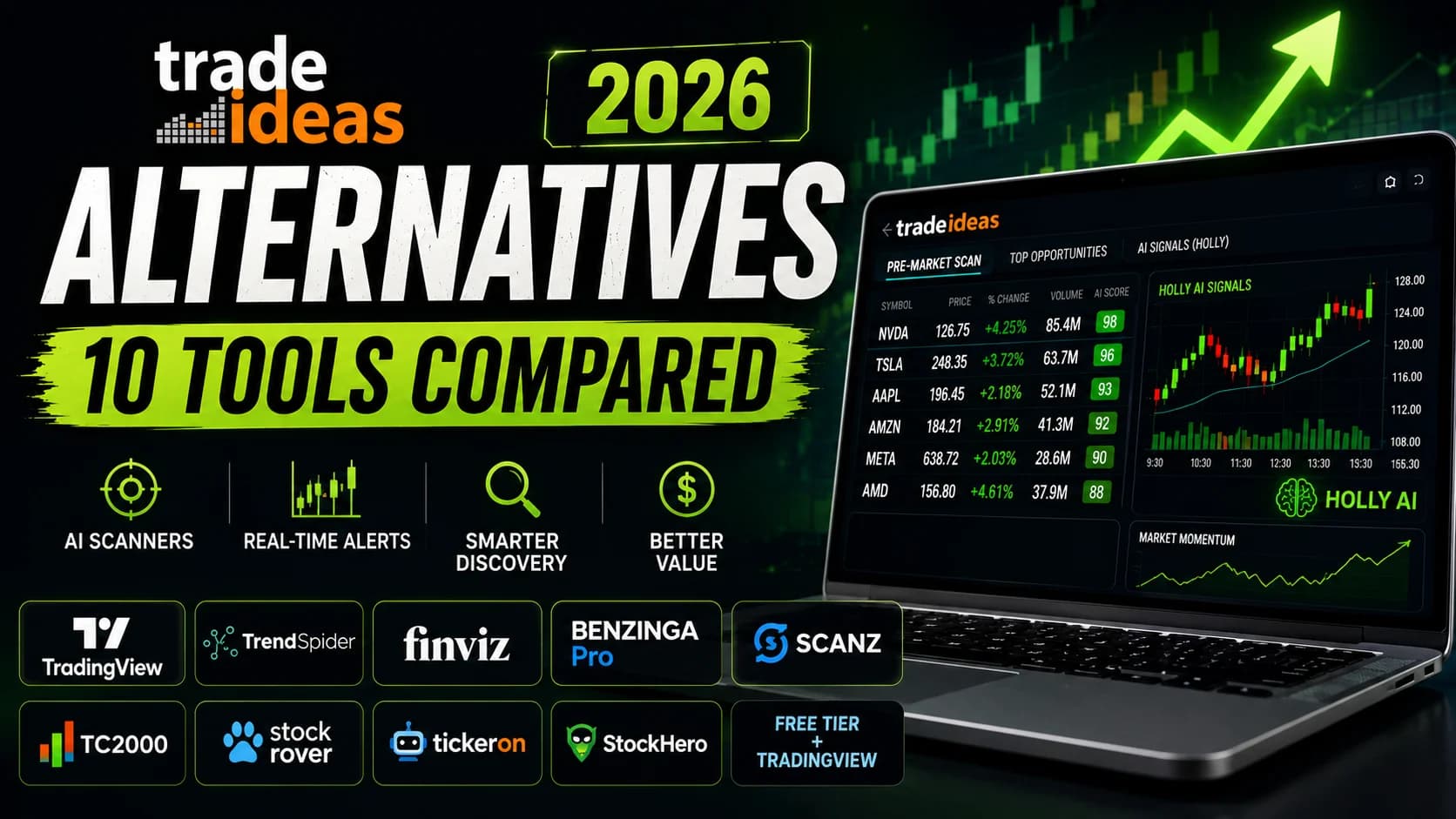
Best Trade Ideas Alternatives 2026: 10 Tools Compared
Not every trader needs Trade Ideas. Here are 10 honest alternatives by use case, budget, and style — with a clear verdict for each and a direct comparison.
Comparisons
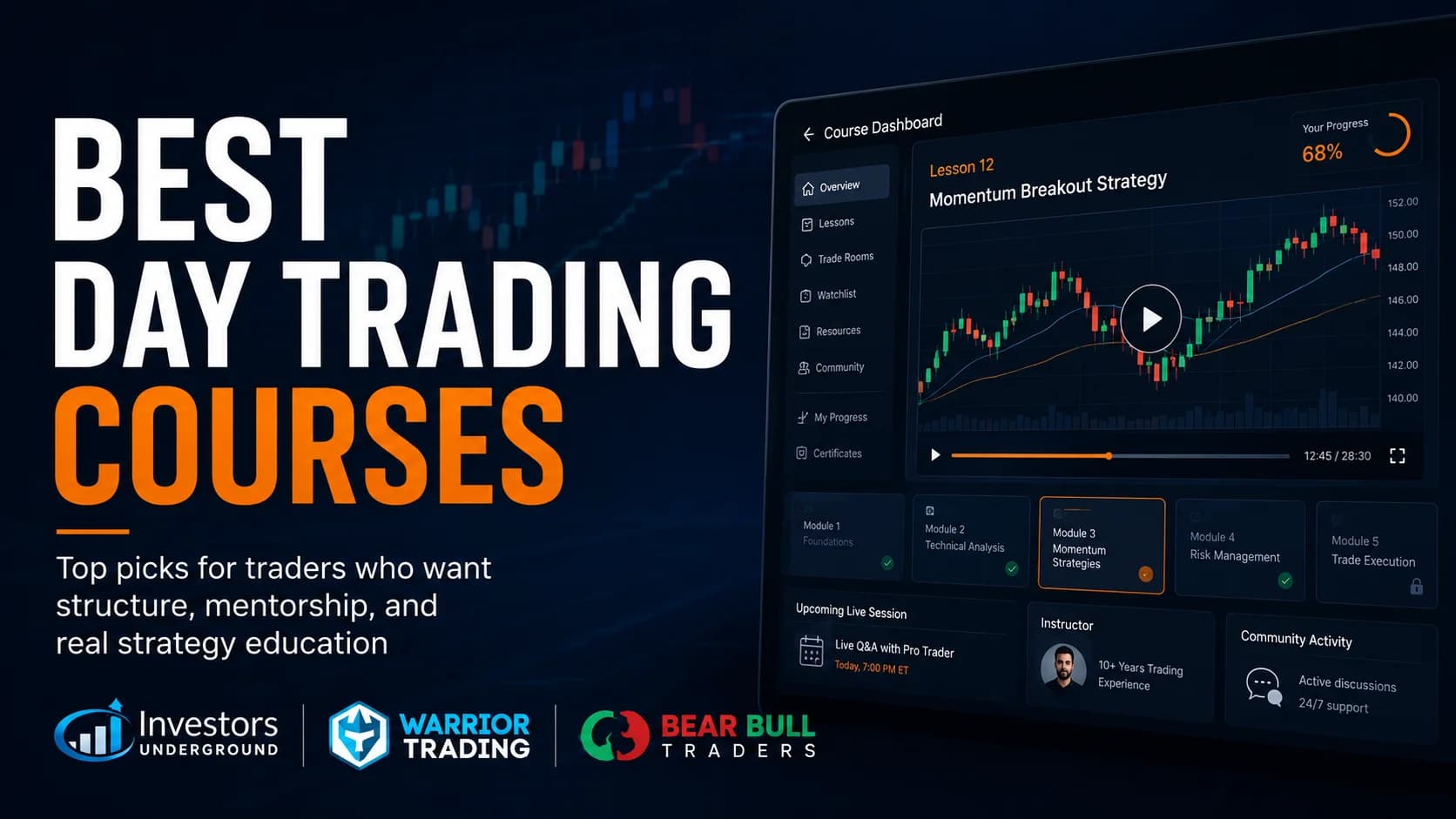
Best Day Trading Courses for 2026: 3 Programs Ranked
We ranked Investors Underground, Warrior Trading, and Bear Bull Traders to find the best day trading courses for 2026 — plus an honest look at whether you need one at all.
Comparisons
Best Stock Scanners for Day Trading (2026): Top 5 Ranked & Compared
We ranked Trade Ideas, TrendSpider, Finviz, Scanz, and TC2000 to find the best stock scanner for day trading in 2026 — by scan speed, AI signal quality, and price.
Comparisons
Best Trading Journal for 2026: 4 Platforms Ranked
We ranked the best trading journal options for 2026 — TraderSync, Tradervue, Edgewonk, and TradeZella — by analytics depth, AI features, price, and broker support.
Comments
No comments yet. Be the first to share your thoughts.