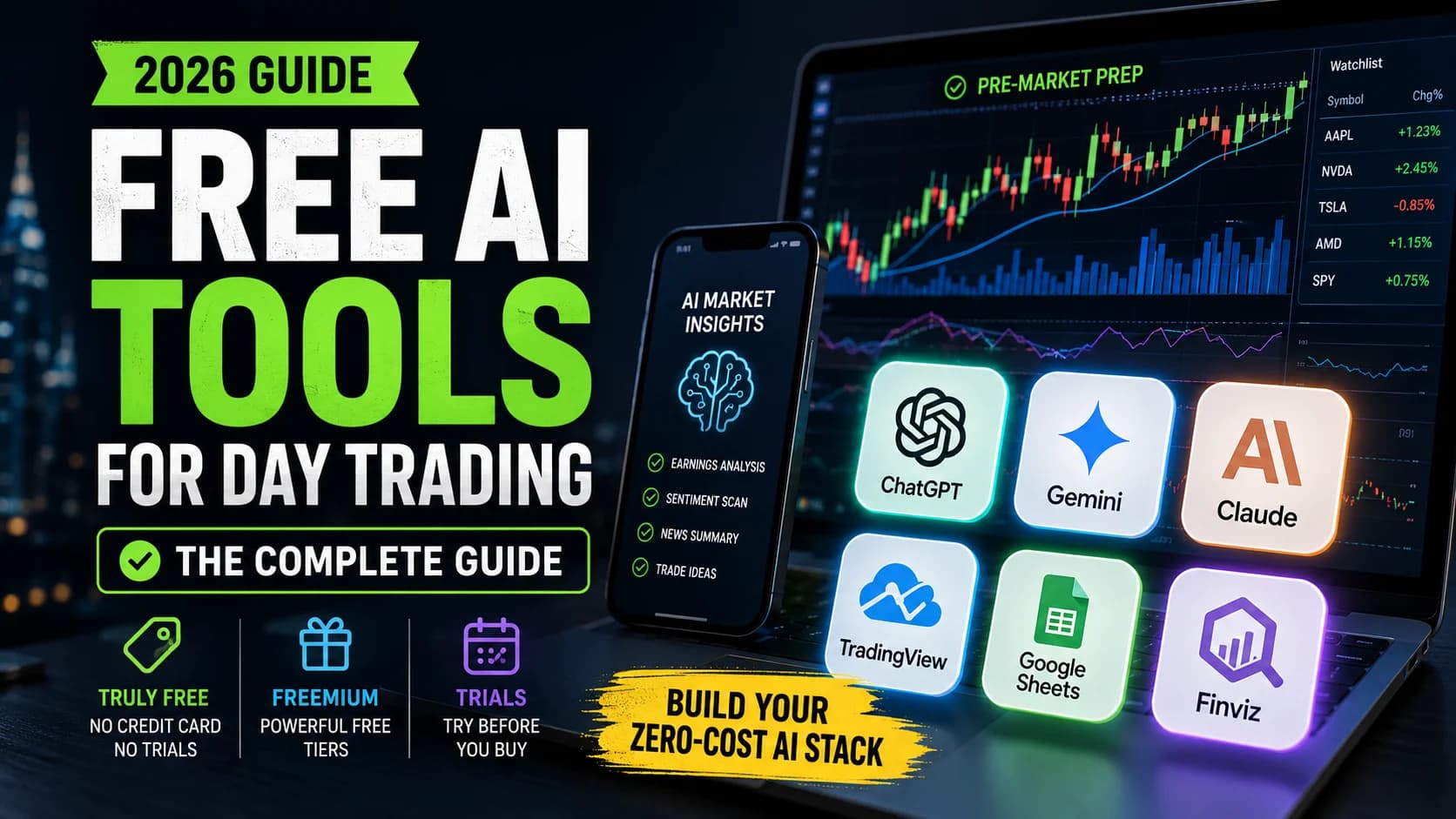
Here's a frustrating pattern in almost every "free AI trading tool" article on the internet: it's a bait-and-switch. Click expecting genuinely free tools, and what you get is a list of $100+/month platforms that happen to offer a 7-day trial. That's not free. That's a taste.
This guide is built differently. The focus is on tools that are actually useful for day traders — not investors, not swing traders, but people who need actionable intelligence before the opening bell. Some cost absolutely nothing. Others have legitimate free tiers powerful enough to use every single day. A few are trials worth mentioning, but each is clearly labeled so you know exactly what you're getting into.
The AI trading platform market is growing at over 20% annually, according to Precedence Research, and the tools available to retail traders are improving every quarter. That's the good news. The bad news is that "free" has become a slippery word in this space — and clearing that up is the first job of this guide.
What is a free AI trading tool? A free AI trading tool is software that uses artificial intelligence — rules-based automation, machine learning, or large language models — to SupportSupport is a price level where buying pressure has historically overcome selling pressure, causing price to stop declining and reverse — it's the floor where demand enters the market, and when it holds, it's a potential long entry; when it Read definition → some part of a trading workflow at no cost. "Free" ranges from truly unlimited access to freemium tiers with real but restricted functionality. This guide classifies every tool on that spectrum.
What "Free" Actually Means: The 3 Tiers
Not all free tools are created equal. Every tool in this guide is tagged with one of three tiers:
Tier 1 — Truly Free. No credit card, no trial period, no expiration. Sign up and use it indefinitely. These platforms monetize through ads, data, or converting a percentage of users to premium plans.
Tier 2 — Freemium. A genuinely useful free version exists but is deliberately limited. Real value at $0, but the platform restricts features — real-time data, chart count, advanced AI — to nudge toward paid. TradingView's free plan is the textbook example.
Tier 3 — Free Trial Only. The full product is behind a subscription. A 7–14 day test drive is useful for evaluation, but it is not a "free tool." This guide labels these clearly.
Most competitor articles dump all three into one list. Every tool below is tagged so you know exactly what you're getting.
Free AI Assistants: Using LLMs for Day Trading Research
The most powerful free AI tools for day traders aren't trading platforms. They're general-purpose AI assistants — large language models like ChatGPT, Gemini, and Claude — that can be adapted to almost any trading task. Free tiers are surprisingly capable when used correctly.
ChatGPT Free Tier (Tier 1)
OpenAI's ChatGPT remains the most widely used LLM for trading tasks, and the free tier gives access to capable model versions, though with rate limits on the most powerful options. Expect meaningful restrictions on advanced model usage during busy periods — enough for focused, targeted work sessions, not unlimited deep research.
Where ChatGPT shines for day traders on the free tier: strategy brainstorming, explaining complex market mechanics, debugging Pine Script or Python code, and parsing EarningsAn earnings report is the quarterly financial disclosure a public company files with the SEC, revealing revenue, earnings per share (EPS), profit margins, and forward guidance — it's the most significant regular catalyst for individual stocRead definition → reports you paste in. Where it falls short: no real-time market data, a knowledge cutoff, and a confidence problem — it states incorrect information with the same tone as accurate information. Always verify before acting.
This guide's ChatGPT day trading guide covers seven practical use cases in depth, so only the positioning is repeated here. For heavy users who hit rate limits during Pre-MarketPre-market trading is the session that occurs between 4:00 AM and 9:30 AM Eastern, before the regular market opens — it allows traders to react to overnight news and earnings reports, establishes where stocks will likely open (the gap), andRead definition → prep, paid tiers are available — current pricing on the deals page.
Google Gemini Free (Tier 1)
Gemini is the underrated option in the LLM space for traders. The free tier provides access to capable model versions, and Gemini's native integration with Google's ecosystem — Sheets, Finance, Drive — is a genuine advantage if your workflow already lives there. Feed it a research PDF, AskThe ask is the lowest price a seller is currently willing to accept. When you buy with a market order, you pay the ask.Read definition → it to pull current information, or have it synthesize an earnings transcript; the free tier handles all of it reasonably well.
For day traders, Gemini's strength is research synthesis. Paste an earnings transcript in, ask it to identify the three most market-moving statements, and you get solid analysis fast. It also handles macroeconomic context well — useful for understanding how a CPIThe Consumer Price Index (CPI) is a monthly U.S. government report measuring the average change in prices paid by consumers for goods and services — it's the most closely watched inflation indicator in the market.Read definition → print might affect sector rotation. Limitations: no live market data, rate limits during peak hours, and the same confident-but-wrong problem all LLMs share.
Claude Free Tier (Tier 1)
Anthropic's Claude offers a free tier that's particularly strong for analytical and long-document tasks. For nuanced reasoning — thinking through what could go wrong with a trade thesis, reviewing a multi-month trading journal, stress-testing a risk scenario — Claude is frequently cited as the most careful of the major models. The context window is generous: paste large chunks of journal data or earnings transcripts and get meaningful pattern analysis back.
Like the others, Claude has no real-time market data access and usage limits on the free tier. As a research and analysis companion before and after market hours, it earns its place in a zero-cost stack.
The Critical Limitation Every LLM Shares
This needs to be stated plainly because it's the single biggest mistake traders make with free AI tools: no free LLM has access to real-time market data. They cannot tell you what a stock is trading at right now. They cannot scan for pre-market gappers. They cannot alert you to breaking news.
This isn't a flaw — it's a design reality. LLMs are research and analysis tools, not market data terminals. Use them for preparation, education, and post-market review. Pair them with real-time tools for execution-side work. The full picture of what can go wrong is in this guide's overview of AI trading risks every trader should know.
Free AI-Enhanced Charting and Scanning Platforms
These tools touch actual market data. Free tiers range from genuinely useful to frustratingly limited.
TradingView Free Plan (Tier 2)
TradingView is the world's most popular charting platform, and its free plan is more capable than most traders realize. Real-time charts for stocks, forex, crypto, and futures, 110+ built-in indicators (limited to 2 per chart), and 5 active price alerts. Community scripts — written in Pine Script by other traders — are free to browse and use, and some are sophisticated enough for professional workflows.
The free tier doesn't include native AI features; those live behind paid plans. But a practical workaround: screenshot a chart, upload it to ChatGPT, Gemini, or Claude, and ask for pattern analysis. It's not seamless, but it works — and multimodal chart reading has improved enough that these models can identify structure, candidate support/resistance zones, and forming patterns from a clean screenshot. The TradingView review covers every plan tier in detail.
Trade Ideas Par Plan (Tier 2/3)
Calling Trade Ideas' free version a "free AI tool" requires nuance. The Par Plan gives access to the web app with core features — but with delayed market data, and the actual AI component, Holly AI, lives exclusively in the Premium plan. The Par Plan is genuinely useful for learning the platform interface and testing scanner concepts with delayed data. For real-time Holly AI signals, an upgrade is required. Whether that upgrade is worth it for your stage and trading frequency is covered fully in the Trade Ideas review — current pricing at the deals page.
Finviz Free (Tier 2)
Finviz doesn't market itself as an "AI tool," which is actually refreshing. It's a powerful stock screener with heat maps, fundamentals, and technical filters — and the free version is one of the most useful zero-cost tools in any day trader's pre-market stack. Delayed quotes (20 minutes), but the screening depth is solid for watchlist building and sector reconnaissance.
A practical free workflow: screen for stocks meeting your criteria on Finviz, paste the tickers into ChatGPT for a quick fundamental summary, and cross-reference against TradingView charts. Not AI-powered scanning in the true sense, but an effective and free pre-market preparation pipeline. The Finviz review covers the Elite upgrade for those who outgrow the free tier.
Free AI Research and Sentiment Analysis Tools
This is where the free landscape gets genuinely interesting — including tools that most competitor guides aren't covering.
StockAlpha.ai (Tier 1)
StockAlpha.ai is a free, AI-powered stock research platform that aggregates news and insights from over 65 sources across 12 market sectors. No credit card required, no trial expiration. The StockAlpha.ai review covers its capabilities in detail — the short version: it features an AI assistant called "Alpha" for stock and sector questions, AI-curated sector insights that synthesize sources at a scale no individual could match manually, and in-depth research reports on 100+ actively traded stocks with weekly updates.
For day traders specifically: the daily market recap with audio podcast version works well as part of a morning prep routine. The platform is geared toward research and understanding — think of it as an AI-powered intelligence layer that helps you arrive at the chart with context. It doesn't execute trades or provide real-time scanning, but as a free research companion, the depth is genuinely impressive.
Social Sentiment Monitoring (Tier 1)
A paid sentiment platform isn't required to gauge market mood. Several free approaches work consistently:
StockTwits is free and provides real-time retail sentiment on individual tickers. The bullish/bearish ratios and trending tickers feature have real utility for identifying momentum plays retail is piling into — though the signal-to-noise ratio requires skepticism.
Google Trends is a free and underused resource. Comparing search interest for tickers, sectors, or macro concepts (like "recession" or "rate cut") gives a surprisingly useful proxy for public attention. Paired with an LLM to interpret the data, this becomes a basic sentiment pipeline at no cost.
Reddit's financial communities (r/wallstreetbets, r/stocks, r/daytrading) often surface trading narratives before they hit mainstream financial media. The noise is real — but so are the occasional early signals on momentum plays.
DIY Sentiment Analysis With Free LLMs
A practical workflow: copy five to ten recent headlines about a stock or sector from a free news aggregator, paste them into any free LLM, and prompt: "Analyze the sentiment of these headlines. Categorize each as bullish, bearish, or neutral, then give an overall sentiment score and flag any conflicting narratives."
This is not institutional-grade NLP. But it's free, fast, and forces a structured read of the news environment before a trade. That habit alone puts most traders ahead of the reactive majority.
Building Your Complete Free AI Day Trading Stack
Knowing individual tools is one thing. Combining them into a coherent daily workflow is where the value compounds.
The Morning Prep Phase (Pre-Market)
Start with StockAlpha.ai's daily recap — or the podcast version if you prefer audio while getting ready. Then check Finviz's heat map to see which sectors are showing strength or weakness, and use the screener to build your watchlist based on technical criteria: gap-ups, volume spikes, proximity to key levels.
The Research Phase (Deeper Analysis)
Take your watchlist tickers and paste them into your preferred free LLM for a quick fundamental and catalyst overview. Use StockAlpha.ai's AI assistant to dig deeper on specific names — it surfaces context from 65+ sources that a manual headlines scan would miss. If earnings reports are relevant, paste the key sections into Claude or ChatGPT and ask for a summary focused on forward guidance, revenue beats or misses, and management tone. The ChatGPT earnings analysis guide walks through this workflow step by step.
The Charting Phase (Technical Analysis)
Open TradingView's free plan for chart work. Mark key levels, check indicators (remember the 2-per-chart free limit), and set up price alerts on highest-priority setups. For a second opinion on a forming pattern, screenshot the chart and upload it to any free multimodal LLM — current models can read chart structure meaningfully from a clean screenshot, identifying candidate support/resistance zones and pattern formations.
The Post-Market Phase (Review and Learning)
This is where free AI tools deliver the most long-term value. After the close, paste trade journal entries — even rough notes — into Claude or ChatGPT and ask for pattern analysis. What setups did you trade? Which market conditions produced your best outcomes? Where did you deviate from your plan? An LLM can surface behavioral patterns you're too close to see yourself. This process costs nothing.
The Complete Free Stack
- Tool
- ChatGPT Free
- Tier
- Truly Free
- Primary Use
- Strategy, code, analysis
- Trading Job
- Research and education
- Tool
- Google Gemini Free
- Tier
- Truly Free
- Primary Use
- Research synthesis
- Trading Job
- Macro context and learning
- Tool
- Claude Free
- Tier
- Truly Free
- Primary Use
- Nuanced analysis
- Trading Job
- Journal review and risk scenarios
- Tool
- StockAlpha.ai
- Tier
- Truly Free
- Primary Use
- AI-curated insights
- Trading Job
- Morning prep and sentiment
- Tool
- TradingView Free
- Tier
- Freemium
- Primary Use
- Charting and alerts
- Trading Job
- Technical analysis
- Tool
- Finviz Free
- Tier
- Freemium
- Primary Use
- Screening and heat maps
- Trading Job
- Watchlist building
- Tool
- StockTwits
- Tier
- Truly Free
- Primary Use
- Retail sentiment
- Trading Job
- Momentum identification
| Tool | Tier | Primary Use | Trading Job |
|---|---|---|---|
| ChatGPT Free | Truly Free | Strategy, code, analysis | Research and education |
| Google Gemini Free | Truly Free | Research synthesis | Macro context and learning |
| Claude Free | Truly Free | Nuanced analysis | Journal review and risk scenarios |
| StockAlpha.ai | Truly Free | AI-curated insights | Morning prep and sentiment |
| TradingView Free | Freemium | Charting and alerts | Technical analysis |
| Finviz Free | Freemium | Screening and heat maps | Watchlist building |
| StockTwits | Truly Free | Retail sentiment | Momentum identification |
This stack won't replace a paid AI scanning platform with genuine machine-learning signals running in real time — that's an honest limitation, not a downplay. But it is a legitimate, functional workflow that costs nothing. For traders still developing their edge, that matters more than most people admit.
When Free Isn't Enough: Signs You're Ready to Upgrade
Free tools are not enough forever, and pretending otherwise would be a disservice:
You're hitting LLM rate limits during critical research windows. If the free tier is cutting your pre-market prep short, a paid LLM subscription pays for itself in time saved. The math is simple: what is one well-prepared missed trade worth?
You need real-time scanning, not delayed data. This is the biggest gap in the free stack. Delayed quotes are fine for learning and research, but they're insufficient for identifying trades as they develop intraday. If you're trading actively, real-time data is not optional.
You consistently find good setups but can't act on them fast enough. If you're toggling between Finviz, TradingView, and an LLM and missing entries, a more integrated platform like Trade Ideas compresses that workflow significantly. Explore options starting at the reviews hub and current pricing at the deals page.
Your strategy needs more than 2 indicators or 5 alerts. TradingView's free plan works for simple setups. If your strategy uses multiple confirmation signals or you're monitoring more than a handful of levels simultaneously, the Essential plan is a modest upgrade worth considering.
The right time to pay for tools is when free tools are actively limiting a proven process — not while you're still developing one. For evaluating which AI claims are real versus marketing, the truth about AI trading bots is essential reading alongside this guide.
Frequently Asked Questions
Is ChatGPT actually useful for day trading?
ChatGPT excels at explaining complex trading concepts, brainstorming strategy ideas, debugging code, and analyzing documents you paste in. It cannot access real-time market data, scan for live setups, or execute trades. Free tier rate limits are workable for focused, planned research sessions but become a bottleneck for heavy daily use. Always verify outputs against real data before acting on them.
Key Takeaway: Use ChatGPT as a research companion, not a trading oracle — tested prompts for day trading workflows are in this site's ChatGPT day trading guide.
Can I actually day trade using only free AI tools?
The free stack outlined above — LLMs for research, Finviz for screening, TradingView for charting, StockAlpha.ai for intelligence — is a legitimate pre-market and post-market workflow. The gap is real-time scanning during market hours. Many brokers provide free real-time charting with a funded account, which partially closes this gap.
Key Takeaway: Free AI tools are excellent for the research phase of day trading, but active intraday trading usually requires real-time data.
Is Google Gemini better than ChatGPT for trading?
Gemini integrates natively with Google's ecosystem, which is a genuine advantage if your workflow lives there. ChatGPT tends to produce more structured outputs for complex analytical prompts. Claude is typically more cautious and careful in its reasoning, which is valuable when evaluating risk. The honest recommendation: try all three on the same task — paste an identical earnings report into each and compare the analysis. You'll quickly see which style fits your thinking.
Key Takeaway: Use the model that fits the task — research synthesis favors Gemini, complex code generation favors ChatGPT, risk scenario analysis tends to favor Claude.
What is StockAlpha.ai and is it really free?
The platform features daily AI-curated market recaps with podcast versions, research reports on 100+ actively traded stocks updated weekly, and an AI assistant called Alpha for stock and sector questions. It's geared toward research and context-building rather than real-time execution, but as a free morning prep layer, it delivers genuine value. The full breakdown is in this site's StockAlpha.ai review.
Key Takeaway: StockAlpha.ai is legitimately free and pairs well with charting and scanning tools as an intelligence layer.
Do free AI tools actually give an edge in day trading?
An edge comes from a tested strategy, disciplined execution, and proper risk management. AI accelerates the preparation and review phases, which indirectly supports better decisions. A trader who does 30 minutes of AI-assisted pre-market prep will almost certainly be better positioned than one who skims headlines. But no tool — free or paid — replaces the work of developing and testing a strategy. The framework for building real edge is in this site's guide to developing and backtesting a trading strategy.
Key Takeaway: Free AI tools amplify good preparation habits and accelerate learning — they don't replace trading skill.
What are the risks of using free AI tools for trading decisions?
LLMs can generate plausible-sounding but factually wrong information about companies, price levels, and market events. If AI-generated analysis is taken at face value, trades can be built on false foundations. There's also a psychological risk: when an AI agrees with a trade thesis, it can feel like expert confirmation, leading to oversized positions or skipped stops.
Key Takeaway: Always verify AI-generated claims against primary data sources — the full breakdown of AI trading risks covers all seven dangers in detail.
Are there any truly free AI stock scanners?
Trade Ideas offers a free plan with delayed data and basic scanning, but Holly AI requires a premium subscription. TradingView's free screener is not AI-driven. The most practical free scanning approach: use Finviz's screener for initial filtering, then analyze the resulting stocks in a free LLM. It's a manual two-step, but it works for watchlist building.
Key Takeaway: Budget for a paid scanner if real-time AI scanning is critical to your strategy — the Finviz plus LLM combination handles pre-market watchlist building well at no cost.
Should I pay for a premium LLM if I'm a day trader?
How do I avoid AI trading scams disguised as "free tools"?
What's the best free AI tool for analyzing my trading journal?
Disclaimer
Article Sources
- Precedence Research — AI Trading Platform Market - Market sizing and growth rate data for the AI trading platform industry cited in the introduction.precedenceresearch.com
- Mordor Intelligence — Algorithmic Trading Market Report - Supporting market research on algorithmic and AI trading growth in the retail investor segment.mordorintelligence.com
- SEC — Investor Education: Artificial Intelligence and Investment Fraud - The SEC's educational resources on evaluating AI-related investment claims and avoiding fraudulent schemes.sec.gov
- CFTC — Customer Advisory: AI Won't Turn Trading Bots into Money Machines - The CFTC's guidance on AI limitations in trading contexts, referenced in the LLM limitations section.cftc.gov