
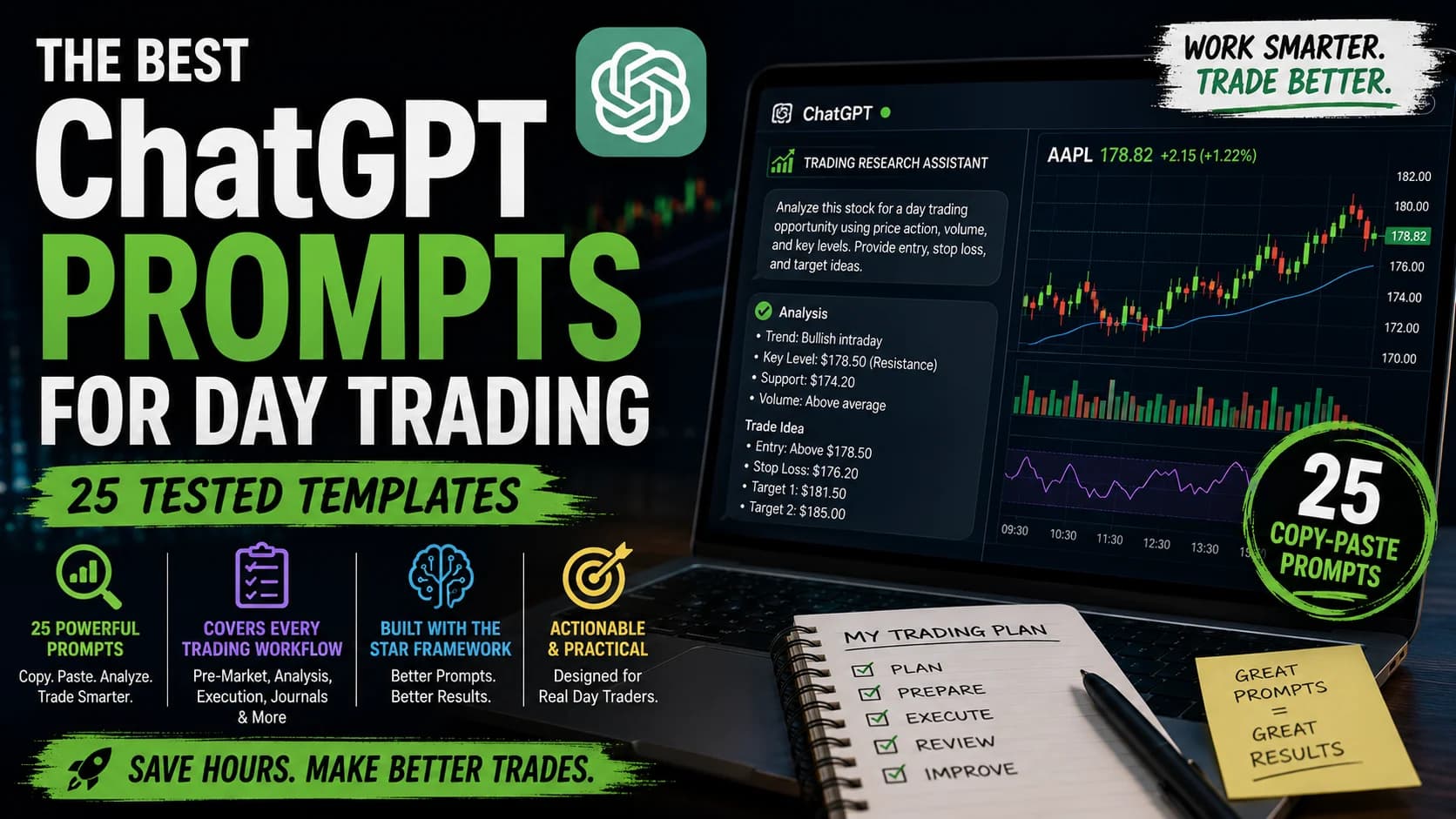
Picture this: you open ChatGPT, type "help me find good stocks to trade today," and get a response so generic it could have been written for anyone. No mention of your risk tolerance. No consideration of your trading style. Just vague suggestions that lead nowhere.
This happens to many traders. They hear ChatGPT can transform their research, spend time crafting questions, and walk away frustrated because the AI keeps missing the mark.
Here's what most people don't realize: the problem isn't ChatGPT, it's the prompts.
This guide gives you 25 tested prompt templates organized by actual trading workflows, Pre-MarketPre-market trading is the session that occurs between 4:00 AM and 9:30 AM Eastern, before the regular market opens — it allows traders to react to overnight news and earnings reports, establishes where stocks will likely open (the gap), andRead definition → research, technical analysis, trade execution, journal analysis, and strategy development. More importantly, it teaches you the underlying framework so you can adapt any of these to your specific situation.
Fair warning: ChatGPT won't replace trading skill. It won't make you profitable on its own. But used correctly, it compresses hours of research into minutes. For the broader picture of what AI can and can't do in trading, the AI day trading complete guide covers the full landscape. This guide focuses on the prompts themselves.
What is a ChatGPT prompt for trading? A ChatGPT trading prompt is a structured instruction that gives the AI enough context, your trading style, timeframe, market, and specific question, to produce actionable analysis or frameworks rather than generic output. The difference between a vague question and a well-structured prompt can be the difference between useless boilerplate and a genuinely useful research session.
Why Most ChatGPT Trading Prompts Don't Work
Pull up any "ChatGPT for trading" article. The first prompt you'll likely see:
"Act as an experienced day trader and help me analyze the stock market."
Here's why this fails: it's too vague, provides no context, and gives ChatGPT no direction. The AI will respond, but the response will be generic enough to apply to anyone, making it valuable to no one.
The traders who get real value from ChatGPT understand one thing: specificity is everything. The more context you provide, your style, your market, your specific question, the more useful the output becomes.
Think of it this way. If you walked into a room of professional traders and said "tell me about trading," you'd get blank stares. But if you said "I'm a momentum trader on large-cap stocks during the first 30 minutes, what should I watch for when VolumeVolume is the total number of shares (or contracts) traded during a given time period — it's the primary confirmation tool for all price action, because a price move accompanied by high volume indicates genuine market participation, while tRead definition → spikes 3x but price stalls at ResistanceResistance is a price level where selling pressure has historically overcome buying pressure, causing price to stall, reverse, or consolidate — it's the ceiling where supply enters the market and where breakout traders watch for either a coRead definition →?" now you'd get somewhere.
That's the GapA gap is a price discontinuity on a chart where a stock opens significantly higher or lower than the previous session's close, leaving a visible empty space — gap-ups are driven by overnight buying pressure or positive news; gap-downs by seRead definition → this guide closes. The ChatGPT day trading guide covers the full picture of what ChatGPT can and can't do. This article goes deeper: the exact prompts that work and the framework that makes them effective.
The STAR Framework: How to Structure Trading Prompts That Work
Before handing over 25 templates, you need to understand the structure behind them. The goal is to teach you the framework so you can build your own, not just depend on templates.
The STAR framework, adapted here specifically for trading contexts, works like this:
S, Situation (Set the Context). Define your trading environment. What market? What timeframe? What's your experience level? What are you trying to accomplish?
Weak: "I trade stocks." Strong: "I'm an intermediate day trader focusing on NASDAQ stocks with $20K+ average daily volume during the 9:30 to 11:00 AM session."
T, Task (State What You Need). Be explicit about what you're asking ChatGPT to do. Generate ideas? Analyze data? Create a checklist?
Weak: "Help me with my trading." Strong: "Create a pre-market checklist to evaluate whether today's gap-up stocks have momentum potential or are likely to fade."
A, Action (Specify the Format). Tell ChatGPT how to structure its response. Bullet points? Numbered steps? Comparison table?
Weak: "Explain technical analysis." Strong: "Provide a 5-step process for identifying SupportSupport is a price level where buying pressure has historically overcome selling pressure, causing price to stop declining and reverse — it's the floor where demand enters the market, and when it holds, it's a potential long entry; when it Read definition → levels, formatted as a numbered checklist with specific criteria for each step."
R, Result (Define Success Criteria). What makes a good answer? How detailed? What should it include or exclude?
Weak: No success criteria. Strong: "Keep explanations under 3 sentences each. Focus only on price action and volume. Provide one real example for each concept."
Putting it together. Here's a transformation:
Before (generic): "Tell me about momentum trading."
After (STAR): "Situation: I'm a day trader with 6 months of experience trading momentum breakouts on large-cap stocks ($10B+ market cap) during the first hour. Task: Explain the 3 most reliable momentum indicators for identifying true breakouts vs. false breakouts. Action: For each indicator, provide: (1) the specific threshold to watch, (2) how it appears on a 5-minute chart, (3) the timeframe to analyze it within. Result: Keep it practical. I don't need theory, I need criteria I can apply during live trading tomorrow morning."
You don't need to label S-T-A-R explicitly in every prompt. Just think through the four elements, context, task, format, criteria, before writing.
Pre-Market Research Prompts (4 Prompts)
Pre-market is where watchlists get built. These prompts help you process earnings, economic data, sector movements, and gappers into actionable information before the opening bell.
1. Earnings Calendar Analysis
Use this when: You want to identify which earnings reports might create tradable volatility today.
The Prompt:
I'm a day trader looking for volatility opportunities in large-cap stocks ($10B+ market cap). Review today's earnings calendar and identify the 5 companies most likely to have significant intraday price movement based on: (1) average analyst estimate variance, (2) historical post-earnings volatility, (3) current options implied volatility. For each company, provide the ticker, expected report time, recent price action context (past 5 days), and your assessment of which direction (bullish/bearish) has momentum heading into the report. Format as a numbered list with brief explanations.Customization: Adjust the market cap filter, number of stocks, direction preference ("focus only on bullish setups"), or add "with weekly options available" for derivatives trading.
Important: ChatGPT has no real-time earnings data. Provide the day's actual calendar yourself; use this prompt to analyze and structure what you already have.
When to use: 60 to 90 minutes before market open, after scanning the earnings calendar independently.
2. Economic Calendar Impact Assessment
Use this when: Major data releases are scheduled (CPI, NFP, FOMC) and you need to prepare for volatility.
The Prompt:
Today's economic calendar shows [insert specific data release: e.g., "CPI data at 8:30 AM ET" or "FOMC announcement at 2:00 PM"]. I'm a momentum scalper who trades /ES and /NQ futures on 5-minute charts during high-volatility periods. Create a trading game plan that includes: (1) expected market reaction scenarios (bullish surprise, bearish surprise, in-line), (2) key price levels to watch on /ES before and after the release, (3) the typical volatility window (how many minutes post-release does the biggest move occur), (4) risk management adjustments I should make (position size, stop placement). Keep it actionable and specific to futures trading.Integration with Trade Ideas: After getting ChatGPT's macro scenarios, use Trade Ideas to build custom filters for stocks showing abnormal volume in the direction of the macro trend. ChatGPT provides the macro framework; Trade Ideas surfaces the specific stocks executing the move in real time.
Customization: Replace "/ES and /NQ futures" with your instrument ("SPY/QQQ options," "large-cap tech stocks"), adjust the timeframe, and specify risk tolerance.
3. Sector Rotation Analysis
Use this when: You want to identify which market sectors have institutional momentum today.
The Prompt:
I'm a day trader who follows institutional money flow by tracking sector ETFs (XLK, XLF, XLE, XLV, XLI, XLP, XLY, XLB, XLC, XLRE, XLU). Based on recent market conditions [describe briefly: e.g., "rising interest rates and strong jobs data"], identify: (1) which 3 sectors are likely to show relative strength today, (2) which 2 sectors to avoid (relative weakness), (3) the key driver behind each sector's expected movement. Then provide 2 to 3 individual stocks within the strongest sector that typically lead sector moves. Format as: Sector to Driver to Leading Stocks.Customization: Narrow to specific sectors you trade, update the market condition context, add stock requirements like "over $50/share with 5M+ average volume," or specify "for intraday momentum" vs. "for swing trades."
4. Pre-Market Gapper Research
Use this when: A stock gaps significantly pre-market and you want to determine if it's tradable.
The Prompt:
A stock [insert ticker] is gapping up/down [X]% pre-market on [catalyst: earnings beat, FDA approval, analyst upgrade, etc.]. I'm a breakout trader looking to determine if this gap has continuation potential or is likely to fill/fade. Analyze: (1) the strength of the catalyst (is this news tradable or already priced in?), (2) historical behavior of similar gaps in this stock or sector, (3) pre-market volume relative to average (is there institutional participation?), (4) key price levels to watch at the open (where might the first pullback occur?). Provide a clear "trade it" or "avoid it" assessment with reasoning.Risk note: Gappers are high-risk. Always reduce position size on gap trades, the risk management guide covers position sizing for volatile setups.
Technical Analysis and Chart Reading Prompts (5 Prompts)
ChatGPT doesn't see your chart, you describe what you're looking at. These prompts turn your chart observations into structured analysis frameworks.
5. Multi-Timeframe Analysis Request
Use this when: You want to understand how a setup looks across timeframes before entering.
The Prompt:
I'm analyzing [ticker] for a potential long trade. Help me structure a multi-timeframe analysis checklist. I trade on the 5-minute chart but want to confirm the bigger picture first. Create a step-by-step checklist that covers: (1) What to look for on the daily chart (trend, key levels, support/resistance), (2) What to confirm on the 1-hour chart (short-term trend, moving average alignment), (3) What signals to wait for on the 5-minute chart (entry trigger, volume confirmation). For each timeframe, provide 2 to 3 specific criteria and explain why they matter. Format as a checklist I can save and reuse.Customization: Replace with your actual timeframes (1-minute/5-minute/15-minute for scalpers), add specific indicators ("include RSI divergence"), or specify direction ("for short setups").
6. Support and Resistance Level Identification
Use this when: You need a repeatable framework for marking key levels on any chart.
The Prompt:
I need to identify valid support and resistance levels on a [daily/hourly/5-minute] chart for [ticker]. Provide a 5-step process for finding the most important levels that are likely to hold. For each step, explain: (1) what to look for (price action signals, volume, touches), (2) how to distinguish between minor and major levels, (3) how recent vs. historical levels differ in importance. Include criteria for when a level is "confirmed strong" vs. "tentative weak." Keep it actionable, I should be able to apply this to any chart in under 5 minutes.Foundation: The technical analysis support and resistance guide covers the fundamentals. Use ChatGPT to build on that with a personalized framework for your specific markets.
7. Chart Pattern Confirmation
Use this when: You spot a pattern and want to validate it objectively.
The Prompt:
I see what looks like a [pattern name: head and shoulders, bull flag, ascending triangle, etc.] forming on [ticker] on the [timeframe] chart. Help me validate if this is a legitimate pattern or just noise. Provide a 4-point checklist to confirm: (1) pattern structure (are the key components present and proportional?), (2) volume pattern (what should volume look like at each stage?), (3) duration (is the pattern forming over an appropriate timeframe?), (4) context (does the surrounding price action support this pattern?). For each point, give me specific yes/no criteria so I can objectively assess the setup.Customization: Replace the pattern type with your specific observation, add "what's my risk if this pattern fails?" for complete analysis, or emphasize "I trade primarily on volume confirmation."
8. Indicator Divergence Analysis
Use this when: You notice price and your indicator pointing in different directions.
The Prompt:
I'm seeing potential [bullish/bearish] divergence between price and [indicator name: RSI, MACD, OBV] on [ticker]. Price is [describe: making new lows but indicator showing higher lows]. Help me analyze this divergence by addressing: (1) Is this divergence type historically reliable for reversals or does it frequently give false signals? (2) What additional confirmation should I wait for before trading it? (3) Where should I place my entry and stop-loss if I trade this divergence? (4) What timeframe should I give this setup to play out before it's invalidated? Provide specific, actionable guidance focused on managing risk.9. Volume Profile Interpretation
Use this when: You want to understand what volume profile is telling you about support and resistance.
The Prompt:
I'm analyzing volume profile on [ticker] and see a high-volume node (HVN) at [price level] and a low-volume node (LVN) at [price level]. I trade breakouts and pullbacks. Explain: (1) What each type of volume node means for price action (where is price likely to slow down vs. move through quickly?), (2) How to use these nodes for entry and exit planning, (3) How to combine volume profile with price action for trade confirmation. Provide 2 to 3 specific trading rules I can apply using this information. Keep explanations under 3 sentences each, actionable, not theoretical.Trade Execution and Entry Planning Prompts (4 Prompts)
10. Trade Setup Evaluation Checklist
Use this when: You have a potential trade and need to evaluate it objectively before entering.
The Prompt:
I'm considering a [long/short] trade on [ticker] at [current price] with a target of [target price] and stop-loss at [stop price]. Create a pre-trade evaluation checklist with 8 critical questions I must answer "yes" to before entering. Include questions about: trend alignment, volume confirmation, risk/reward ratio, position sizing relative to account size, catalyst or driver, technical entry signal, stop-loss validity, and timeframe expectation. For each question, provide the minimum acceptable answer. This checklist should act as a gatekeeper, if I can't answer all 8 with confidence, I don't take the trade.Position sizing context: The position sizing guide walks through the exact formulas. Use ChatGPT for setup evaluation, not as your math engine.
11. Entry and Exit Scenario Planning
Use this when: You want to plan multiple scenarios before the market opens or before a key level.
The Prompt:
I'm watching [ticker] which is currently trading at [price]. I want to enter a [long/short] position but the setup has 3 possible scenarios: (1) breaks above/below [level] with volume, (2) pulls back to [level] and bounces, (3) chops sideways between [range]. For each scenario, help me plan: ideal entry price, stop-loss placement, initial target, and how long I should give each setup to develop before moving on. Format this as "if this, then that" rules I can reference quickly during live trading. Keep each scenario to 3 to 4 sentences maximum.12. Position Sizing Calculator Prompt
Use this when: You need to determine how many shares to trade for a specific setup.
The Prompt:
I want to risk [X]% of my [account size] on a [long/short] trade in [ticker]. My entry is planned at [entry price] and my stop-loss is at [stop price]. Walk me through the position sizing calculation step-by-step: (1) Calculate dollar risk per share (distance from entry to stop), (2) Calculate total dollar amount I'm willing to risk, (3) Calculate number of shares (dollar risk divided by risk per share), (4) Calculate total position value. Then verify that this position size is reasonable given the stock's average volume and volatility. Provide the final answer clearly: "You should trade [X] shares."Critical: Verify all calculations independently. Always confirm the math with your own arithmetic before placing the order.
13. Stop-Loss Placement Strategy
Use this when: You're unsure where to place your stop without getting triggered by noise.
The Prompt:
I'm entering a [long/short] trade on [ticker] at [entry price] based on a [setup type: breakout, pullback, reversal]. I need help determining optimal stop-loss placement. Consider: (1) What's the natural stop location based on the setup (below support, above resistance, below pattern low), (2) How much room does this stock need based on its average true range (ATR), (3) Where are obvious stop-hunting levels I should avoid, (4) What stop placement keeps my risk/reward ratio above 1:2. Provide 2 to 3 specific price levels I could use for stops and explain the pros/cons of each.Foundation: The guide to stop-loss orders covers the basics. Use ChatGPT to optimize placement for specific setups.
Trading Journal and Performance Review Prompts (4 Prompts)
Your journal is where growth happens. These prompts extract insights from your data that manual review tends to miss.
14. Daily Trade Review Analysis
Use this when: You finish your trading day and want objective analysis of what happened.
The Prompt:
I took [X] trades today. Here are the details: [Trade 1: ticker, entry, exit, P/L, reason for entry, notes] [Trade 2: ticker, entry, exit, P/L, reason for entry, notes] [etc.] Analyze my trading session and identify: (1) Which trades followed my plan vs. which were impulsive, (2) Common patterns between winners and losers, (3) Time of day when I traded best/worst, (4) One specific mistake I should avoid tomorrow, (5) One thing I did well that I should reinforce. Be honest and critical, I need objective feedback, not encouragement. Conclude with a single action item for tomorrow's trading.Workflow: Export your day's trades from whatever journal platform you use, paste them into ChatGPT, and get pattern analysis in seconds. A dedicated trading journal (see options at the reviews hub) structures your data for this kind of export.
15. Weekly Performance Pattern Recognition
Use this when: You want to identify recurring patterns in your trading over a longer timeframe.
The Prompt:
I'm reviewing my past [4/8/12] weeks of trading. Here are my weekly results: [Week 1: X trades, Y win rate, Z P/L, notes on market conditions] [Week 2: X trades, Y win rate, Z P/L, notes on market conditions] [etc.] Analyze this data and identify: (1) Which market conditions (volatile vs. choppy, trending vs. range-bound) do I perform best in, (2) Is there a time-of-day or day-of-week pattern to my performance, (3) What's my average trade result and how many outlier trades (big winners/losers) am I having, (4) Am I consistently profitable or do I have a boom-bust pattern. Provide specific, data-driven observations and one behavioral modification I should test next week.Psychology connection: Patterns in your performance often reveal cognitive biases at work. ChatGPT can spot the patterns; you need to address the root causes.
16. Emotional Bias Detector
Use this when: You suspect emotions are affecting your trading but can't pinpoint how.
The Prompt:
Review my last [10/20] trade notes for emotional language and patterns. Here are my notes: [Trade 1 notes: e.g., "Felt frustrated after last loss, jumped into this setup too early"] [Trade 2 notes: e.g., "Finally! Took profit too soon because I was afraid of giving it back"] [etc.] Identify: (1) Which emotions appear most frequently (fear, greed, frustration, overconfidence), (2) How these emotions manifest in my decisions (entries, exits, position sizing), (3) Specific trigger situations that lead to emotional trading, (4) Concrete pre-trade rules I can implement to counteract these biases. Be specific about what I'm doing wrong and what to do instead.17. Win/Loss Trade Comparison
Use this when: You want to understand what differentiates your winning trades from your losing trades.
The Prompt:
Compare my winning trades vs. my losing trades to identify key differences. Here's the data: WINNING TRADES: [List 5 to 10 winning trades with: ticker, setup type, entry time, holding period, exit reason] LOSING TRADES: [List 5 to 10 losing trades with: ticker, setup type, entry time, holding period, exit reason] Analyze and identify: (1) Setup types that have higher success rates for me, (2) Whether I hold winners vs. losers for different time periods (am I cutting winners and letting losers run?), (3) Time-of-day patterns (do I win more in morning vs. afternoon?), (4) Any other distinguishing characteristics. Provide 2 to 3 specific rules I should adopt to trade more like my winners and less like my losers.The psychology angle: Traders often discover they cut winners short and let losers run, ChatGPT can identify the pattern; you need to fix the behavior.
Strategy Development and Backtesting Prompts (3 Prompts)
18. Strategy Idea Generator
Use this when: You want to develop a new strategy or variation for a specific market condition.
The Prompt:
I'm a [your trading style] looking to develop a new strategy for [specific market condition: e.g., "low-volatility summer markets" or "high-VIX environments" or "morning gaps on tech stocks"]. I trade [instruments: stocks, options, futures] on [timeframes] charts. Generate 3 distinct strategy concepts that could work in these conditions. For each strategy, provide: (1) Core setup description, (2) Entry trigger (specific signal), (3) Exit method (target and stop), (4) Why this approach might work in the specified conditions. Keep each to 4 to 5 sentences. I'll backtest the most promising one.Context: ChatGPT generates ideas, not validated systems. The strategy development guide walks through the full process from concept to live trading.
19. Backtest Result Interpretation
Use this when: You've run a backtest and need help understanding what the numbers mean.
The Prompt:
I backtested a strategy with these results: Total trades: [X], Win rate: [X%], Average win: $[X], Average loss: $[X], Profit factor: [X], Max drawdown: [X%], Sharpe ratio: [X]. Help me interpret these by answering: (1) Is this win rate sustainable given the average win/loss sizes?, (2) Is the max drawdown acceptable for the returns produced?, (3) What's the biggest weakness in these results?, (4) Should I trade this live, keep optimizing, or abandon it? Be critical, provide specific reasoning for your assessment.Methodology note: Understanding how to backtest properly is a prerequisite. Common pitfalls, overfitting, look-ahead bias, ignoring slippage, happen before ChatGPT ever sees your results.
20. Strategy Optimization Suggestions
Use this when: Your strategy shows promise but needs refinement without overfitting.
The Prompt:
I have a working strategy with [describe core setup, entry, exit rules briefly] that produces [basic results: win rate, profit factor]. I want to optimize it without overfitting. Suggest 3 specific modifications I could test, focusing on: (1) One entry refinement (what additional filter could improve entry quality?), (2) One exit refinement (how could I improve profit capture?), (3) One risk management refinement (how could I protect capital better?). For each suggestion, explain the logic and what metrics I should watch to see if it improves results. Warn me about any overfitting risks.Risk Management and Trade Psychology Prompts (3 Prompts)
21. Drawdown Recovery Plan
Use this when: You've hit a significant losing streak and need a structured recovery plan.
The Prompt:
I'm currently down [X]% from my peak equity (my account was $[X], now it's $[X]). I'm [emotional state: frustrated, scared, angry, numb] and need a structured recovery plan. Create a step-by-step action plan that includes: (1) Immediate position size reduction (what percentage of normal?), (2) Rule for when I can increase size back to normal (what metrics must improve?), (3) Which setups I should focus on (my highest-probability trades only), (4) Which setups I should avoid (my problem areas), (5) Daily and weekly review schedule to track progress. The goal is to stop the bleeding and rebuild confidence through small, consistent wins. Be conservative.Support: The guide to handling losses covers the psychology and frameworks for recovery.
22. Pre-Trade Psychological Checklist
Use this when: You're about to enter a trade and want to verify you're in the right mental state.
The Prompt:
Create a pre-trade psychological checklist with 6 yes/no questions I must answer honestly before every trade. These questions should assess: (1) Am I trading my plan or chasing/revenge trading?, (2) Is this trade based on my strategy or my emotions right now?, (3) Have I sized this position appropriately for my current emotional state?, (4) Can I handle the worst-case scenario (full stop-loss) without emotional impact?, (5) Am I clear-headed or am I [tired/frustrated/overexcited]?, (6) Would my trading mentor approve of this trade? If I answer "no" to any question, the rule is: don't trade.23. Revenge Trading Prevention
Use this when: You just took a loss and feel the urge to "get it back" immediately.
The Prompt:
I just took a loss on [ticker] of $[amount]. I'm feeling [emotion: angry, frustrated, determined to recover] and I want to take another trade right now. Before I do anything, help me assess this objectively: (1) Is this next trade on my watchlist and part of my plan, or am I creating a setup to justify the urge to trade?, (2) Have I sized down appropriately after a loss, or am I sizing up to recover faster?, (3) Am I following my strategy's rules, or am I in "make it back" mode?, (4) What's the worst thing that happens if I step away for 30 minutes instead? Be blunt, tell me if I'm about to make a revenge trading mistake.Root cause: The guide to stopping revenge trading provides the frameworks for addressing the behavior that triggers the urge.
Combining Prompts Into Workflows
Here's where ChatGPT becomes genuinely powerful: chaining prompts into complete workflows.
The Pre-Market Workflow (30 to 40 minutes total)
- Economic Calendar Impact Assessment, get macro context
- Sector Rotation Analysis, identify where the institutional strength is
- Pre-Market Gapper Research, evaluate stocks from strong sectors
- Entry/Exit Scenario Planning, build specific plans for your top 3 stocks
Output: complete watchlist with macro context, sector thesis, and if-then entry/exit plans for each stock.
The Post-Trade Review Workflow
- Daily Trade Review Analysis, immediately after close
- Emotional Bias Detector, if the day felt emotionally charged
- Weekly Performance Pattern Recognition, end of week
- Win/Loss Trade Comparison, monthly deep dive
Result: you move from "I had a good/bad day" to "I win when I do X, I lose when I do Y, here's my specific improvement plan."
The Weekly Strategy Review Workflow
- Weekly Performance Pattern Recognition, Sunday morning
- Strategy Assessment: "My [strategy] produced [X%] win rate last week, down from [Y%]. Market conditions were [describe]. Should I adjust, or is this normal variance?"
- Next Week Planning: "Based on last week showing [key insight], create 3 specific rules for this week: what to focus on, what to avoid."
How to Customize These Prompts for Your Trading
If you're a scalper: Add "I hold trades for 1 to 5 minutes on 1-minute charts" to every prompt. Emphasize tape reading and order flow in analysis prompts.
If you're a swing trader: Add "I hold trades for 2 to 7 days on daily and 4-hour charts." Request end-of-day analysis. Focus on fundamentals and catalysts.
For forex traders: Replace tickers with currency pairs. Add "considering central bank policy" and "London/New York session overlap."
For futures traders: Specify contract month. Add "with margin requirements" to sizing prompts. Focus on volume profile and order flow.
For options traders: Add "considering IV and theta decay." Request Greeks analysis. Specify "with X days to expiration."
Conservative traders: Add "I risk 0.5% per trade maximum." Request "high-probability, low-risk setups only." Emphasize capital preservation.
Building your personal prompt library:
- Save customized prompts in a single document organized by workflow stage
- Use placeholders: [TICKER], [ENTRY], [STOP], [STRATEGY]
- Date prompts when you modify them and note which ones deliver best results
- Create a one-page "Daily Prompts" cheat sheet with your 5 to 7 most-used templates
ChatGPT Free vs. Paid: What Traders Actually Need in 2026
The question comes up constantly: "Do I need a paid plan for trading, or is free enough?"
Here's the current reality, and it changed again recently: OpenAI moved the free tier to unlimited text conversations in August 2026, which genuinely shifts the free-vs-paid calculation for a trader running these prompts.
As of late 2026, ChatGPT's flagship model family is GPT-5.6, split into three tiers: Sol (the most capable, reserved for paid plans), Terra (a cheaper mid-tier close to Sol's quality), and Luna (the fast, high-volume model that now powers the free and Go tiers). The difference between free and paid is no longer primarily about message caps on text chat, it's about which model tier you get and how much you can do with files, images, and voice.
Free tier: Unlimited text conversations on the Luna model, with caps remaining on file uploads, image generation, and voice. For a trader running the prompts in this guide as plain text, journal pastes and all, this is now genuinely workable for far more of the day than the old rate-limited free tier ever was. The gap that remains is model quality: Luna is fast and capable for straightforward analysis, but it isn't the flagship.
Go plan ($8/month): Higher upload, image, and memory limits than free, still on Luna, still no Deep Research, Agent Mode, or top-tier model selection. A reasonable middle ground if you're doing more than casual research but not ready to pay for Plus.
Plus plan ($20/month): The right tier for traders using ChatGPT as a daily workflow tool. This is the entry point for GPT-5.6 Sol at meaningful reasoning effort, plus a significantly higher message allowance, Deep Research sessions, Agent Mode, and Codex access. The $20/month Plus price has held steady for years while the underlying model has been replaced multiple times, it remains strong value relative to the capability increase.
Pro plans ($100 and $200/month): Two separate tiers, not one plan billed two ways. Both include the same GPT-5.6 model family; the difference is usage volume, roughly 5x Plus limits at $100 and 20x at $200. Built for traders and developers who hit Plus's limits daily, not for occasional pre-market research.
All 25 prompts in this guide work on the free tier now that text chat is unlimited. The practical reason to upgrade to Plus is model quality and Deep Research access once you're relying on GPT-5.6 Sol specifically, not message volume the way it used to be. Check OpenAI's current pricing before subscribing, as plans and limits have changed more than once this year alone.
Integrating ChatGPT with Your Trading Tools
ChatGPT doesn't trade for you, see real-time charts, or have market data. The power comes from integrating it with the tools that do.
ChatGPT + Trade Ideas (Scanner to Prompt to Plan)
Use Trade Ideas for real-time scanning with Holly AI and live data. Paste the scanner results into ChatGPT and ask it to rank stocks by momentum continuation potential or create entry/exit plans for each. Trade Ideas finds the stocks; ChatGPT helps you prioritize and plan. The Trade Ideas review covers the full platform and how Holly's machine-learning signals work.
ChatGPT + TradingView (Chart to Analysis to Code)
Use TradingView for charting, backtesting, and running indicators on live charts. Use ChatGPT to debug and generate Pine Script code. Describe a chart setup to ChatGPT and get a structured analysis of what to watch for; paste the code it generates into TradingView's editor; test on historical data before going live.
ChatGPT + Your Trading Journal
A dedicated journal platform (see options at the reviews hub) stores and organizes your trade data. Export that data and run it through ChatGPT using the journal analysis prompts in this guide, the journal provides structure, ChatGPT finds the behavioral patterns you'd miss reviewing trades individually. This is covered step-by-step in the AI journal analysis guide.
The 5 Biggest Mistakes Traders Make With ChatGPT Prompts
Mistake 1: Being too vague. "Give me a good stock to trade today" gives ChatGPT nothing to work with. Apply the STAR framework, context, task, format, criteria.
Mistake 2: Asking for predictions. "Will TSLA go up or down tomorrow?" is a question no AI can answer reliably. Ask for analysis of what IS (current setup, historical pattern, risk/reward) and planning for what IF (scenario planning). Never for what WILL BE.
Mistake 3: Not verifying information. ChatGPT hallucinates. A 2025 Nature study found prompt-based mitigation reduces hallucinations by approximately 22 percentage points, and newer models show meaningful improvement over earlier versions, but hallucinations still occur, particularly in domain-specific or detailed factual queries. Every statistic, calculation, and citation should be verified against a primary source.
This isn't theoretical. One independently published 2026 test gave a rival AI chatbot a covered-call setup with an explicit instruction that no live options chain was available, and the model built one anyway: a formatted premium table with invented dollar ranges and a made-up implied volatility figure, presented with the same confidence as real data. The specific failure was on a different platform, not ChatGPT, but the lesson applies to every AI tool including this one: never trust a specific price, premium, or Greek value that ChatGPT produces unless you supplied the underlying number yourself. If you didn't paste it in, treat it as a guess until you've checked it. Newer ChatGPT models explicitly reduce hallucinations in sensitive areas such as law, medicine, and finance, but "reduced" is not "eliminated."
Mistake 4: Providing outdated context. ChatGPT has a training knowledge cutoff, GPT-5.6, the current flagship family as of late 2026, was trained through mid-February 2026. It knows nothing about events after that date from its training data alone. Always provide current context directly: "Today [ticker] gapped up 8% to $150 on earnings. Here's why: [paste the news]. Should I trade this?"
Mistake 5: Over-relying on ChatGPT and skipping real tools. ChatGPT is a planning and analysis layer. It can't scan the market in real time, doesn't have Level 2 data, can't see live charts, and can't execute trades. The most successful users integrate it into a complete stack, not try to replace everything with it.
Frequently Asked Questions
Do ChatGPT prompts for day trading actually work?
Academic research found ChatGPT's performance is comparable to traditional statistical software for financial analysis tasks when properly prompted. The key is knowing what ChatGPT can do (analyze data you provide, generate frameworks, identify patterns in your journal) versus what it can't (predict prices, access real-time data, replace trading skill). The STAR framework in this guide works because it gives the AI enough direction to be genuinely useful.
Key Takeaway: Use ChatGPT for what it's actually good at, planning, analysis, and pattern recognition, and you'll get real value. Expect it to find your next trade live and you'll be disappointed.
What is the best ChatGPT prompt for stock analysis?
For pre-trade evaluation, the Trade Setup Evaluation Checklist (Prompt 10) forces you to verify 8 critical elements before entering. For understanding a specific setup, the Multi-Timeframe Analysis Request (Prompt 5) structures analysis across timeframes. For pattern validation, the Chart Pattern Confirmation prompt (Prompt 7) gives you objective yes/no criteria. Build from the STAR framework, your situation is unique, so every prompt needs your specific context.
Key Takeaway: Don't search for a magic prompt, use the STAR framework to build prompts for your specific needs. The ChatGPT day trading guide covers the full scope of capabilities and limitations.
Can ChatGPT predict stock prices?
ChatGPT is a language model trained to predict the next word in a sequence. It has no access to real-time market data and no mechanism for forecasting prices. When asked to predict, it generates plausible-sounding text built on historical patterns from its training data, not actual market intelligence. Research on LLMs and market prediction consistently shows that any apparent edge dissolves on out-of-sample data.
Key Takeaway: Use ChatGPT to analyze what IS and plan what IF, never to predict what WILL BE.
Do I need the paid tier for trading prompts?
Free tier text chat became unlimited in August 2026, running on GPT-5.6 Luna rather than the flagship Sol model. For straightforward prompt-and-paste workflows like the ones in this guide, that's genuinely enough for most traders. The reason to upgrade to Plus now is model quality on harder analytical tasks and access to Deep Research, not running out of messages. Check current pricing at openai.com, plans and tiers evolve regularly.
Key Takeaway: Start free. It's no longer rate-limited the way it used to be. Upgrade when you specifically want the flagship model's extra depth, not before.
How do I customize trading prompts for my style?
If you're a scalper, add "I hold trades 1 to 5 minutes on 1-minute charts" to every prompt. For forex, replace stock tickers with currency pairs and add "considering London/New York session overlap." For risk tolerance, specify "I risk 0.5% maximum per trade." Generic prompts give generic results, injecting your specific parameters is the difference between boilerplate and actionable output.
Key Takeaway: Every prompt needs YOUR specific context to produce output that's actually useful for your trading.
Can ChatGPT analyze my trading journal?
Format your data clearly: entry and exit times, ticker, direction, P/L, and notes on your mental state or market conditions. Claude and ChatGPT are both strong for journal analysis; larger context windows let you load months of data at once for more comprehensive pattern recognition. The step-by-step workflow is covered in the AI journal analysis guide.
Key Takeaway: ChatGPT finds patterns in your journal data, use its findings as behavioral hypotheses to test and act on.
What are the biggest limitations of ChatGPT for trading?
GPT-5.6, the current model family, was trained through mid-February 2026, meaning events after that date are unknown unless you provide them via browsing or in your prompt. Hallucinations are a real concern even with improved models, always verify statistics, citations, and specific factual claims against primary sources, and never trust a specific market figure, like an options premium, that you didn't supply yourself. And ChatGPT cannot run any strategy against historical data; that job requires proper backtesting software.
Key Takeaway: ChatGPT is a research and planning tool, verify everything, provide current context yourself, and use it alongside real-time tools. See the AI trading risks guide for the full picture.
How do I combine ChatGPT with Trade Ideas or TradingView?
The ideal workflow is sequential: Trade Ideas finds stocks matching your criteria in real time, paste results into ChatGPT to prioritize and build trade plans, TradingView confirms chart setups and executes. Each tool does what it's built for.
Key Takeaway: Don't make ChatGPT compete with professional trading tools, integrate it as the planning and prioritization layer.
Does ChatGPT have real-time market data?
Even with web browsing enabled on paid tiers, ChatGPT is retrieving text from websites, not a live exchange data feed. Never ask ChatGPT what a stock is trading at, use a brokerage platform, TradingView, or a dedicated scanner. The right workflow: you get the live data, ChatGPT helps you analyze and plan around it.
Key Takeaway: ChatGPT analyzes data you provide, it doesn't fetch live market data. Use real-time tools for current market information, then use ChatGPT to interpret it.
Can ChatGPT help develop a trading strategy?
Use the Strategy Idea Generator (Prompt 18) to produce 3 distinct concepts for specific market conditions, Strategy Optimization Suggestions (Prompt 20) to refine existing strategies, and Backtest Result Interpretation (Prompt 19) to understand what your metrics mean. ChatGPT excels at generating frameworks and surfacing ideas you might not have considered; validating those ideas against real historical data is your job.
Key Takeaway: ChatGPT generates ideas and structure, the hard validation work belongs to you. The strategy development guide covers the complete process.
Disclaimer
Article Sources
- Feng, Z., Li, B., and Liu, F. (2025). "A First Look at Financial Data Analysis Using ChatGPT-4o." Journal of Risk and Financial Management, 18(2), 99. MDPI. - Research demonstrating ChatGPT's performance comparability to traditional statistical software for financial analysis tasks.mdpi.com
- Lopez-Lira, A., and Tang, Y. (2023). "Can ChatGPT Forecast Stock Price Movements? Return Predictability and Large Language Models." SSRN. - The foundational study showing LLM performance on news-headline sentiment classification for market reactions.papers.ssrn.com
- OpenAI, Best Practices for Prompt Engineering with the OpenAI API. - Official documentation on effective prompt construction, context, and structured instruction techniques.platform.openai.com
- OpenAI, GPT-5.6 System Card and August 2026 Update. - Primary source for current model capabilities, knowledge cutoff date, and tier structure (Sol, Terra, Luna).deploymentsafety.openai.com
- ChatGPT vs Claude vs Perplexity vs Gemini for stock research (Dixon.ai). - An independently run, dated test documenting an AI chatbot fabricating options-chain data when told none was available, the basis for the verification warning above.dixon.ai
- CFA Institute Enterprising Investor, "Using ChatGPT to Generate NLP-Driven Investment Strategies." - Financial professional research on effective prompting approaches for sentiment analysis in investment contexts.blogs.cfainstitute.org