For years, the most persistent criticism of Trade Ideas had nothing to do with what the platform could find. It was about what it took to AskThe ask is the lowest price a seller is currently willing to accept. When you buy with a market order, you pay the ask.Read definition →.
Trade Ideas gives you 500+ real-time scan filters — more scanning depth than any retail platform this guide has researched. But building a custom scan meant working through a GUI-based configuration editor, filter by filter, window by window. Powerful? Absolutely. Fast to learn? No. That GapA gap is a price discontinuity on a chart where a stock opens significantly higher or lower than the previous session's close, leaving a visible empty space — gap-ups are driven by overnight buying pressure or positive news; gap-downs by seRead definition → between capability and accessibility is the single most repeated objection in almost every Trade Ideas discussion published over the past several years.
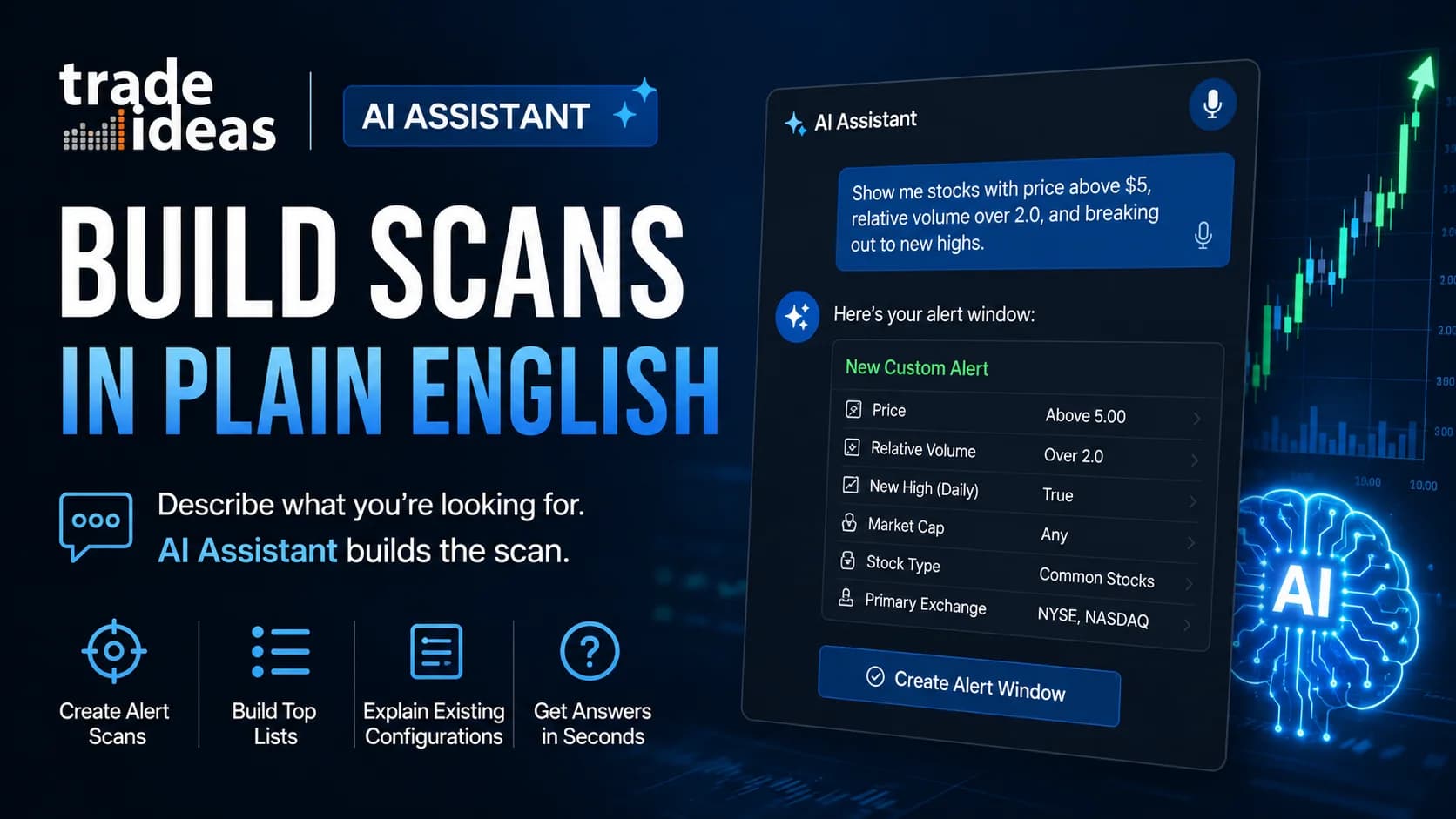
In July 2026, Trade Ideas quietly closed it. The platform released a new AI Assistant that builds scan configurations from plain-language descriptions — typed or spoken. You describe what you're looking for. It builds the window.
Nobody else has covered this yet, so this guide breaks down exactly what the AI Assistant does, what it doesn't do, how it differs from Holly AI (a different tool entirely, despite the shared branding), and whether it changes the calculus on who Trade Ideas is for.
What is the Trade Ideas AI Assistant? The Trade Ideas AI Assistant is a conversational tool inside Trade Ideas Pro AI, released in July 2026, that generates alert and top-list scan configurations from natural-language descriptions — typed or by voice. It can also explain existing scan configurations in plain English and answer general platform questions.
What the Trade Ideas AI Assistant Actually Does
Based on Trade Ideas' official release communication and the in-platform documentation, the AI Assistant handles four distinct jobs. It sits at the top of the New menu in Trade Ideas Pro AI, alongside the platform's other window types.
1. It generates alert windows from a description. Alert windows are Trade Ideas' real-time scanners — the streaming feeds that fire the moment a stock meets your conditions. Instead of assembling one manually from the filter library, you describe the setup in ordinary language, and the Assistant produces the configuration.
2. It generates top-list windows the same way. Top lists are ranked, continuously updated leaderboards — highest Relative VolumeRelative volume (RVOL) compares a stock's current trading volume to its average volume for the same time of day, expressed as a multiple — a stock with 5x RVOL is trading five times more actively than normal, signaling unusual interest and Read definition →, biggest gappers, largest percentage gainers, and so on. Describe the ranking you want and the universe you want it drawn from, and the Assistant builds the window.
3. It explains configurations you already have. Every Trade Ideas window can be exported as a collaborate string — a shareable snippet of text that encodes the full configuration. Paste one into the Assistant, and it translates the settings into plain English. If you've ever downloaded a community scan and wondered what half the filters were actually doing, this is the answer to that problem.
4. It answers general platform questions. Think of it as documentation you can interrogate: where a setting lives, what a filter measures, how a window type behaves.
Two interface details worth noting. Input works by typing or by voice — there's a microphone built into the Assistant's input bar, so you can literally describe a scan out loud. And the Assistant includes a response-effort selector, letting you trade speed for depth depending on how complex your request is.
That's the verified feature set. No inflated claims, no speculation — this is a new release, and this guide will update as Trade Ideas publishes more documentation. Now for the part that actually matters: why this changes the platform's oldest weakness.
Why the Configuration Editor Was the Wall
Here's the uncomfortable truth about Trade Ideas that even its biggest advocates concede: the platform's depth has always been both its moat and its wall.
The moat is real. Event-driven scanning across 500+ filters — price, VolumeVolume is the total number of shares (or contracts) traded during a given time period — it's the primary confirmation tool for all price action, because a price move accompanied by high volume indicates genuine market participation, while tRead definition →, relative volume, FloatFloat is the number of shares of a company that are actually available for public trading — it excludes shares held by insiders, major institutions with lock-ups, and the company itself.Read definition →, gap percentage, short interest, technical triggers, time-of-day behavior — means that if a condition exists in market data, Trade Ideas can probably alert on it. Competing tools have never matched that filter depth, and reviewers across the industry have consistently acknowledged it.
But the wall was just as real. Translating a setup from your head into a working scan meant learning the configuration editor: which of the hundreds of filters map to your idea, which windows to combine, which values to set. New subscribers routinely spent their first weeks leaning on pre-built channel scans because building their own felt like operating heavy machinery without a license. Reviews published as recently as June 2026 still cited the lack of any plain-text scan entry as a core limitation of the platform.
That was a fair criticism. As of this release, it's an outdated one.
The AI Assistant doesn't remove the filter library — all 500+ filters are still there, and advanced users can still hand-tune every value. What it removes is the requirement to master the library before you can use it. The scan idea in your head no longer has to pass through weeks of interface learning before it becomes a live, streaming alert window.
One analogy makes the shift clear: the old workflow was writing a formal database query by hand. The new one is asking a fluent translator who knows the database inside out. The data didn't change. The barrier to asking did.
AI Assistant vs. Holly AI: Two Different Kinds of Intelligence
This is where confusion is guaranteed, so let's kill it early. Trade Ideas now has two flagship AI systems, and they do completely different jobs.
Holly AI decides what might be worth trading. Holly is a signal engine — a set of AI systems that run simulated backtests across dozens of strategies every night, then stream entry and exit signals in real time during market hours from whichever strategies survived the testing. You don't configure Holly. You subscribe to her output. Our full breakdown of how Holly AI really works covers the nightly simulation process in detail.
The AI Assistant builds what you ask it to build. It generates no signals, makes no suggestions about what to trade, and runs no backtests. It's an interface layer — a translator between your plain-language description and the platform's configuration system. The intelligence is in understanding your request, not in evaluating the market.
The simplest way to hold the distinction: Holly hands you her ideas. The Assistant helps you express yours.
- Core job
- Holly AI
- Generates trade signals from nightly-backtested strategies
- AI Assistant
- Builds scan configurations from natural language
- Who directs it
- Holly AI
- Trade Ideas' strategy library
- AI Assistant
- You
- Output
- Holly AI
- Entry/exit signals during market hours
- AI Assistant
- Alert windows, top lists, and plain-English explanations
- Configuration needed
- Holly AI
- None — subscribe and watch
- AI Assistant
- None — describe and refine
- Makes market judgments?
- Holly AI
- Yes, within its tested strategies
- AI Assistant
- No
| Holly AI | AI Assistant | |
|---|---|---|
| Core job | Generates trade signals from nightly-backtested strategies | Builds scan configurations from natural language |
| Who directs it | Trade Ideas' strategy library | You |
| Output | Entry/exit signals during market hours | Alert windows, top lists, and plain-English explanations |
| Configuration needed | None — subscribe and watch | None — describe and refine |
| Makes market judgments? | Yes, within its tested strategies | No |
Why does this matter beyond trivia? Because the two systems serve opposite trader personalities. Holly suits traders who want curated ideas delivered to them. The Assistant suits traders who already have a defined setup — a specific combination of price, volume, and trigger conditions — and just want the fastest path from idea to live scanner. Plenty of active traders are both people at different hours of the day.
What You Can Build With Plain-Language Requests
The practical question: what does "describe a scan" actually look like? Based on the release documentation, the Assistant is built to handle the kind of requests traders naturally phrase, such as:
- "Show me stocks under $20, up at least 4% today, trading at three times normal volume, that just broke above yesterday's high."
- "Build a top list of the 20 highest relative-volume gappers over $5 with a float under 50 million shares."
- "Alert me when any stock in my watchlist crosses above VWAP in the first hour with rising volume."
Each of those descriptions maps to a stack of individual filters in the traditional editor — price ceilings, percent-change thresholds, relative volume minimums, float ranges, technical triggers. The Assistant's job is to do that mapping for you and hand back a working window.
The explanation direction may be just as valuable, and it's getting less attention than it deserves. Trade Ideas has a long-running culture of shared scans — community members, the trading room, and Trade Ideas' own team circulate collaborate strings constantly. Until now, a borrowed scan was a black box unless you were fluent enough to reverse-engineer it filter by filter. Pasting a string into the Assistant and asking "what does this actually look for?" turns borrowed configurations into learning material. For traders still building their scanning vocabulary, that feedback loop — build, explain, adjust, re-explain — is arguably the fastest filter education the platform has ever offered.
A workflow habit worth adopting from day one: treat the Assistant's output as a draft, not a verdict. After it builds a window, open the configuration and read what it selected. You're checking two things — that the filters match what you meant, and that you're learning which filters express which ideas. The traders who get the most from this feature will be the ones who use it to accelerate their fluency, not replace it.
Where the Assistant Fits a Complete Trading Workflow
A scan window on its own doesn't do anything for your trading. What makes this release meaningful is where it sits inside a platform that already handles every step after the scan.
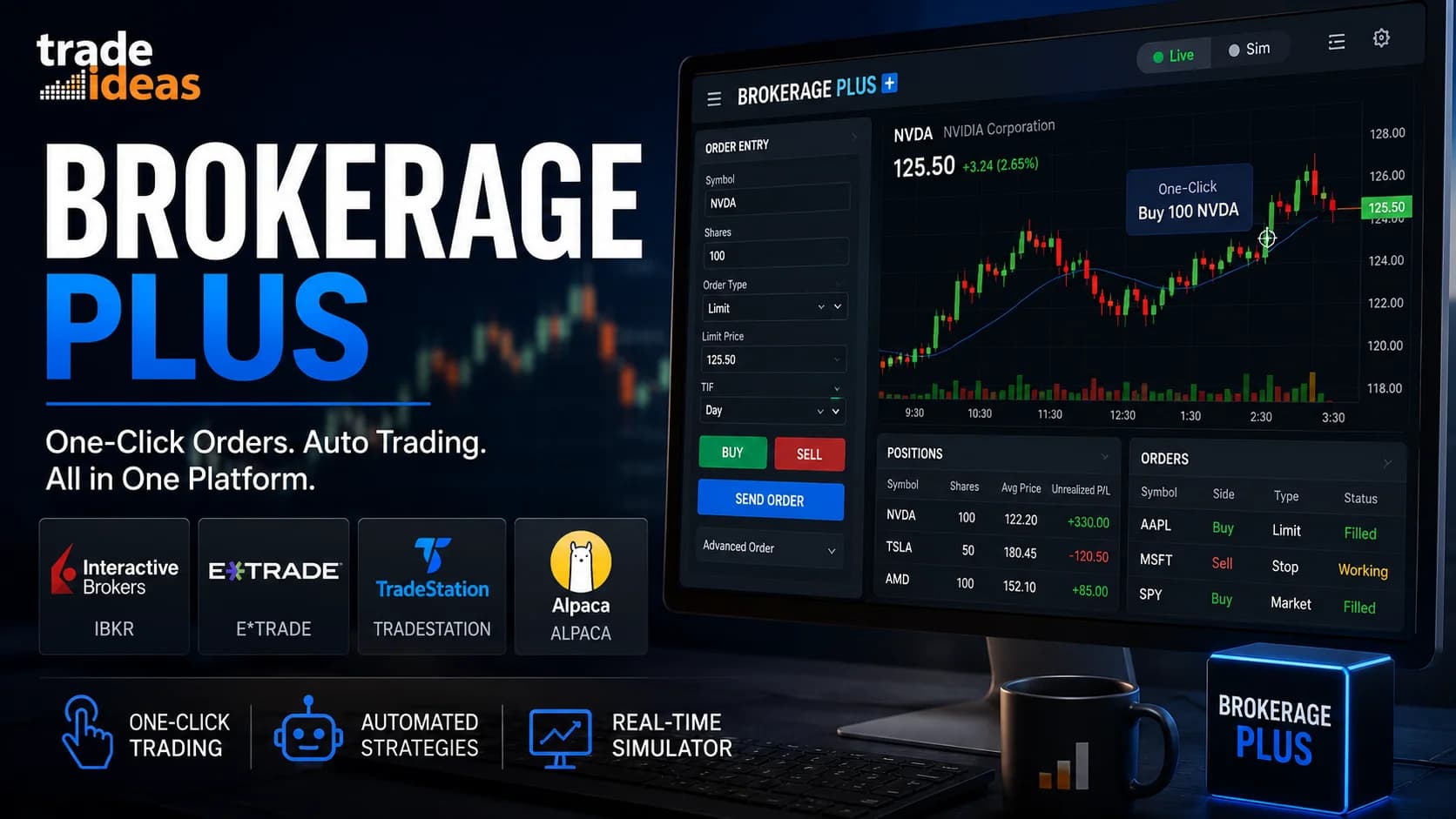
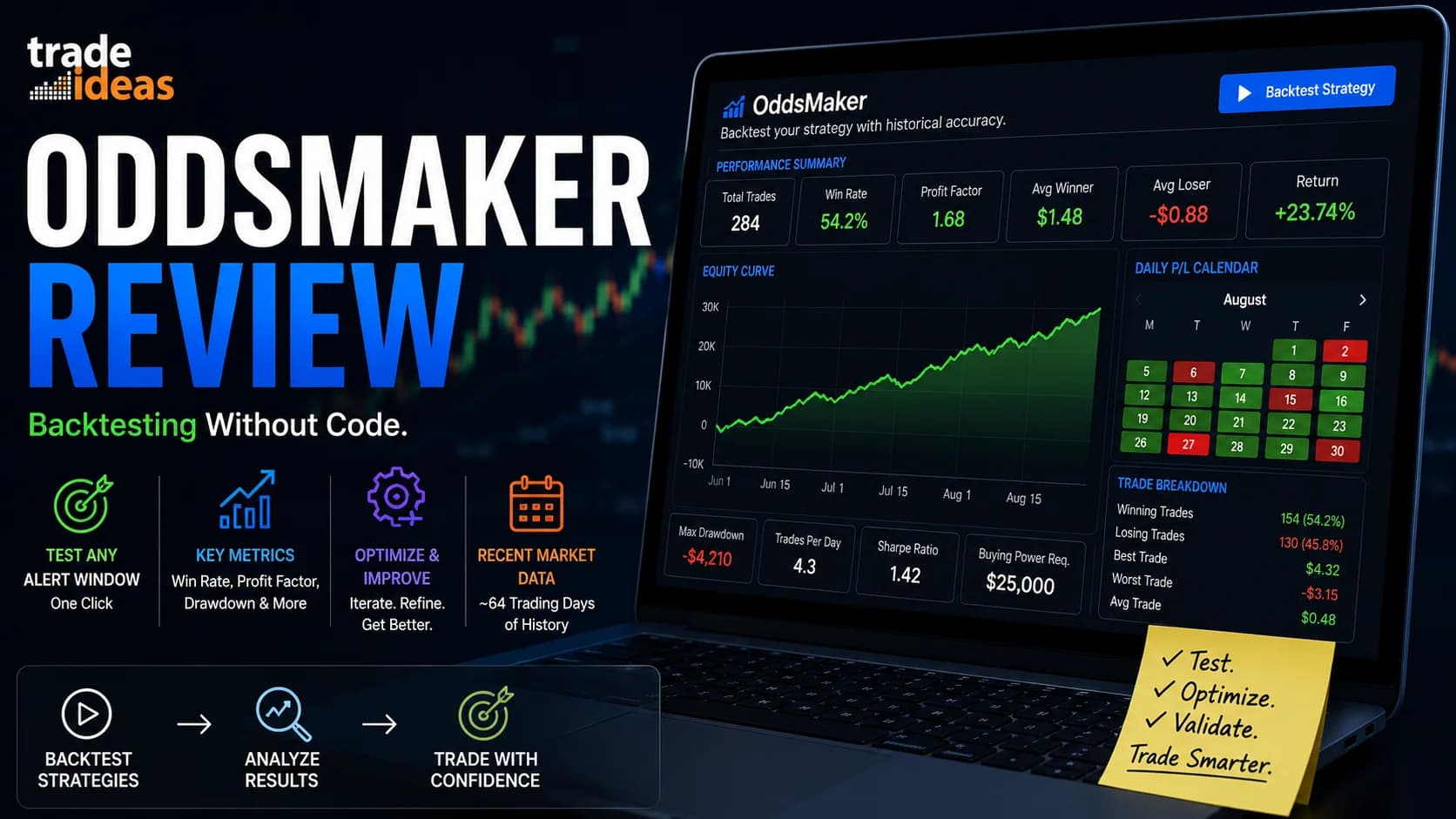
Consider how the pieces now chain together. You describe a setup to the Assistant and get a live alert window. You run that window during market hours and watch what it surfaces. When you want to know whether the setup has historically been worth trading, OddsMaker — Trade Ideas' point-and-click backtesting engine — can score it against recent history. If the idea survives testing, you can trade it in the platform's simulated mode without risking capital. And when you're ready for live execution, Brokerage Plus connects Trade Ideas directly to supported brokers for one-click or automated order entry.
That full chain — idea, scan, test, simulate, execute — has existed for years. What the Assistant changes is the cost of entry at step one. The chain used to start with "learn the configuration editor." Now it starts with a sentence.
This is also why the "just a scanner" label — already shaky after the v5.8.1 update added TradeStation integration earlier this year — keeps getting harder to defend. Scanning, AI signals, charting, backtesting, paper trading, live execution, and now a conversational interface across the top of it. Whatever Trade Ideas is in 2026, it isn't just a scanner.
For active traders who passed on the platform specifically because of the learning curve, this release is the development worth re-evaluating on. You can explore Trade Ideas here and see the Assistant in the platform's New menu.
The Honest Limits
Every new release deserves scrutiny, and a first-week feature deserves more than most. Here's what this guide flags — not as deal-breakers, but as the fine print worth knowing before you build your workflow around it.
It's brand new. The Assistant shipped in July 2026. Natural-language interfaces improve with iteration, and early versions of any such tool can misread ambiguous requests. If you describe a scan loosely, expect to refine. The response-effort selector suggests Trade Ideas anticipated this — more complex requests warrant the deeper setting.
A well-built scan is not a good trade. This is the limit that matters most, so it gets its own paragraph. The Assistant makes it dramatically easier to express a scan idea. It does nothing to make the idea itself worth trading. A momentum scan built in ten seconds by voice can lose money exactly as efficiently as one built over an hour in the editor. The discipline steps — backtesting the setup, defining risk, sizing positions — haven't been automated away, and no AI feature on any platform changes that.
Verify before you trust. Any tool that translates language into configuration can occasionally translate imperfectly. Until you've confirmed the Assistant reliably captures your intent, read the filters it selects before running capital decisions off the window. This is a two-minute habit that costs nothing.
Platform scope still applies. Trade Ideas remains a US equities and ETF platform, and Trade Ideas Pro AI — where the Assistant lives — is Windows-native desktop software (Mac users typically run it through virtualization). The Assistant changes how you talk to the platform, not what markets it covers. Traders who need options flow, futures, or crypto scanning will still pair Trade Ideas with other tools — our reviews hub covers the alternatives by category.
Tier availability isn't fully documented yet. The launch communication doesn't spell out which subscription plans include the Assistant. This guide will update when Trade Ideas publishes official tier details; in the meantime, current plan information is maintained on our deals page.
None of these limits undercuts the core story. They frame it: this is a genuinely useful accessibility upgrade, not a magic setup generator — and traders who treat it as the former will get far more from it than traders hoping for the latter.
How to Try It (And Why the Timing Is Unusually Good)
If the configuration learning curve was ever your reason for holding off on Trade Ideas, the evaluation math has changed — and the timing happens to be favorable for a specific, dated reason.
Trade Ideas is running its 4th of July sale through Sunday, July 12, 2026, with discounts reaching 30% on annual subscriptions. Between the sale pricing and the stackable promo savings we track, this is one of the lower-cost windows of the year to start — the current codes and exact numbers live on our deals page, which we keep updated as offers change.
For traders who want to evaluate before subscribing, Trade Ideas doesn't offer a conventional free trial, but it does offer something arguably more useful — a low-cost, full-access Test Drive, which our Test Drive guide explains how to maximize. A Test Drive weekend is exactly enough time to put the AI Assistant through its paces: describe three or four setups you already trade, inspect what it builds, paste in a community scan and ask for an explanation, and judge the translation quality yourself.
And if you're still weighing the platform as a whole, our full Trade Ideas review covers the complete picture — Holly, the scanner architecture, pricing, and who the platform genuinely fits.
One honest note on fit, because it hasn't changed: Trade Ideas is priced and built for active traders. The AI Assistant lowers the learning curve, not the commitment. If you're in your first months of trading, free tools are the right classroom — our guide to free AI tools for day trading maps that territory — and Trade Ideas will still be here when your activity level justifies it.
Frequently Asked Questions
Is the Trade Ideas AI Assistant the same as Holly AI?
The two systems don't overlap in function. Holly makes market judgments within her tested strategy library and streams entry and exit signals during market hours. The AI Assistant makes no market judgments at all — it translates your plain-language request into alert windows and top lists, and translates existing configurations back into plain English. They share AI branding, which is why the confusion is inevitable, but one produces ideas and the other builds infrastructure.
Key Takeaway: Holly hands you her ideas; the Assistant builds what you describe — see our full Holly AI breakdown for how the signal side works.
Can the AI Assistant build a scan from voice commands?
Voice input means you can describe a scan out loud — price range, percent move, volume condition, trigger — and the Assistant builds the corresponding window. In practice, typed input gives you more precision for complex multi-condition scans, since you can see and edit exactly what you asked for. Voice shines for quick, simple requests during market hours when your hands are occupied with charts and order entry.
Key Takeaway: Both input methods produce the same output; use voice for speed and typing for precision.
Does the AI Assistant replace the traditional scan configuration editor?
The Assistant is best understood as an alternate front door, not a replacement interface. It generates a standard Trade Ideas window configuration, which behaves exactly like one built manually. Advanced users who already think in filters lose nothing; newer users gain a path that doesn't require filter fluency on day one. The smartest workflow combines both: generate with the Assistant, then inspect and refine in the editor.
Key Takeaway: The Assistant lowers the entry barrier without removing any of the manual depth underneath it.
Can it explain a scan someone else built?
This solves a long-standing problem in the Trade Ideas ecosystem, where community scans, trading-room configurations, and shared strategies circulate constantly as collaborate strings. Previously, understanding a borrowed scan required enough filter knowledge to reverse-engineer it manually. Now the explanation is a paste away, which turns every shared configuration into study material rather than a black box you run on faith.
Key Takeaway: The explain function converts borrowed scans into filter education — one of the most underrated parts of this release.
Will scans built by the AI Assistant find winning trades?
A scanner surfaces stocks matching criteria; it makes no judgment about whether those criteria carry an edge. The responsible sequence hasn't changed: build the scan, backtest the setup with a tool like OddsMaker, trade it in simulation, and only then commit capital with defined risk. The Assistant compresses the first step from hours to seconds. The remaining steps are still yours, and skipping them is still the fastest way to lose money with any scanner.
Key Takeaway: Faster scan-building is a workflow upgrade, not an edge — validation and risk management remain entirely on you.
Which Trade Ideas plans include the AI Assistant?
New Trade Ideas features have historically varied in tier placement — some ship platform-wide while premium AI capabilities like Holly's signals sit in the top plan. Until Trade Ideas documents the Assistant's placement, treat any specific claim about plan availability with skepticism. Current plan structures, pricing, and active discounts are maintained on our deals page, which is updated as Trade Ideas publishes changes.
Key Takeaway: Check our deals page for current plan details and pricing before subscribing.
Is the AI Assistant available on the web version of Trade Ideas?
Trade Ideas maintains both a desktop application and a browser-based version, and features have historically debuted on desktop first. Mac users typically run the desktop platform through virtualization tools like Parallels. If web availability is confirmed in later documentation, this guide will be updated to reflect it — the feature is new enough that the documentation trail is still being written.
Key Takeaway: As of July 2026, plan on the desktop platform to use the Assistant.
How is this different from just asking ChatGPT to help me build scans?
General AI chatbots are genuinely useful for trading research and education, and they're free. But they don't know Trade Ideas' filter library, can't generate a collaborate string that loads as a functioning window, and can't explain your existing configuration with knowledge of what each proprietary filter measures. The Assistant's value is integration: the conversation ends with a working scanner, not a to-do list.
Key Takeaway: General AI advises; the integrated Assistant builds — our free AI tools guide covers where general chatbots genuinely earn a place in a trading workflow.
Should the AI Assistant change whether Trade Ideas is worth the cost?
Trade Ideas' price has always bought depth — 500+ filters, Holly's signals, backtesting, simulated trading, and broker-connected execution. The historical catch was the time investment required to use that depth well. The Assistant meaningfully shrinks that investment, which shifts the value equation for capable traders who were paying in frustration rather than dollars. It does not change the fundamental fit question: the platform is built for active traders, and infrequent traders will still struggle to justify the cost.
Key Takeaway: Read our full Trade Ideas review for the complete worth-it analysis before deciding.
Disclaimer
Article Sources
- Trade Ideas — Official Features Documentation - the platform's documented feature set, including alert windows, top lists, and scanning architecture referenced throughout this article.trade-ideas.com
- Trade Ideas — Holly AI Virtual Trade Assistant - official documentation of Holly's strategy-based signal system, used for the Holly-vs-Assistant comparison.trade-ideas.com
- Trade Ideas — Platform Overview - Trade Ideas' primary product page; the AI Assistant's capabilities are drawn from the company's official July 2026 release announcement to partners.trade-ideas.com