
Most day traders spend a lot of time thinking about which stock to trade. Far fewer think systematically about when during the session that stock is most likely to make its move.
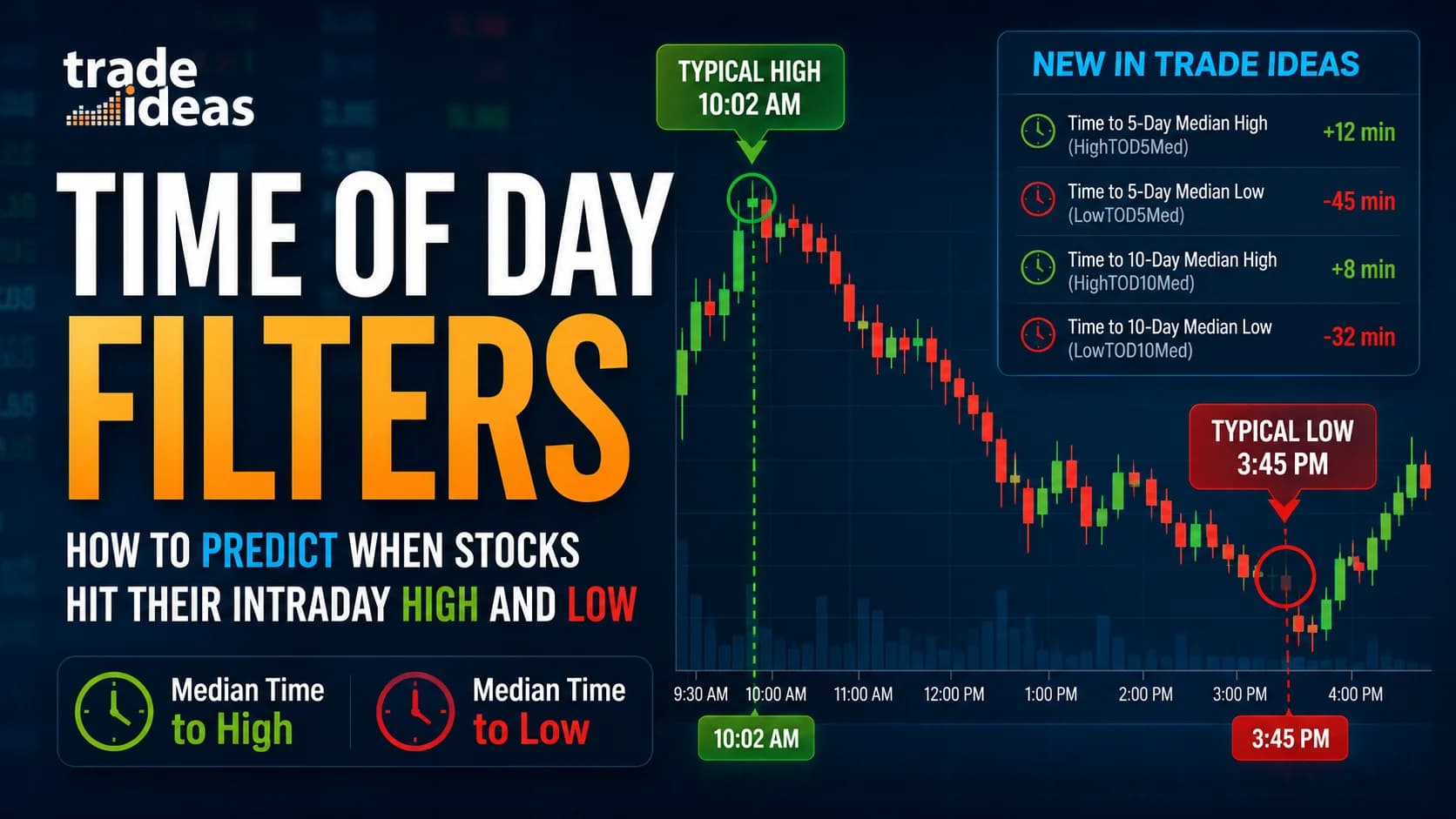
That GapA gap is a price discontinuity on a chart where a stock opens significantly higher or lower than the previous session's close, leaving a visible empty space — gap-ups are driven by overnight buying pressure or positive news; gap-downs by seRead definition → is exactly what Trade Ideas' new Median Time to High/Low filters are designed to close. These four filters — part of a recent update to Trade Ideas' scanning engine — give you a real-time read on how close the current time is to when a stock has historically tended to make its daily high or low. Not a general market pattern. Not a generic rule of thumb. A stock-by-stock, data-driven timing signal, updated live throughout the session.
This article covers how all four filters work, what the numbers actually mean, how to configure them in Trade Ideas, and the types of scan setups they're suited for. Everything here is drawn directly from Trade Ideas' official filter documentation — we're not speculating about what these filters might do.
How the Filters Actually Work
The core mechanic is straightforward once you understand it, and understanding it matters — because these filters don't tell you what a stock will do. They tell you when a stock has historically tended to do it, based on recent behavior.
Here's the key: Trade Ideas calculates the median time of day at which a given stock has made its daily high (or low) over the past 5 or 10 trading days. It then compares that median time to the current time and outputs the difference in minutes.
Positive value — the stock's typical high (or low) time is still ahead of you. If a filter shows +20, that stock's historical median peak time is roughly 20 minutes from now.
Negative value — the window has already passed. A value of -10 means the stock hit its historical median high (or low) time about 10 minutes ago.
Zero — or close to it — means you're right in the middle of the window when this stock has historically tended to set its daily extreme.
That's it. No predictions, no guarantees. Just a data-driven signal about timing patterns in that stock's recent behavior. How you use that signal is up to you and your Trading PlanA trading plan is a written document that defines your strategy, the specific setups you trade, entry and exit rules, risk management parameters, daily loss limits, market conditions required to trade, and psychological rules — it's the difRead definition →.
One thing worth being clear about: these filters work best during regular trading hours and update in real time throughout the session. They are categorized under "Highs and Lows / Changes Daily" in Trade Ideas' filter library, meaning the underlying data refreshes each trading day.
The Four Filters Explained
Trade Ideas released four distinct filters in this update, each covering a different direction (high vs. low) and a different lookback window (5-day vs. 10-day). Here's what each one actually does, pulled directly from the official documentation.
Time to 5-Day Median High [HighTOD5Med]
This filter measures how close the current time is to the median time a stock has made its daily high over the last 5 trading days. A positive value means the typical high time is ahead. A negative value means it's already passed. The recommended starting configuration in Trade Ideas is Min -15 / Max +15, which returns stocks trading within 15 minutes on either side of their 5-day median high time.
Time to 5-Day Median Low [LowTOD5Med]
Same concept as above, applied to daily lows. This filter identifies stocks approaching or recently past the time they've historically tended to make their session lows over the past 5 days. The recommended starting RangeA range (or trading range) is a price zone where a stock oscillates between a defined support floor and resistance ceiling without making meaningful new highs or lows — price is consolidating rather than trending, and the dominant trade is Read definition → is Min -10 / Max +10 — a tighter default window that reflects how low-of-day timing can cluster.
Time to 10-Day Median High [HighTOD10Med]
This version uses a 10-trading-day lookback for the high calculation. More sessions means more data, which tends to smooth out individual outliers. The recommended starting configuration is Min -20 / Max +20 — a slightly wider default that reflects the additional stability in a longer lookback.
Time to 10-Day Median Low [LowTOD10Med]
The 10-day version of the low filter. Same mechanics as LowTOD5Med, but pulling from 10 sessions of data. Recommended starting range is Min -15 / Max +15.
All four filters are "toplistable" — meaning you can display them as columns in a Trade Ideas Top List and sort by them in real time. That's useful if you want to rank a watchlist by how close each stock is to its typical high or low window right now.
5-Day vs. 10-Day: Which Lookback Period Should You Use?
This is the practical question most traders will wrestle with first, and the honest answer is that neither is universally better. They serve different purposes.
The 5-day lookback is more reactive. It weights the most recent week of trading behavior heavily. If a stock's intraday character has shifted — say it's caught a news CatalystA catalyst is the specific event or news item that triggers unusual price movement in a stock — earnings reports, FDA decisions, analyst upgrades, acquisition announcements, product launches, and short squeeze setups are all catalysts. WithRead definition → and running earlier than usual — the 5-day filter picks that up faster. The tradeoff is that five sessions is a small sample. One unusual day can meaningfully shift the median.
The 10-day lookback is more stable. With two weeks of data, individual outlier sessions have less influence on the median. If a stock tends to make its high in the first 30 minutes of the session fairly consistently, the 10-day filter will reflect that more reliably. The tradeoff is slightly slower adaptation when a stock's intraday character genuinely shifts.
DayTradingToolkit's working approach: use the 10-day filter as the primary signal for consistency and watch the 5-day alongside it as a cross-check. When both show similar values, the timing signal has more data behind it. When they diverge significantly, that divergence is itself information — the stock may be behaving differently than its recent norm.
No backtested win-rate comparison exists to cite here, because Trade Ideas hasn't published one and we won't fabricate one. What the official documentation confirms is that both versions work best during regular trading hours and update in real time — so whatever lookback you choose, the numbers are current.
How to Set Up These Filters in Trade Ideas
If you're already a Trade Ideas subscriber, adding these filters to your existing windows is straightforward. The settings for each filter live in the Window Specific Filters Tab inside the Configuration Window of your Alert or Top List Window. Open the configuration panel for the window you want to add timing to, navigate to that tab, and search by name or filter code.
From there, you set your Min and Max values in minutes. Here are the starting ranges directly from the official documentation:
- Filter
- Time to 5-Day Median High
- Code
- HighTOD5Med
- Recommended Start
- Min -15 / Max +15
- What It Returns
- Within 15 min of 5-day median high time
- Filter
- Time to 5-Day Median Low
- Code
- LowTOD5Med
- Recommended Start
- Min -10 / Max +10
- What It Returns
- Within 10 min of 5-day median low time
- Filter
- Time to 10-Day Median High
- Code
- HighTOD10Med
- Recommended Start
- Min -20 / Max +20
- What It Returns
- Within 20 min of 10-day median high time
- Filter
- Time to 10-Day Median Low
- Code
- LowTOD10Med
- Recommended Start
- Min -15 / Max +15
- What It Returns
- Within 15 min of 10-day median low time
| Filter | Code | Recommended Start | What It Returns |
|---|---|---|---|
| Time to 5-Day Median High | HighTOD5Med | Min -15 / Max +15 | Within 15 min of 5-day median high time |
| Time to 5-Day Median Low | LowTOD5Med | Min -10 / Max +10 | Within 10 min of 5-day median low time |
| Time to 10-Day Median High | HighTOD10Med | Min -20 / Max +20 | Within 20 min of 10-day median high time |
| Time to 10-Day Median Low | LowTOD10Med | Min -15 / Max +15 | Within 15 min of 10-day median low time |
A few practical notes on configuration. Tighter ranges (smaller Min/Max values) return fewer stocks but more precise matches — only those whose historical timing window closely overlaps the current moment. Wider ranges return more candidates, including stocks approaching or recently past their median window. Adjust based on how many results you want to evaluate and how precise you need the timing match to be.
You can also add these as display columns in a Top List, which lets you see the real-time minute values for every stock on your list simultaneously. For a full walkthrough of how Trade Ideas handles custom scan configuration, our Trade Ideas Holly AI guide covers the platform's broader scanning architecture in depth.
Practical Scan Setups Using the Timing Filters
The timing filters are most useful as a layer on top of existing scan criteria — not as a standalone signal. Here are a few starting-point configurations worth exploring. Test these before committing real capital to any approach built around them.
Approaching-high scan with VolumeVolume is the total number of shares (or contracts) traded during a given time period — it's the primary confirmation tool for all price action, because a price move accompanied by high volume indicates genuine market participation, while tRead definition → confirmation
Combine HighTOD5Med or HighTOD10Med (Min 0 / Max +20 — the window is coming in the next 20 minutes) with a relative volume filter to confirm the stock is genuinely active today. A stock whose historical high window is approaching but which has no unusual volume is a weak candidate. One already running at elevated volume as the window approaches tells a different story.
Approaching-low scan for bounce candidates
This requires care — catching intraday lows is a high-risk approach unsuitable for beginners. That said, LowTOD5Med or LowTOD10Med (Min -5 / Max +15) can surface stocks approaching the time they've historically made their session low. Pairing this with a filter showing the stock is near its intraday low gives you candidates entering a historically typical low-making window while already under pressure. Whether a bounce materializes depends on the stock, conditions, and the broader setup — the timing filter is one data point among many.
Staleness signal (window-passed setup)
Flip the approach entirely. Filter for stocks where the typical high or low time has already passed — for example, LowTOD10Med set to Min -40 / Max -20. A stock whose historical low window came and went 30-40 minutes ago, and which is now building higher, is showing structural strength relative to its own recent behavioral pattern. This is the kind of signal that's genuinely difficult to surface without a timing filter.
Top List column view
Rather than setting tight filter ranges, add these filters as columns to a broader Top List and watch the numbers update throughout the session. This gives you ambient timing awareness across your watchlist without hard filtering. You'll start to see which stocks have consistent intraday timing patterns and which ones don't — useful context that builds over time.
Combining Timing Filters With Trade Ideas' Broader Platform
These filters join a scanning engine that already includes 500+ filters across price, volume, momentum, technical indicators, fundamental data, and market structure. They don't replace any of that — they add a new dimension.
A few natural combinations:
Relative Volume is the most obvious pairing. Timing signals carry more weight when the stock is actually active that session. Filter for stocks within their timing window and running at elevated relative volume, and you're narrowing to candidates where historical pattern and current activity align.
Holly AI signals run independently and generate their own entry candidates based on nightly backtesting across multiple strategy systems. Holly Grail, Holly 2.0, and Holly Neo each have distinct approaches and risk profiles. When a Holly signal and a favorable timing filter reading converge on the same stock, that's worth noting — though neither signal alone nor together guarantees any outcome. Our Trade Ideas Holly AI guide covers how Holly's backtesting cycle actually works.
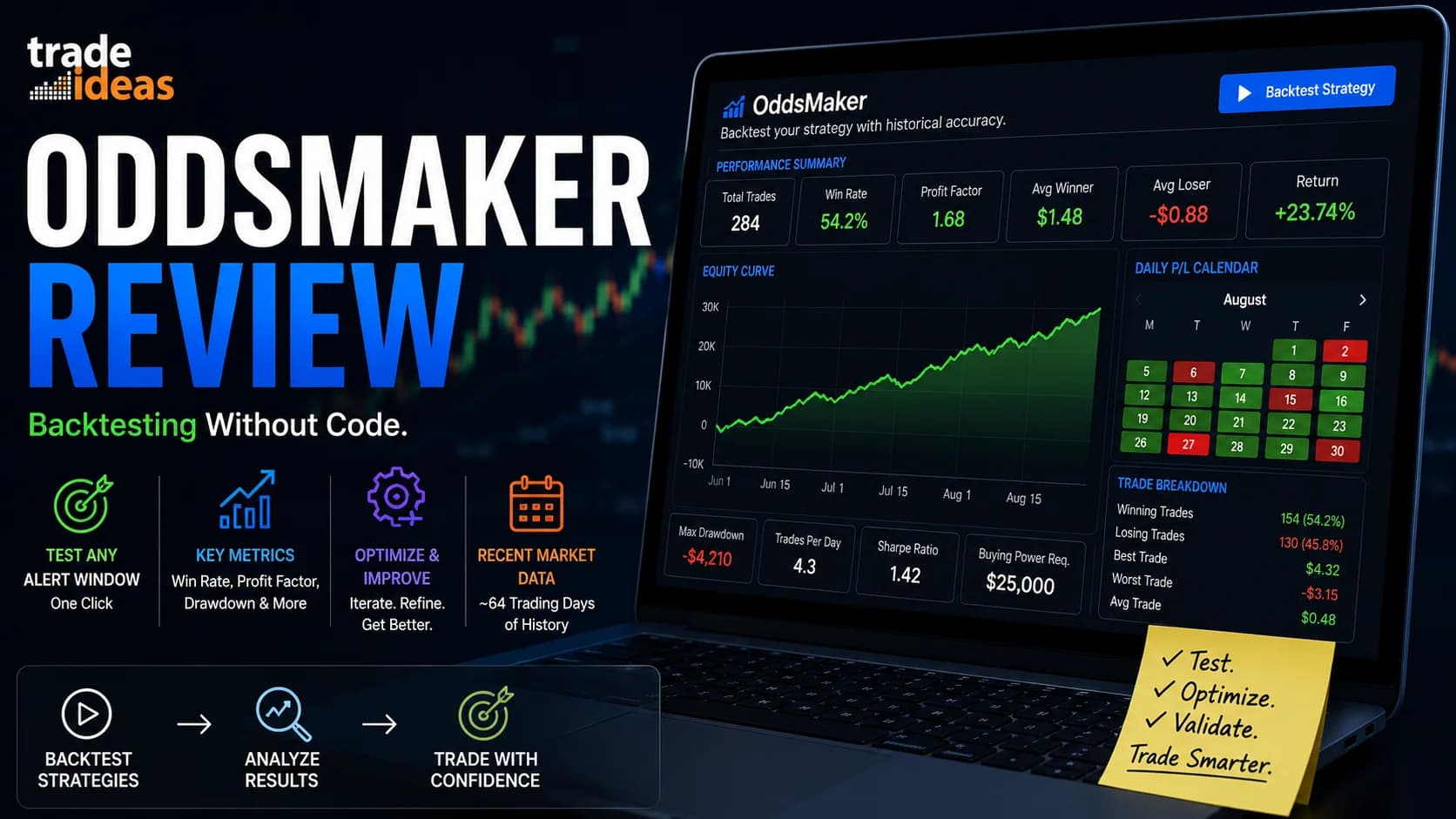
OddsMaker backtesting is where serious refinement happens. Once you've developed a scan setup that incorporates these timing filters, run it through OddsMaker to evaluate historical performance. That's the right way to assess whether a particular timing-based configuration has any real edge for your specific use case — not by reading about it, but by testing it on historical data.
For traders evaluating the platform as a whole, our Trade Ideas review covers features, pricing tiers, and honest limitations. And if you're comparing scan-based approaches more broadly, our AI stock scanners vs. traditional scanners piece addresses where the category distinction actually matters.
Who These Filters Are Best For
These are intermediate-to-advanced filters. Let's be direct about who benefits most and who should hold off.
Active day traders with an established scanning workflow are the natural audience. If you already have Trade Ideas configured, you have a watchlist process, and you're looking to add timing awareness as an additional layer — these filters offer something that wasn't there before. The stock-specific (rather than market-wide) timing data and the real-time minute-by-minute update cycle are the key differentiators.
Traders already comfortable with Trade Ideas' filter logic will find setup quick. If you know how to work the Window Specific Filters Tab and read a Top List column, you can be using these within minutes of learning the filter codes.
Beginners should build fundamentals first. Understanding relative volume, reading intraday price structure, and having a basic scanning workflow in place are prerequisites for making timing data actionable. Without those foundations, a timing filter output is just another number without context. Our free vs. paid tools guide and market hours breakdown are better starting points.
Swing traders will find limited use here. These filters are built for intraday decision-making and their value drops significantly for multi-day setups.
On pricing: Trade Ideas offers multiple subscription tiers. For current pricing and any available discounts, our Trade Ideas deals page is the right place to check before committing. Confirm directly with Trade Ideas which tier includes access to these specific filters.
What These Filters Don't Do
Worth stating explicitly — because timing-based tools invite wishful thinking.
These filters tell you when a stock has historically tended to make its high or low based on a 5 or 10-day median. They do not predict that today will follow the same pattern. A stock's intraday behavior changes with news, broader market conditions, sector moves, and dozens of variables no filter controls for automatically.
A positive reading on HighTOD10Med means the historical high window is approaching. It says nothing about whether today is the kind of session where that pattern holds.
Treat these as one input in a multi-factor scanning approach. Build position sizing around your risk management rules — not a filter reading. Our stop-loss and take-profit guide covers the exit planning fundamentals that should anchor any scan-based process.
If you want to explore Trade Ideas and test these filters yourself, the platform's built-in paper trading mode is the right place to start before committing real capital.
Frequently Asked Questions
What do the Trade Ideas Median Time to High/Low filters measure?
What's the difference between the 5-day and 10-day versions?
What are the exact filter codes for these four filters?
What Min/Max settings should I start with?
Do these filters predict when a stock will hit its high or low?
Can I display these as columns in a Trade Ideas Top List?
How are these different from the "Minutes Since Last Daily High/Low" filters?
Are beginners ready to use these filters?
Do I need a specific Trade Ideas subscription tier to access these filters?
Can I backtest scan setups that use these timing filters?
Disclaimer
Article Sources
- Trade Ideas Official Filter Documentation — Time to 5-Day Median High (HighTOD5Med) — Primary source for filter mechanics, output format, and recommended Min/Max configuration ranges
- Trade Ideas Official Filter Documentation — Time to 5-Day Median Low (LowTOD5Med) — Official documentation for the 5-day low timing filter
- Trade Ideas Official Filter Documentation — Time to 10-Day Median High (HighTOD10Med) — Official documentation for the 10-day high timing filter
- Trade Ideas Official Filter Documentation — Time to 10-Day Median Low (LowTOD10Med) — Official documentation for the 10-day low timing filter
- QuantifiedStrategies.com — When Does the S&P 500 Set Its Intraday High and Low? — Data-backed analysis of intraday high/low timing patterns in SPY, providing market context for why time-of-day patterns matter to traders
- Trade That Swing — Stock Market Intraday Repeating Patterns — Analysis of intraday time-of-day tendencies and high/low occurrence statistics by session segment