Thinkorswim Review 2026: The Best Free Platform for Traders?

In this article8 sections
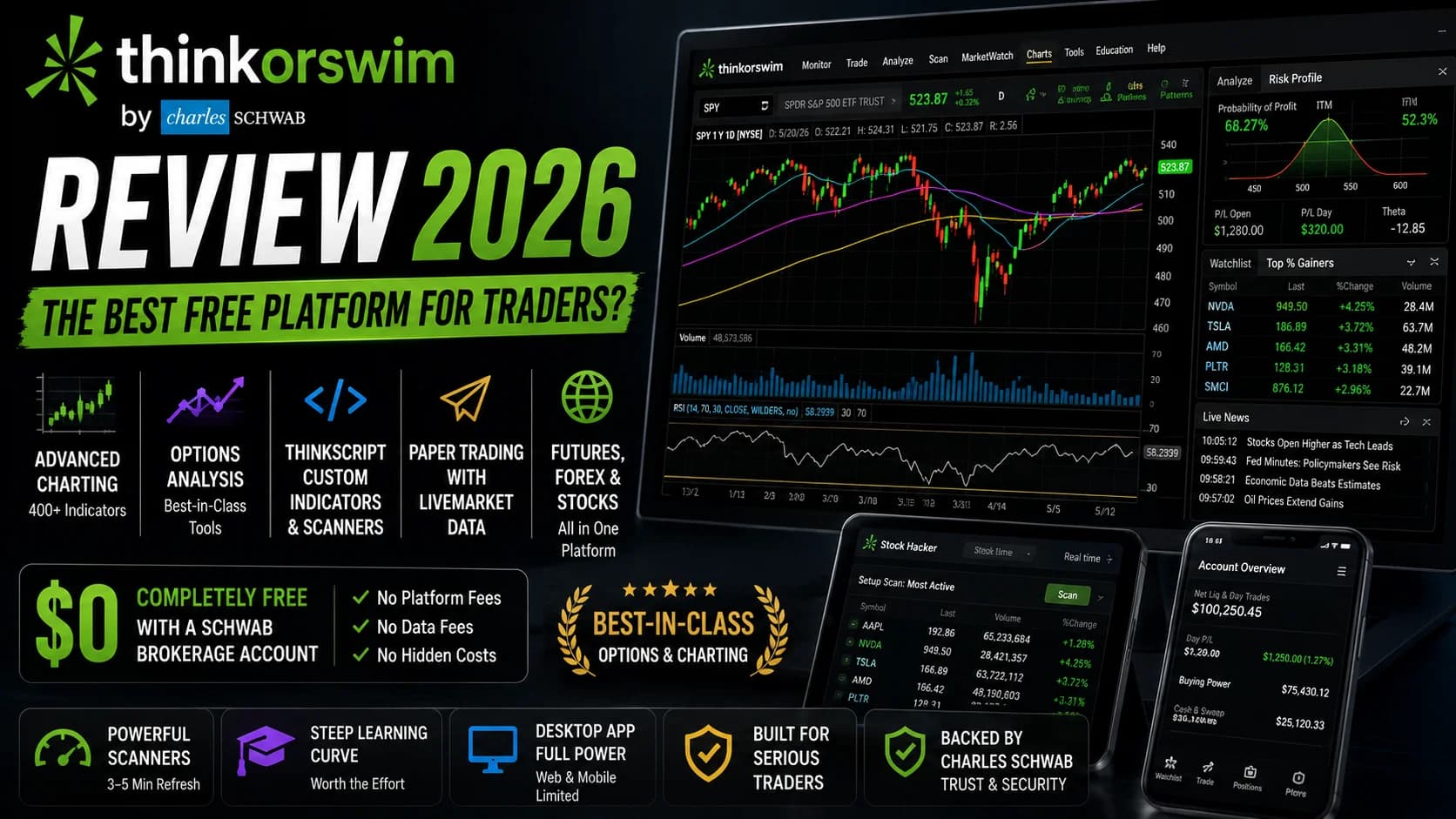
There is no other free trading platform that does what thinkorswim does. Full stop. At $0 per month with a Charles Schwab brokerage account, you get 400+ technical indicators, a professional options analysis suite, a full paper trading environment running on live market data, futures and forex access, and a scripting language powerful enough to build custom indicators from scratch. No other broker at zero cost comes close.
That said, "free" is only part of what you need to know. This independent review evaluates thinkorswim against what active traders actually need — charting depth, scanning capability, options analysis, and execution quality. There are real limitations here that most reviews understate — and they matter most specifically for day traders. Here's the honest version.
Thinkorswim Review 2026
Thinkorswim is the most capable free trading platform available and a genuine best-in-class tool for options traders and technical analysts. Its day trading limitations — primarily the 3-5 minute scanner refresh rate and a steep learning curve — are real and worth knowing. For the right trader, nothing at this price point comes close.
Pros
Strengths- Completely free with a Schwab brokerage account — no platform fees, no data subscription charges
- Options analysis suite (Analyze tab, risk profiles, P&L visualization, IV rank) is best-in-class at any price point for retail traders
- thinkScript enables custom indicator and scanner construction with more complexity than most retail platforms allow
- paperMoney paper trading environment runs on live market data with the same interface as live trading
- Multi-market coverage — stocks, options, futures, and forex all in one platform without additional subscriptions
Cons
Trade-offs- Stock Hacker scanner refreshes every 3-5 minutes during market hours — not suitable for real-time momentum scanning
- Steep learning curve; new users routinely describe the interface as overwhelming, with weeks needed to configure properly
- UI design reflects its older heritage — dense, dated, and noticeably less modern than browser-based alternatives
- Full power lives in the desktop app; web and mobile versions are materially weaker on scanning and charting depth
- Requires a Schwab brokerage account — the platform is not available as a standalone tool
What Is Thinkorswim?
What is thinkorswim? Thinkorswim is a professional-grade trading platform owned and operated by Charles Schwab, available at no cost to all Schwab brokerage account holders. Built originally by Tom Sosnoff and a team of former CBOE floor traders in 1999, acquired by TD Ameritrade in 2009, and integrated into Schwab following their 2020 acquisition of TD Ameritrade, it provides institutional-quality charting, options analysis, futures access, custom scripting, and a full paper trading environment — all included in one desktop application.
The origin story matters because it shaped what the platform actually is. Thinkorswim was not designed by a brokerage trying to build a platform. It was built by professional options traders who wanted a tool that matched how they actually thought about the market. That DNA is still visible in the platform today — particularly in the options analysis tools, which remain more sophisticated than anything else available at this price.
Charles Schwab acquired TD Ameritrade in 2020, with full account migration completing in 2024. The good news for traders: Schwab recognized the platform's value and kept it running as their flagship active-trading tool. The less clean news: the transition has not been entirely seamless, and some long-term users report occasional performance degradation compared to the TD Ameritrade era. If you read reviews from 2023, keep that context in mind.
Thinkorswim ships as three separate interfaces: a desktop application (the full-power version), a web platform, and a mobile app. The desktop is where the real product lives. The web and mobile versions are functional for basic monitoring and order entry, but they lack the scanning depth and charting capability of the desktop. Build your serious workflow on the desktop.
Thinkorswim Key Features
Charting is thinkorswim's most immediately visible strength. The platform ships with over 400 technical studies, from the standard moving averages and RSI through to esoteric profile charts and volatility structures. Chart types go well beyond the standard candlestick — Renko, Range, Monkey Bars, Point & Figure, and Kagi charts are all native. You can overlay multiple instruments on a single chart, link time frames across panels, and build workspaces with up to 16 simultaneous charts. Eight Fibonacci tools and up to 20 drawing layers are supported simultaneously.
The result is a charting environment that rival platforms charge $30–$80/month for. That this exists in a free broker platform still surprises traders who discover it for the first time.
thinkScript is the custom scripting language that separates thinkorswim's power users from casual users. It's a proprietary object-based language that lets you write custom indicators, build scanner conditions of arbitrary complexity, and create conditional alerts that fire on technical triggers. If you can describe a condition in plain English — "show me when the RSI crossed above 50 while volume was 150% of the 20-day average and price was within 2% of a 52-week high" — thinkScript can encode it and surface it in a scan, an alert, or a chart study.
The community-built thinkScript library is extensive. Thousands of pre-built scripts exist on Reddit's r/thinkscript community, ThinkScripter.com, and dedicated forums. Traders who aren't ready to write their own code can import tested community scripts and begin using them without writing a single line — which meaningfully reduces the barrier to accessing the platform's deep capabilities.
The Options Analysis Suite is where thinkorswim has no serious free-tier competition. The Analyze tab contains probability analysis, volatility analysis, and full P&L visualization for any strategy — including multi-leg spreads, condors, and calendars. The Risk Profile tool displays the payoff curve of a position across price levels and lets you drag a date slider to stress-test how time decay affects the structure. You can layer multiple positions together to see portfolio-level Greeks and identify where the aggregate position turns toxic under different scenarios.
thinkBack adds a historical component: it replays past market conditions, allowing you to test options strategies against actual historical data. For a $0 platform, this is a feature set that trades at a premium elsewhere.
Options order entry supports the full spectrum — single legs, verticals, iron condors, butterflies, calendars, ratio spreads, and custom combinations. Order types cover conditional brackets and one-cancels-other configurations. For serious options traders, thinkorswim is the standard.
Stock Hacker is thinkorswim's equity scanner — and this is where day traders need to pump the brakes. Stock Hacker can build highly complex scan conditions using thinkScript filters. You can scan for almost any technical combination you can articulate. But the scanner refreshes every 3 to 5 minutes during market hours, not continuously. Thinkorswim's own documentation confirms that scan delivery is treated as lower priority than real-time trading data delivery. During high-volume market periods, that refresh rate can stretch further.
What this means practically: Stock Hacker is excellent for end-of-day scans building next-session watchlists, pre-market gap scanning before 9:30 AM, and longer-timeframe setup hunting. It is not a real-time momentum scanner for catching stocks in the middle of a fast intraday move. That distinction is important — we'll come back to it.
Option Hacker is the options-specific scanner, letting you filter the entire options universe by Greeks, implied volatility rank, expiration, strike, and custom thinkScript conditions. For finding unusual options activity, high-IV candidates before earnings, or specific spread setups meeting your criteria, Option Hacker is genuinely powerful and has no free-tier equivalent.
paperMoney is thinkorswim's paper trading environment and one of the best in the industry. It runs on live market data — not delayed — using the same interface as the live platform. You can build and test complete workflows, from scanning to charting to order execution, in a simulated environment that mirrors live conditions. Critically, paperMoney is available as soon as you open a Schwab account — you don't need to fund the account to start practicing. The ability to get your hands on a professional-grade platform with zero capital at risk is genuinely valuable for traders building their skills.
OnDemand (formerly called ThinkOnDemand) is a historical market replay feature that lets you rewind and replay any past market session at variable speed. You can practice entering and managing trades in historical sessions — working through past FOMC days, earnings seasons, or volatility events — without the limitations of pre-recorded video or static charts. It's an underutilized training tool that more traders should know about.
Futures and Forex are both native to the platform. The same desk that you use to trade equities handles /ES, /NQ, /CL, /GC, and major forex pairs without switching interfaces. For traders who want multi-market access in one window at zero platform cost, this is a real advantage. For strategies that trade around macro events — futures around FOMC days, gold around inflation data — having everything in one workspace simplifies the session. Our FOMC day trading playbook covers how multi-market traders approach those sessions.
Level 2 Quotes are included at no additional cost. The Active Trader Ladder provides a full order book view with one-click order entry directly from the book. For active equity traders, having Level 2 data — which some platforms charge separately for — bundled into a free platform is a meaningful practical advantage. Our guide to reading Level 2 quotes and Time & Sales covers how to actually use this data once you have access to it.
Who Thinkorswim Is Best For
Options traders, full stop. If you trade equity options with any regularity, thinkorswim is the obvious starting point and, for many traders, where you'll stay. No free platform comes close to the Analyze tab, Risk Profile tool, Option Hacker scanner, and IV rank workflow. Even compared to paid alternatives, thinkorswim's options suite is competitive. If you're building your options skills, there is no reason not to use this platform as your primary environment.
Technical traders who want thinkScript customization without paying for it. If you're willing to invest time learning thinkScript — or willing to use community-built scripts — you can build a deeply customized technical environment on thinkorswim at zero cost. The indicator library alone handles virtually every technical framework. For traders who have precise technical criteria and want to encode them as scanners or alerts, thinkScript gives you that capability.
Multi-market traders who want one platform. Stocks, options, futures, and forex in a single interface, at no cost, with Level 2 data included. If your trading week spans equities in the morning and futures or forex during global hours, having one desk for everything is a workflow advantage that would cost $50–$200/month elsewhere.
Newer traders in the learning phase. paperMoney plus the full platform capability at $0 is an extraordinary educational resource. Open a Schwab account, launch thinkorswim, and learn the professional-grade tools before any real capital is at risk. The path from paper trading on thinkorswim to live trading on the same platform is the smoothest available in retail trading.
Thinkorswim is probably not the primary tool for pure momentum day traders. If your trading day centers on finding fast-moving stocks in real time — pre-market gappers, news catalysts, high-RVOL movers during the session — the 3-5 minute scanner refresh rate is a genuine workflow bottleneck. By the time Stock Hacker surfaces a stock that's moving, an experienced momentum trader has already made their decision. This isn't a dealbreaker for traders who build watchlists the night before and trade from a pre-defined list. For traders who rely on continuous real-time scanning to find their setups, it's a significant gap.
Platform scalpers and ultra-high-frequency traders need to look elsewhere. Schwab's order routing quality is good but not the fastest available. Traders executing dozens of trades per session in sub-second windows — scalping the bid-ask spread, for example — will find that Interactive Brokers or direct-access platforms (DAS Trader, Lightspeed) offer measurably better execution infrastructure.
Thinkorswim Pricing
This is the simplest pricing section in any platform review on this site: thinkorswim is free. No monthly platform fee. No real-time data subscription. No charge for Level 2 quotes or options analysis tools. No minimum account balance to open a Schwab brokerage account and access the platform.
The only trading costs are Schwab's standard brokerage commissions: $0 for stocks and ETFs, $0.65 per options contract, and standard regulatory fees. There are no commissions for futures within the standard Schwab account (exchange fees apply, as with all futures brokers).
For context on where that $0.65 options commission sits: it's standard for the industry among major retail brokers. It's higher than zero-commission platforms like Robinhood, and slightly higher than volume-tiered platforms like tastytrade, which caps commissions on opening trades. For most retail options traders running defined-risk strategies without extreme volume, the analytical firepower of thinkorswim far outweighs the per-contract cost.
The only meaningful cost consideration: thinkorswim requires a Schwab brokerage account, which means you're choosing Schwab as your broker. If you already use a broker you prefer for execution and routing, the question becomes whether you run thinkorswim as a secondary analysis environment while routing orders elsewhere — which some traders do. For current account minimums and any promotional offers, check our deals page.
One important note for newer traders: the PDT minimum account requirement of $25,000 that historically applied to pattern day traders has been eliminated. FINRA's SR-FINRA-2025-017, effective June 4, 2026, replaced the old rule with a risk-based intraday margin framework. The full breakdown of what changed and how Schwab and other brokers are implementing the new rules is in our PDT rule elimination guide.
What Works Well
The options suite genuinely has no free peer. We've tested every major retail platform's options toolset. At $0/month, thinkorswim's Analyze tab, Risk Profile visualization, thinkBack, and Option Hacker have no equivalent. Even at $100–$200/month, other platforms struggle to match this depth. For options traders, the value calculation is completely different from every other platform in this review category.
thinkScript delivers real customization power. Most broker-included scripting environments are minimal. thinkScript is a substantive programming environment that experienced traders use to build tools they can't find anywhere else. The scan conditions you can write — multi-condition, multi-timeframe, with custom mathematical expressions — are more sophisticated than what checkbox screeners can produce. And because the community library is massive, you can access that power without writing a single line of code yourself.
paperMoney is the best free paper trading environment in retail trading. Live data, same interface, same order types. Thinkorswim's paper trading doesn't feel like a watered-down simulation — it feels like the real platform, because it is. For traders learning the craft, this is a meaningful gift.
Multi-market access at zero cost is genuinely rare. Stocks, options, futures, and forex in one platform without a monthly data fee. Traders who manage a multi-market book would pay $50–$100+/month to access this on dedicated platforms. Getting it bundled into a free broker platform changes the math entirely for multi-market active traders.
Limitations
The scanner refresh rate is the biggest limitation for momentum day traders. Stock Hacker updates every 3-5 minutes during market hours. This is an architectural decision — scan results are lower priority than live trading data delivery on Schwab's servers. During high-volume sessions, the refresh can stretch longer. For a trader whose strategy depends on spotting a stock that's breaking out of a range right now, this lag is structurally problematic. Building a watchlist the night before and trading from it during the session is a workable adaptation. Depending on Stock Hacker to find live momentum setups is not.
The learning curve is a genuine time commitment. The thinkorswim desktop interface looks, as one experienced trader put it, like a NASA control room. Floating windows, layered tabs, dozens of configuration options — it is not intuitive on day one. Schwab provides a comprehensive education center and video tutorials for every feature, but budget a realistic week of daily use to get your workspace configured properly. Traders coming from TradingView or Webull's cleaner interfaces often experience real friction in the first weeks. The depth is there, but accessing it takes time.
The web and mobile versions are significantly weaker. The full power of the platform — thinkScript scanning, the complete Analyze tab, deep options order types — lives in the desktop application. The mobile app works well for monitoring positions and entering orders on the go. It does not replace the desktop for complex analysis or scanning workflows. If you're primarily a mobile trader, thinkorswim is not the right fit.
The interface has aged. Thinkorswim was built in a desktop-software era and it shows. The UI is functional but dense, and it doesn't have the clean, modern design of browser-based platforms built in the last five years. This isn't a trading problem — it's an aesthetic and usability friction that real users report and that new traders should factor into their learning timeline.
Schwab's order execution isn't the fastest available. For most retail traders — those executing 5-20 trades per day on liquid stocks and options — Schwab's execution quality is fine. For ultra-high-frequency strategies where execution speed is the entire edge, direct-access brokers with faster order routing are measurably better. Thinkorswim is not a direct-access execution platform.
How It Fits a Day Trader's Workflow
The honest workflow picture for a day trader on thinkorswim: the charting, indicators, Level 2 data, and options analysis are all excellent. The execution is adequate for most strategies. Where active momentum traders hit the ceiling is real-time stock discovery.
Most serious thinkorswim day traders run a hybrid setup. They use thinkorswim for charting, options analysis, and trade execution — and pair it with a dedicated real-time scanning tool to find stocks in motion during the session. Thinkorswim gives them the analytical depth to evaluate and execute. A separate scanner gives them the real-time discovery layer that Stock Hacker's refresh rate can't provide.
If that gap is relevant to your trading style, our full head-to-head comparison covers the specific tradeoffs in detail: Trade Ideas vs. Thinkorswim.
Trade Ideas approaches the scanning problem with continuous, server-side real-time scanning and Holly AI signal generation that surfaces setups without requiring you to pre-define every condition. Where thinkorswim finds stocks matching criteria you specified in advance, Trade Ideas scans for stocks matching criteria the system has learned over time. Our full Trade Ideas review covers how that workflow operates in practice.
For traders evaluating their broker setup more broadly, our day trading broker checklist walks through the key variables that go beyond platform features — execution quality, margin rates, account flexibility, and regulatory compliance.
The Best Free Trading Platform — With One Serious Day Trading Caveat
Frequently Asked Questions
Is thinkorswim good for day trading?
Thinkorswim gives day traders professional-grade charting, Level 2 data, options analysis, and thinkScript customization at zero cost. Where it doesn't serve momentum day traders well is real-time stock discovery: the Stock Hacker scanner updates on a 3-5 minute cycle rather than continuously, which means it's better suited for pre-market watchlist building than for finding stocks breaking out in real time. Many active day traders run thinkorswim alongside a dedicated real-time scanner to bridge that gap.
Key Takeaway: Thinkorswim is a strong day trading platform for technical analysis, options, and execution — but momentum traders who need real-time scanning will want a dedicated scanner alongside it.
Is thinkorswim free?
The only costs are Schwab's standard trading commissions: $0 for stocks and ETFs, and $0.65 per options contract. There's no charge for Level 2 data, the options analysis tools, paperMoney paper trading, or thinkScript custom scripting. To access the platform, you need a Schwab brokerage account, which requires an application but no minimum deposit. At zero cost for the platform itself, thinkorswim represents a pricing outlier — this depth of tool set would cost $50–$200/month on standalone platforms.
Key Takeaway: Thinkorswim is completely free with a Schwab account — one of the clearest value advantages in retail trading software, given the depth of what's included.
What is thinkScript and do I need to learn it?
thinkScript lets you describe virtually any technical condition and turn it into a live scan, chart overlay, or alert trigger. If you can articulate a trading condition in words, thinkScript can usually encode it. The good news: thousands of community-built scripts exist on Reddit and dedicated forums, and many traders use imported scripts without writing a line of code themselves. The realistic expectation: getting comfortable with thinkScript takes dedicated study time. It's worth the investment for serious technical traders — but don't expect to be building complex conditions in your first week.
Key Takeaway: thinkScript is not required for basic platform use, but mastering it (or learning to import community scripts) is what separates thinkorswim users who get good results from those who feel frustrated by the platform.
How does thinkorswim handle options trading?
The Analyze tab is the centerpiece: it visualizes P&L curves, probability of profit, and Greeks for any strategy, including complex multi-leg positions. The Risk Profile tool lets you drag a date slider to see how time decay reshapes your position, and stress-test against volatility moves. thinkBack lets you replay how specific options strategies would have performed historically. Option Hacker scans the full options universe by Greeks, IV, expiration, and custom conditions. For defined-risk strategies, spreads, condors, and directional options plays, thinkorswim's analytical depth makes it the natural starting point for any serious retail options trader.
Key Takeaway: For options analysis, thinkorswim is best-in-class at zero cost — the Analyze tab and Risk Profile tool alone are worth the Schwab account if you trade options with any regularity.
Does thinkorswim have a paper trading account?
Unlike paper trading simulators that use delayed data or simplified interfaces, paperMoney mirrors the live thinkorswim environment exactly. You use the same charts, the same order types, the same scanners, and real-time prices. It's available immediately when you open a Schwab account, with no deposit required. For traders still building their skills, this is an extraordinary resource — professional-grade tools at no cost, with no capital at risk. The OnDemand feature goes further, letting you replay historical market sessions at variable speed to practice in past conditions.
Key Takeaway: thinkorswim's paperMoney is among the best free paper trading environments available — real market data, real platform interface, and no cost or minimum deposit required to access it.
What are thinkorswim's biggest limitations for day traders?
Stock Hacker, thinkorswim's scanner, doesn't run continuously — it refreshes every 3-5 minutes during market hours, with scan delivery prioritized below live trading data. This is architecturally unsuitable for real-time momentum scanning. Most experienced thinkorswim day traders address this by building their watchlists pre-market and trading from pre-defined names during the session, or by running a dedicated real-time scanner alongside thinkorswim. The learning curve is the second major friction point — the interface is dense, the configuration options are extensive, and new users consistently report feeling overwhelmed in the first few weeks. Budget realistic time before expecting smooth daily use.
Key Takeaway: The scanner refresh rate is the most important structural limitation for momentum day traders — plan to address it with a separate real-time scanning tool or a pre-market watchlist workflow.
Can I use thinkorswim without a Schwab account?
This is a meaningful constraint for traders who have existing brokerage relationships they want to maintain. Some traders open a Schwab account specifically to access thinkorswim as an analysis environment while routing execution through a different broker — which is technically possible but adds workflow complexity. For traders who want to consolidate charting, analysis, and execution in one place, the Schwab account requirement is straightforward: open one account and access everything. For traders with specific execution requirements at other brokers, the account requirement adds friction. Our day trading broker checklist walks through the factors to weigh when making that decision.
Key Takeaway: thinkorswim is Schwab-only — if you want access, you need a Schwab account, though no minimum deposit is required to open one and access the platform.
How does thinkorswim compare to other free trading platforms?
The comparison that matters most depends on what you trade. Options traders: thinkorswim has no free-tier competition. Technical equity traders: thinkorswim and TradingView are both serious tools with different strengths — thinkorswim's scanner and execution integration vs. TradingView's UI polish and social charting community. Futures traders: thinkorswim includes futures natively at no cost, which most free platforms don't offer. The realistic assessment: thinkorswim is the most capable free trading platform available, but its learning curve and dense interface mean traders who want simpler tools often choose alternatives despite leaving capability on the table.
Key Takeaway: Thinkorswim has no serious free competitor on options analysis — for equities-only traders, the comparison with TradingView and Webull depends on which strengths matter more for your specific strategy.
Disclaimer
Was this helpful?
Be the first to weigh in

Written by
Kazi Mezanur RahmanFounder, independent researcher, and editor of DayTradingToolkit. A one-person publication focused on risk-first trading education and documented tool research. He trades his own capital as a retail trader and combines personal market experience with systematic primary-source research.
Keep Reading
Reviews
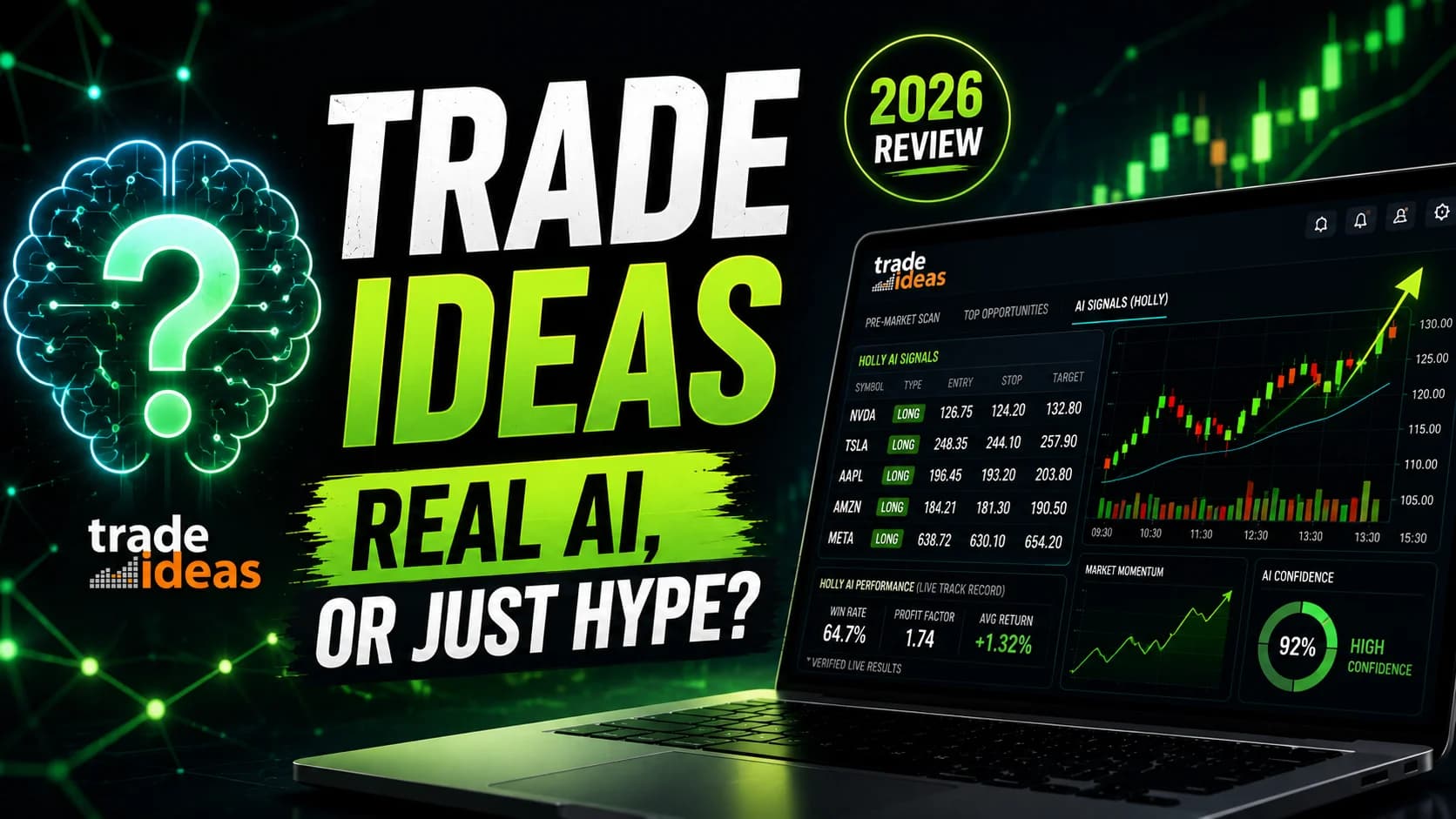
Trade Ideas Review 2026: Real AI, or Just Hype?
An independent, research-based look at Trade Ideas and its Holly AI: what the scanner does, how the AI really works, current pricing, and who should actually buy it.
Reviews
Unusual Whales Review 2026: Is It Worth It?
An independent research review of Unusual Whales: options flow data, the congressional trading tracker, pricing tiers, and whether the platform earns its cost for active options traders.
Reviews
moomoo Review: The Free Level 2 Data Advantage
moomoo pairs genuinely deep charting and options tools with free Level 2 data at a $100 threshold — but no IRAs, bonds, or forex mean it won't be a complete one-broker solution. Here's who it fits, and how it pairs with Finviz and TradingView.
Reviews
Black Box Stocks Review 2026: Is It Worth It?
An independent, research-based review of Black Box Stocks — options flow scanner, dark pool data, pricing tiers, community features, and who it's actually built for.
Comments
No comments yet. Be the first to share your thoughts.