SAVE UP TO 25%
TraderSync — Save Up to 25% with Annual Billing
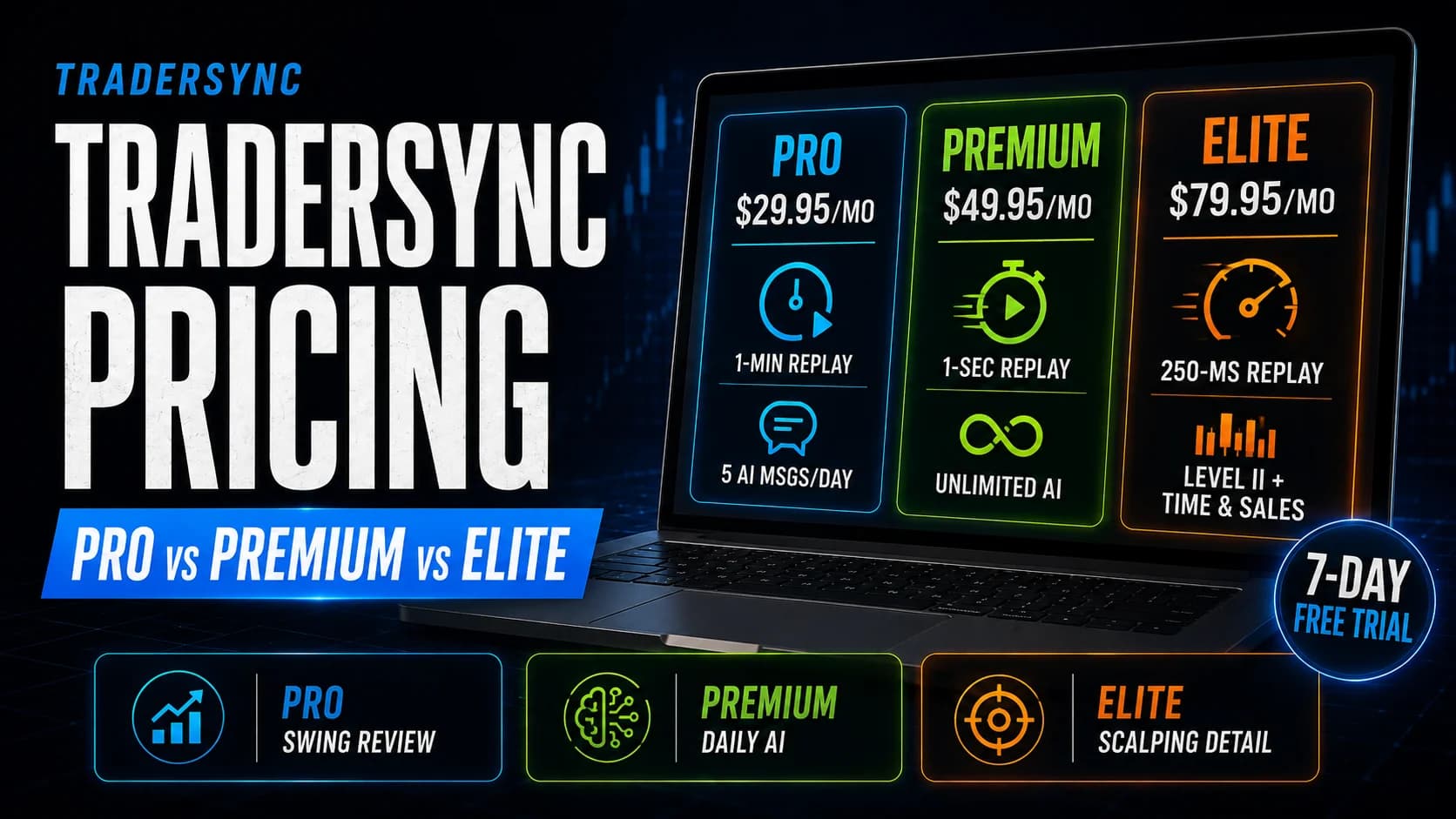
Save up to 25% on Pro, Premium, or Elite with annual billing — plus a 7-day free trial on every plan.
TraderSync is a trading journal that imports your trades automatically and turns them into reports — win rate, average R, setup performance — instead of a spreadsheet you have to update by hand. If you're deciding whether it's worth the subscription, the current TraderSync discount is listed below, alongside our independent review and a plan-by-plan cost comparison.
Available now
1 active offer
Compare the savings, eligible plans, billing periods, and expiry dates before choosing an offer.
SAVE UP TO 25%
Save up to 25% on Pro, Premium, or Elite with annual billing — plus a 7-day free trial on every plan.
Redemption guide
This deal applies automatically through the link above — there's no code to copy. You still need to see the correct plan, billing period, and reduced total together in TraderSync's order summary before you pay.
Step 1
Click the button above to open TraderSync's signup page with the offer already linked — there's no coupon field anywhere on TraderSync's checkout to look for.
Step 2
Choose Pro, Premium, or Elite based on the imports, tagging, and reports you need, then select annual billing — that's where the roughly 15% saving actually applies, not on monthly.
Step 3
TraderSync's trial covers nearly every feature except CSV export, and it's built into the same signup flow — not a separate code you enter afterward.
Step 4
Check the price shown matches the discounted annual rate for your chosen tier before your 7-day trial converts into a paid subscription.
Recheck the expiry, selected plan, billing period, and new-customer or upgrade rules. Try clicking through the link above again instead of navigating to TraderSync directly — the discount is tied to that referral link. If the price still doesn't reflect the offer, report the problem to Hello@daytradingtoolkit.com so the listing can be checked.
Savings strategy
TraderSync's steepest discounts — up to 65% off — are reserved for Elite annual billing. Pro and Premium plans see real savings too, just smaller ones, so know which tier a headline percentage is actually talking about before you get excited.
TraderSync's deepest sales (up to 60%–65% off) are typically pegged to the Elite annual plan. If you're on Pro or Premium, expect a real but smaller discount on the same sale.
Both have run as high as 60% off, well ahead of the standing ~15% affiliate discount that's available most of the year.
TraderSync's free trial covers nearly every feature except CSV export. Import a real batch of your own trades during those 7 days — that's the fastest way to know if the journal actually fits your workflow.
TraderSync doesn't offer refunds, pro-rated or otherwise, once you're charged. Treat the trial as your only real evaluation window, not the first week of a paid subscription.
Sales and lower-cost access
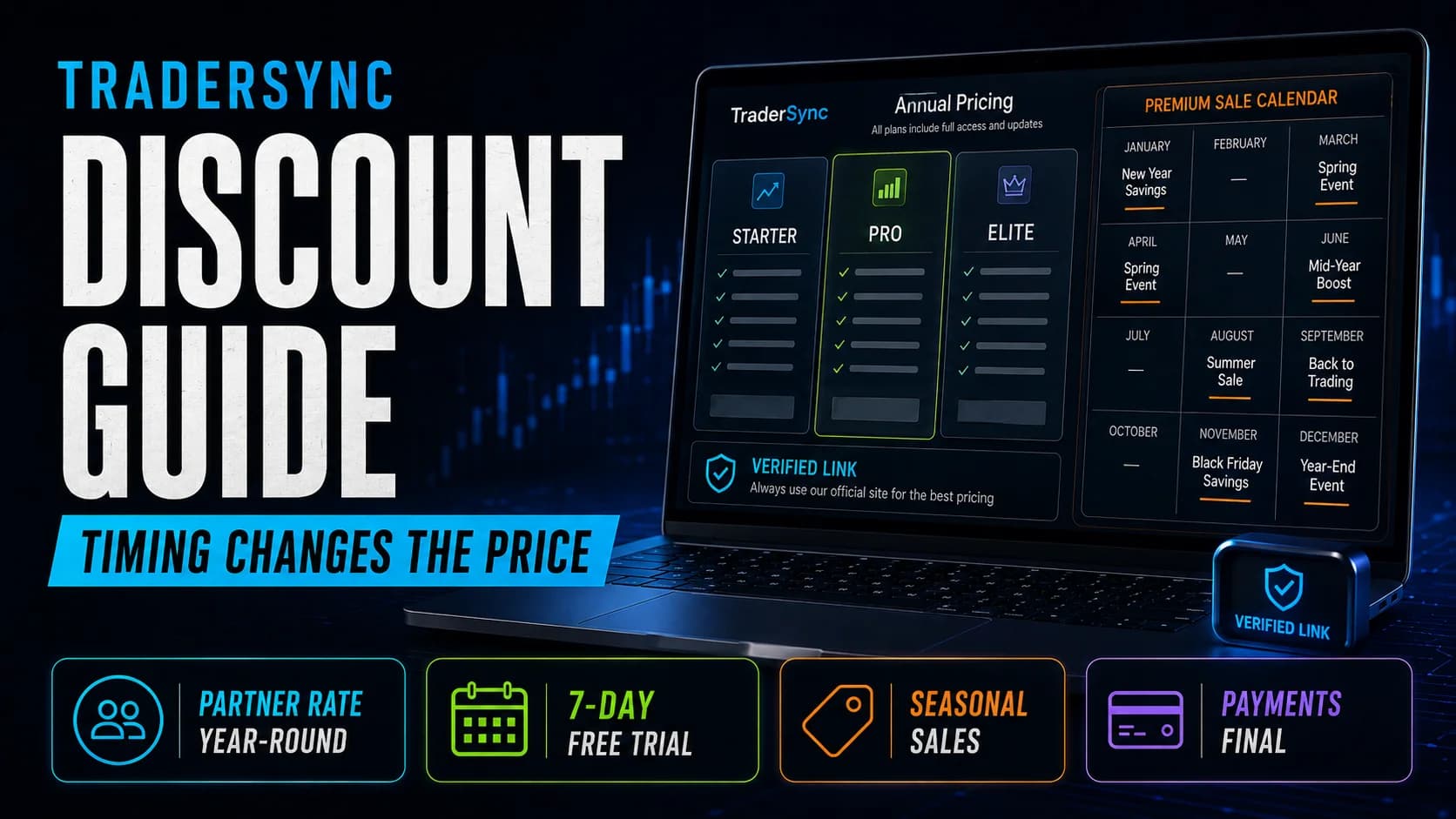
TraderSync runs more named sales through the year than its "annual billing is the real discount" reputation suggests. Here's the calendar, and what its 7-day trial actually covers.
Affiliate/Partner Discount
Year-round
Around 15% off annual plans
Free Trial
Year-round
7 days free
New Year Sale
January
Usually 30%–50% off annual plans
Memorial Day Sale
Late May
Around 50% off annual plans
Independence Day Sale
Late June–early July
Up to 60% off Premium and Elite
Summer Flash Sale
July–August
Usually 40%–60% off annual plans
Labor Day Sale
Late August–early September
Up to 60% off
Black Friday Sale
Late November
Up to 60%–65% off
Cyber Monday Extension
Late November–early December
Usually the same Black Friday offer
Christmas/Holiday Sale
December
Usually 40%–60% off annual plans
Yes — a genuine 7-day free trial with access to nearly everything, though CSV export of your trades and executions is excluded until you're on a paid plan. Cancel before day 7 if it's not for you; once you're charged, that payment is final.
Prices, eligibility, and renewal terms can change. Confirm the final details at checkout before paying. Visit the official TraderSync website to confirm current terms.
There is currently 1 TraderSync deal available through DayTradingToolkit. It does not require a coupon code; use the relevant deal link above.
Check two things: that you clicked through from the button above instead of going to TraderSync directly, and that you've switched to annual billing — the roughly 15% saving only applies there, not on the monthly plan.
Log into your account, go to Account Plan, and click Cancel Subscription. You can do this anytime, and it stops future renewals — just do it before your trial or billing period ends if you want to avoid the next charge.
Yes — a genuine 7-day free trial with access to nearly everything, though CSV export of your trades and executions is excluded until you're on a paid plan. Cancel before day 7 if it's not for you; once you're charged, that payment is final.
We might. If you click through an eligible link and subscribe, DayTradingToolkit can earn a commission at no extra cost to you. That relationship doesn't buy favorable coverage — our reviews and comparisons are written independently of which partners pay us.
The active TraderSync offer does not currently require a promo code. Follow the relevant deal link and confirm the advertised saving in the provider's order summary.
No. All TraderSync payments are non-refundable, and there's no pro-rated refund if you cancel mid-cycle. Forgetting to cancel before a renewal doesn't get your money back either — the 7-day trial exists precisely so you can test everything before your card is ever charged.
Yes — TraderSync's Black Friday sale has run as high as 60%–65% off, one of its deepest discounts of the year, with Cyber Monday usually extending the same pricing. Check the current offer above before assuming a past sale price still applies. A past holiday campaign does not make an old code current today.
Once an offer expires, we pull it from the list above rather than leaving a dead link sitting on the page. This page itself doesn't go anywhere — check back for whatever replaces it, or use the research links below in the meantime.