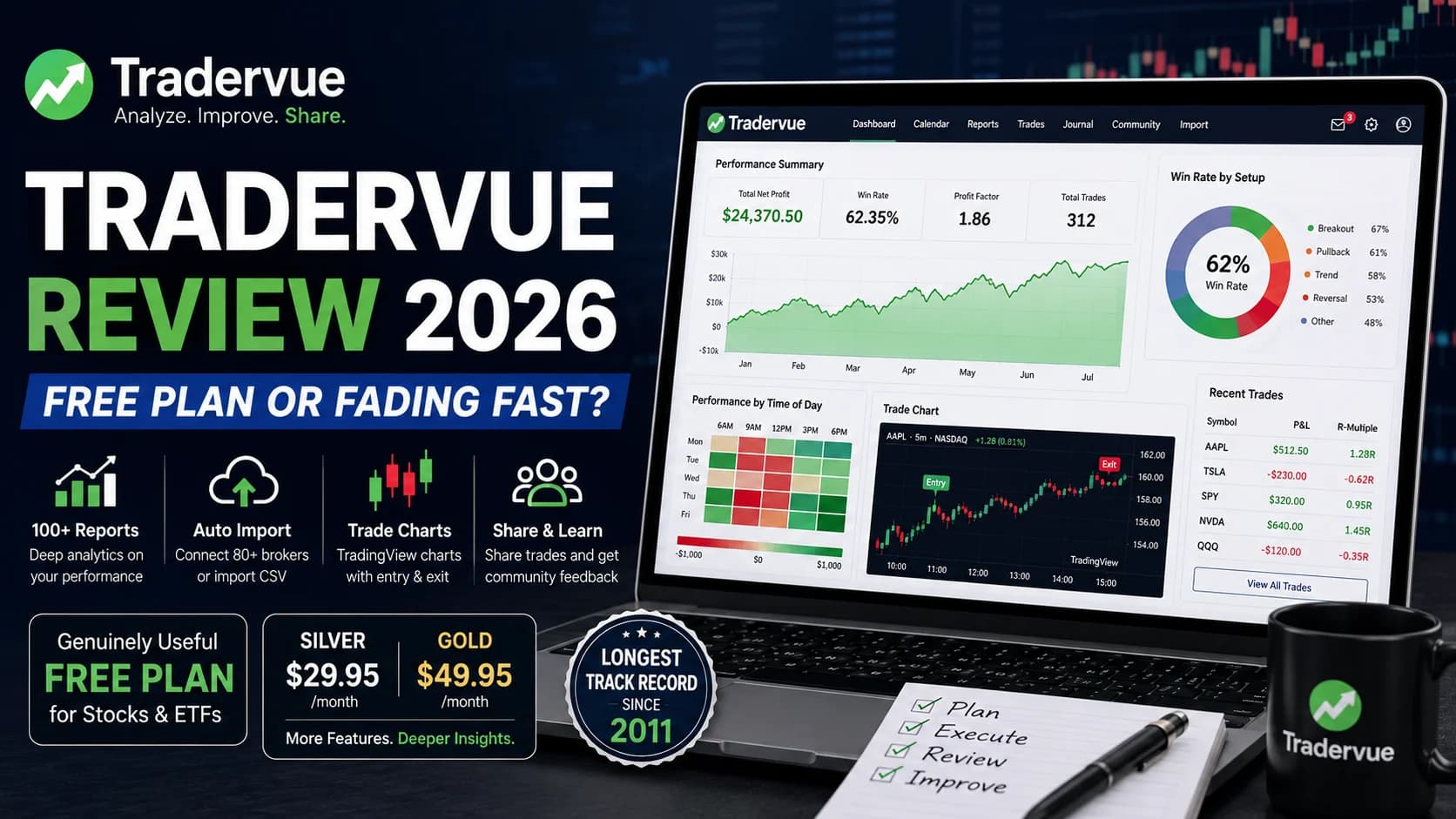
You import three months of trade history into a journal, and within a minute it hands back a hundred-plus reports broken out by tag, time of day, and setup. That's the promise every trading journal makes. Tradervue has been making it since 2011 — longer than almost anyone else in the category — which raises the obvious question in 2026: does running the longest track record in trading journals still mean anything when every newer competitor now ships AI coaching and trade replay as standard?
What is Tradervue? Tradervue is a web-based trading journal, launched in 2011, that imports your broker's trade fills and turns them into reports on Win RateWin rate is the percentage of your trades that result in a profit — calculated as (number of winning trades ÷ total trades) × 100 — and while commonly cited as a measure of trading success, it means very little without also knowing the averRead definition →, R-MultipleR-multiple is a way to measure trade outcomes in units of initial risk — a 2R trade means you made twice your initial risk as profit, a -1R means you lost your full stop amount, and expressing all trades in R-multiples lets you evaluate youRead definition →, time-of-day performance, and dozens of other cuts of your trading history. It's built for stock, options, futures, and forex traders, and it pairs its analytics with a genuinely social feature most competitors don't offer: the option to share trades publicly for community feedback.
This review evaluates Tradervue against the criteria active traders actually weigh — reporting depth, broker compatibility, how the free tier holds up against paid alternatives, and whether the $29.95–$49.95 monthly price for Silver and Gold still makes sense against journals that have shipped AI and trade replay in the years since Tradervue's core product took shape. It's based on documented research into Tradervue's official pricing and feature pages alongside independently published user feedback — not a claimed personal trading history with the platform.
What's good
- A genuinely useful free tier — unlimited-duration access to core reporting for stocks and ETFs, unlike most competitors that gate almost everything behind a paywall.
- TradingView-powered charts automatically plot your entry and exit points directly on the CandlestickA candlestick is a single bar on a price chart showing four pieces of data for a specific time period: the opening price, the high, the low, and the closing price — giving you a complete picture of what buyers and sellers did during that peRead definition → chart for every trade, saving the manual screenshot work most journals still require.
- Over 100 built-in reports covering win rate by tag, time-of-day attribution, and MAE/MFE statistics — genuinely deep analytical coverage for traders who want to slice their data many different ways.
- Social trade-sharing and a mentorship program let you post trades for community feedback, a feature almost no modern competitor still offers.
- The longest track record in the category, with broad auto-import coverage across 80+ brokers and platforms.
Trade-offs
- Zero AI features of any kind — no trade replay, no behavioral pattern detection, no automated coaching, which is an increasingly wide GapA gap is a price discontinuity on a chart where a stock opens significantly higher or lower than the previous session's close, leaving a visible empty space — gap-ups are driven by overnight buying pressure or positive news; gap-downs by seRead definition → against 2026-era competitors.
- The interface is dated by current web standards, and the learning curve for some workflows (like bulk trade deletion) is steeper than it should be.
- No native mobile app, so reviewing trades away from a desktop means working through a non-optimized mobile browser.
- Billing and cancellation friction shows up repeatedly in independent user feedback — worth reading current terms carefully before subscribing to Silver or Gold.
What Is Tradervue? A Closer Look
Tradervue is one of the original dedicated trading journals, built specifically for active retail and prop traders who generate enough trade VolumeVolume is the total number of shares (or contracts) traded during a given time period — it's the primary confirmation tool for all price action, because a price move accompanied by high volume indicates genuine market participation, while tRead definition → that a broker statement alone stops being useful for improvement. The core workflow is straightforward: connect a supported broker or upload a CSV, and Tradervue groups your individual fills into complete round-trip trades, then layers reporting on top — win rate by setup, R-multiple distribution, time-of-day performance, and hold-time versus outcome, among others.
What sets it apart from newer entrants isn't a feature list so much as a philosophy. Tradervue leans into manual, self-directed analysis rather than automated coaching. You tag your trades, you define your own setup categories, and the platform's job is surfacing the data — not telling you what it means. For a certain kind of disciplined, numbers-first trader, that's a feature. For a trader who wants a platform to proactively flag a behavioral pattern, it can feel like Tradervue stopped evolving somewhere around 2015.
The platform also does something almost no competitor still does: it lets you optionally share trades with a broader community for feedback, and includes a built-in mentorship structure for traders and coaches to review each other's activity. That social layer is a genuine differentiator, not a marketing add-on.
Key Features
Automated Trade Import and Grouping. Tradervue connects to a broad range of brokers — auto-import coverage spans 80+ platforms, including Interactive Brokers, Charles Schwab, DAS Trader, and Lightspeed — and pulls in execution prices, quantities, timestamps, commissions, and fees automatically. For brokers outside that list, manual CSV or text file import covers the gap. Individual fills get grouped into coherent round-trip trades rather than leaving you to reconcile a raw execution log yourself.
TradingView-Powered Trade Charts. Every imported trade automatically generates a price chart from TradingView, with your entry marked in green and your exit in red, directly on the candlestick chart at the exact price and time. Charts span multiple timeframes, and you can add indicators and annotations on top. It's a genuinely useful visual layer that removes the tedious manual screenshotting most journals still leave to you.
Reporting Engine. This is where Tradervue's analytical depth shows. Over 100 built-in reports let you filter trades by symbol, tag, side, duration, or date range and view the results as either a journal entry or a standalone report — win rate and P&L by setup tag, performance by time of day, MAE/MFE (maximum adverse and favorable excursion) statistics, and more. For traders willing to do the interpretive work themselves, the reporting depth genuinely rivals or exceeds competitors that lean more heavily on AI summarization.
Social Trade Sharing and Mentorship. Trades are private by default, but you can choose to share specific positions with the broader Tradervue community, and the platform includes structured mentorship functionality for coaches or more experienced traders to review a student's activity. This is Tradervue's most distinctive feature in 2026 — most competitors have moved entirely toward private, individual journaling.
Silver and Gold Tier Differences. Silver adds unlimited trade imports, broker sync, and the core reporting suite on top of the free tier. Gold adds exit analysis on individual trades, more advanced filters, and additional reports covering liquidity, risk tracking, and commissions and fees — genuinely advanced tools, but ones a large share of active traders may never need day-to-day.
What Tradervue Doesn't Have. Worth stating plainly rather than burying: there's no AI layer of any kind, no trade replay feature, and no native mobile app. If any of those three are a priority, that's a real gap against 2026 competitors like TradeZella and TraderSync.
Who Tradervue Is Best For
Tradervue earns its place for a specific kind of trader, and it's honest to say that kind of trader is narrower in 2026 than it was a few years ago.
It's a strong fit if you're a disciplined, self-directed trader who wants deep, manually-interpreted analytics rather than an AI layer doing the interpretation for you, and you're comfortable with — or actively prefer — a no-frills interface over a polished modern one. It's also a strong fit if you want to stay on a free tier indefinitely: unlimited-duration core reporting for stocks and ETFs at $0 is a genuinely rare offer in this category, and most competitors either charge from day one or cap the free tier heavily.
It's also worth considering if the social trade-sharing and mentorship angle appeals to you specifically — reviewing your trades alongside a community, or having a mentor review your activity directly inside the platform, isn't something most modern journals support at all.
It's a weaker fit if AI-assisted review, trade replay, or a native mobile app matter to your workflow, or if you trade options, futures, or forex and want those asset classes handled at the free tier rather than gated behind Silver or Gold. It's also worth reading current cancellation terms carefully before subscribing, given the pattern of billing complaints in independent user feedback.
Tradervue Pricing
Tradervue runs three tiers, with no annual billing discount currently advertised:
- Plan
- Free
- Monthly Price
- $0
- Trade Limit
- ~30 trades/month
- Asset Classes
- Stocks and ETFs only
- AI Features
- None
- Plan
- Silver
- Monthly Price
- $29.95/mo
- Trade Limit
- Unlimited
- Asset Classes
- Stocks, options, futures, forex
- AI Features
- None
- Plan
- Gold
- Monthly Price
- $49.95/mo
- Trade Limit
- Unlimited
- Asset Classes
- Stocks, options, futures, forex
- AI Features
- None
| Plan | Monthly Price | Trade Limit | Asset Classes | AI Features |
|---|---|---|---|---|
| Free | $0 | ~30 trades/month | Stocks and ETFs only | None |
| Silver | $29.95/mo | Unlimited | Stocks, options, futures, forex | None |
| Gold | $49.95/mo | Unlimited | Stocks, options, futures, forex | None |
A 7-day free trial is available on both Silver and Gold, and your card is charged automatically once the trial ends unless you switch back to Free. If you trade only stocks or ETFs at moderate volume, the free tier alone may cover your needs indefinitely — that's a genuinely different value proposition than journals with no free option at all. If your workflow includes options, futures, or forex, budget for Silver at minimum. For a modern alternative with AI-assisted review built in, DayTradingToolkit's TraderSync review covers a similarly-priced journal worth weighing against Tradervue's more manual approach.
What Works Well
Tradervue's reporting engine holds up. Over 100 reports, filterable by tag, symbol, time, and duration, genuinely let a disciplined trader find patterns a broker statement would never surface — which setups are actually working, which hours are costing money, where hold time correlates with worse outcomes. That depth doesn't require an AI layer to be valuable; it requires a trader willing to look.
The TradingView-integrated charts are a small feature that saves real time. Instead of screenshotting your own charts after every session, Tradervue pulls the price action automatically and marks your entry and exit directly on it. It's the kind of feature that stops mattering once you have it and starts mattering again the moment you go back to a journal without it.
The social sharing and mentorship layer deserves credit too. Most of the category has moved toward pure individual journaling, and Tradervue is one of the only platforms still supporting the idea that trade review can be a community activity rather than a solitary one.
Limitations
Three limitations are worth taking seriously, and none of them are minor.
Tradervue has no AI features at all — no trade replay, no automated behavioral pattern detection, no coaching layer. Every insight has to be pulled manually from a report. Competitors reviewed elsewhere on this site have shipped exactly these features over the past year or two, and the gap has become more noticeable, not less, as 2026 has gone on. If proactive, automated insight is what you want from a journal, Tradervue will feel like it stopped developing in that direction some time ago.
The interface itself is genuinely dated. It's functional — traders can and do get real value out of it — but the visual design and some workflows (bulk trade deletion has been specifically flagged as unintuitive in independent reviews) feel like an earlier generation of web software next to more modern competitors.
Billing and cancellation friction is a recurring, documented complaint in independently published user feedback, disproportionately represented in what public reviews exist for the platform. This doesn't mean every subscriber experiences it, but it's a real enough pattern that reading current cancellation terms before subscribing — especially before a 7-day trial converts to a paid charge — is a reasonable precaution.
How Tradervue Fits a Day Trader's Workflow
A trading journal's value comes from the review habit it supports, not the software itself — the platform structures what happens after a trade, and that structure only helps if you actually use it. Tradervue's tagging and reporting system pairs naturally with having defined setups to tag trades against in the first place; if that foundation isn't in place yet, DayTradingToolkit's guide to the trading journal as your most powerful improvement tool and a deeper look at the psychology a journal actually surfaces are useful starting points regardless of which platform you land on.
If part of what you're evaluating is whether an AI layer would add real value to journal review — something Tradervue currently doesn't offer at all — it's worth reading how AI-assisted journal analysis works in practice on other platforms before assuming it's a must-have; see using AI to analyze your trading journal for a platform-agnostic breakdown. And since Tradervue's reporting leans on manual pattern recognition rather than automated backtesting, DayTradingToolkit's strategy backtesting guide covers the process fundamentals that make sense of what any journal's reports are actually showing you.
Tradervue Is Worth It for Disciplined, Budget-Conscious Traders
Tradervue's free tier and reporting depth are genuinely strong for a self-directed trader comfortable doing the interpretive work manually, and its social trade-sharing feature is close to unique in the category. The complete absence of AI, trade replay, and a native mobile app is a real and growing gap against 2026 competitors, and documented billing complaints are worth reading current terms against before subscribing to Silver or Gold. Traders who specifically want AI-assisted review or visual trade replay will be better served elsewhere.
Disciplined, self-directed stock and ETF traders who want deep manual analytics and an unlimited free tier over automated AI coaching.
Frequently Asked Questions
Is Tradervue's free tier actually usable, or is it a limited trial?
Tradervue's free tier is one of the more generous in the trading journal category specifically because it doesn't expire and doesn't require a credit card. The tradeoff is scope: it covers stocks and ETFs only, with a monthly trade limit, so options, futures, and forex traders will need to look at Silver or Gold to get full asset-class coverage.
Key Takeaway: For a stock or ETF trader at moderate volume, the free tier alone may be a genuinely complete long-term solution.
What's the difference between Tradervue's Silver and Gold plans?
The jump from Silver to Gold is roughly $20/month for a set of more advanced, specialized reports that a large share of active traders may not need on a daily basis. Traders who specifically want exit-quality analysis or detailed commission and fee tracking will find Gold worth the difference; traders focused on core win-rate and setup analytics may find Silver sufficient.
Key Takeaway: Start with Silver unless you specifically know you need Gold's advanced exit and cost-analysis reports.
Does Tradervue have any AI features?
This is a meaningful and growing gap against newer competitors that have built AI-assisted review directly into their core product. Every insight in Tradervue comes from manually reading a report rather than an assistant surfacing a pattern for you. If AI-assisted analysis is a priority, that's worth weighing heavily before choosing Tradervue over a newer alternative.
Key Takeaway: Traders specifically seeking AI-assisted journal review should look at newer platforms; Tradervue's analytics are entirely manual.
Does Tradervue have a mobile app?
You can technically access Tradervue through a mobile browser, but the experience isn't built for it — reviewing trades, adding tags, or reading reports on a phone means working around a desktop-first interface rather than using a purpose-built mobile workflow.
Key Takeaway: Traders who do most of their trade review on a phone will find this a real limitation.
Is Tradervue better than TraderSync or TradeZella?
Neither comparison has a universal winner. Traders who want AI-driven insight, trade replay, and a modern interface tend to prefer TradeZella or TraderSync; traders who want maximum manual analytical depth, a genuinely useful free tier, and community trade-sharing tend to prefer Tradervue. DayTradingToolkit's TraderSync review covers the comparable modern alternative in detail.
Key Takeaway: The decision comes down to whether AI-assisted review or deep manual analytics and free-tier longevity matter more to your workflow.
Does Tradervue support options, futures, and forex trading?
Traders working across multiple asset classes should plan for at least the Silver tier, since the free plan's scope is explicitly limited to equities. Forex import currently works through MT4/MT5 statement import rather than a fully automated sync, which is worth confirming against your specific platform before subscribing.
Key Takeaway: Multi-asset traders will need Silver or Gold; the free tier is stocks-and-ETFs only.
What is Tradervue's social trade-sharing feature, and is it private by default?
This social layer — including a structured mentorship option for coaches to review a trader's activity — is one of Tradervue's most distinctive features in 2026, since most competing journals have moved entirely toward private, individual journaling. If community feedback or mentor review is part of how you want to improve, this is a genuine differentiator.
Key Takeaway: The social sharing feature is opt-in and private by default, and it's a rare offering in the current trading journal market.
Are there real problems with Tradervue's billing or cancellation process?
This pattern shows up disproportionately in the public reviews that exist for the platform. It doesn't mean every subscriber has this experience, but it's a documented enough pattern that reading Tradervue's current cancellation terms carefully — particularly before a 7-day trial auto-converts to a paid Silver or Gold charge — is a reasonable precaution rather than an overreaction.
Key Takeaway: Review current billing and cancellation terms directly on Tradervue's site before your trial period ends.
Is Tradervue a good starting journal for a beginner?
A trader just starting out benefits most from building the habit of consistent review, and Tradervue's free tier removes cost as a barrier to that. The tradeoff is that Tradervue won't proactively point out a pattern the way a newer, AI-assisted journal might — a beginner will need to do more of that interpretive work themselves.
Key Takeaway: The free tier is a low-risk starting point, but expect to do your own pattern-finding rather than have the platform do it for you.
What broker and asset-class coverage does Tradervue actually offer?
Stocks, options, futures, and forex are all supported at the Silver and Gold tiers, though forex import currently relies on MT4/MT5 statement import rather than a fully automated broker sync. For brokers outside the supported list, manual import from Excel or text files covers the gap, so virtually any trader with exportable trade data can use the platform regardless of broker.
Key Takeaway: Broker coverage is broad, but confirm your specific broker's import method — automated sync versus manual upload — before subscribing.