You finish a month up $400, and you have no idea why. Was it the morning trades? The NQ scalps? The two days you sized up after a loss? Your broker's statement lists every FillA fill is the execution of an order — when your buy or sell order is matched with a counterparty and the transaction is completed, you've received a fill.Read definition →, but it won't tell you which habits are paying you and which ones are quietly costing you.
That's the job of a trading journal, and NeoTLog is one of the newest tools built for it. This NeoTLog review covers how it works, what it costs and who it suits. It runs in your browser, reads the export file your broker already gives you, and turns it into a dashboard, a P&L calendar and a set of reports that answer the "why" behind your numbers. It's also affordable enough that price shouldn't be the reason you skip journaling.
What is NeoTLog? NeoTLog is a web-based trading journal made by NeoTradeLog AB, a company based in Sweden. You upload a CSV, Excel, HTML or TXT export from your broker or trading platform, and NeoTLog groups the fills into complete trades, then calculates Win RateWin rate is the percentage of your trades that result in a profit — calculated as (number of winning trades ÷ total trades) × 100 — and while commonly cited as a measure of trading success, it means very little without also knowing the averRead definition →, Profit FactorProfit factor is the ratio of total gross profit to total gross loss across a set of trades — a profit factor above 1.0 means you're profitable overall, and a ratio of 2.0 means for every $1 lost, you've made $2, giving you a clear, single-Read definition →, ExpectancyExpectancy is the average amount your strategy makes or loses per dollar risked — it's the single best number for evaluating whether your trading approach has a real mathematical edge.Read definition →, DrawdownA drawdown is the peak-to-trough decline in account equity — it measures how far you've fallen from your high-water mark, either from a single losing trade or a series of losing trades.Read definition → and breakdowns by day, hour, session and hold time. It launched in September 2026 and has shipped regular updates since.
Review at a glance
In 30 seconds
- NeoTLog is a browser-based trading journal that turns your broker's export file into a dashboard, P&L calendar and performance reports.
- Imports are fast and forgiving: it recognizes the file format, ignores cancelled orders, merges scale-outs into one trade and skips duplicates on re-import.
- The Free plan covers 100 trades a year and one account. Plus costs $9 a month billed annually and unlocks unlimited trades, multiple accounts and MAE/MFE analysis.
- The trade-offs come with being new: no trade replay, no live broker sync for most users, and a short track record.
How does NeoTLog turn a broker file into trades?
NeoTLog reads your broker's export and groups every fill into round-trip trades, then builds all its charts from those trades. Think of a restaurant receipt. Your broker's file lists every item ordered, and NeoTLog groups those items into visits so you can see what each visit cost or earned. Each cycle from flat to open to flat on a symbol becomes one trade, with an averaged entry, an averaged exit and the combined P&L.
This matters more than it sounds. A real Tradovate Orders export is messy: filled orders sit next to cancelled stop and target brackets, and a two-contract trade that exits in two halves shows up as three separate rows. NeoTLog handles that cleanly. It drops the cancelled brackets, pairs the fills, and shows a scaled exit as a single trade with an averaged price. Trade counts and dollar totals line up with what you'd calculate by hand.
A few import details worth knowing:
- Auto-detect does the heavy lifting. Pick "Auto-detect", drop the file and NeoTLog works out the platform. If you leave the picker set to a different broker, you get a clear error naming the columns it couldn't find, so you know exactly what to fix.
- Duplicates are skipped. Each trade gets a fingerprint, so importing the same file twice adds nothing new.
- Your file stays in your browser. The file is read locally and only the resulting trades are saved. The size limit is 15 MB.
- One file goes into one account. Export each trading account separately if you run more than one.
- Undo is easy. There's no preview step before import, but Settings, then Clear data, then "Last import" reverses the most recent upload.
What does the NeoTLog dashboard show?
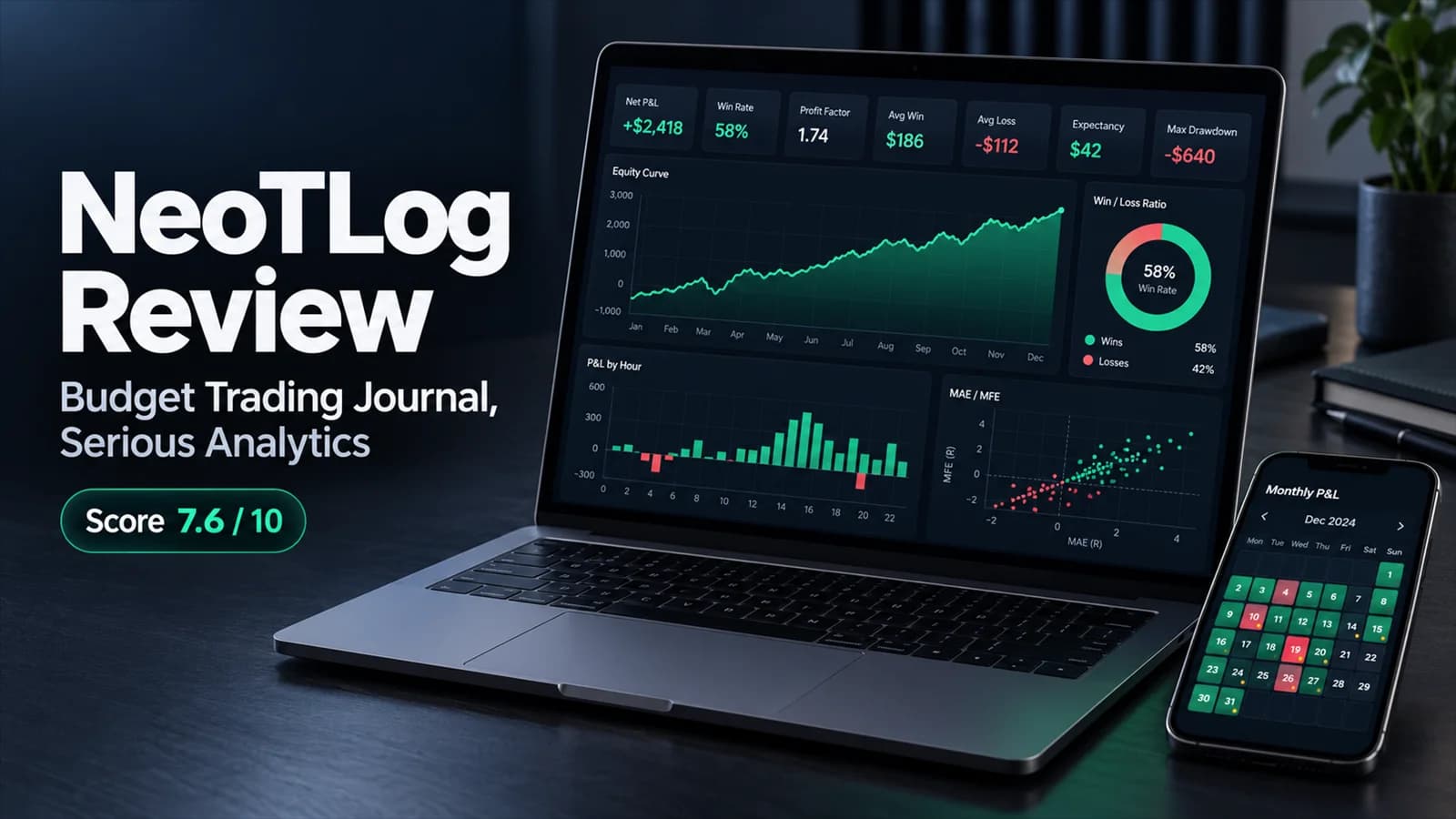
The dashboard opens with seven stat cards: net P&L (with gross and fees underneath), win rate, profit factor, average win, average loss, expectancy and max drawdown. Each card has a small "i" icon that explains the formula when you hover over it, which is a genuinely helpful touch if you're still learning what profit factor or expectancy actually mean.
Below the cards you get an equity curve, a win/loss donut, a scatter of every trade by time of day, hold time plotted against P&L, and P&L broken down by day of week, by hour and by trade number of the day. That last one is quietly useful. If your third trade of the day is consistently your worst, you'll see it here.
The P&L calendar is the other screen you'll live in. Each day shows its P&L, trade count, points and win rate, each week gets a total, and colored dots flag days with major economic releases such as FOMC, CPI and Nonfarm Payrolls. A News report then compares your results on those days with quiet days. Give it a few hundred trades before you trust that comparison, though. With a few dozen, it's mostly noise.
Open any single trade and you'll find entry, exit, P&L split into gross and fees, points, hold time and session, plus three tabs: Stats (stop, target, planned R:R, a 1 to 5 star rating and tags), Strategy (a rule checklist) and Notes (your notes and, on paid plans, chart screenshots).
Want to see it before signing up? The NeoTLog demo loads a set of sample trades with no account needed. The demo numbers are deliberately flattering, so focus on the layout rather than the results.
What can a journal like NeoTLog actually reveal?
A good journal surfaces patterns you'd never spot in a broker statement. Here's a hypothetical example of the kind of story NeoTLog's reports tell, built from sample micro futures data.
Picture a trader with 18 MES and MNQ trades over three weeks. The headline numbers look ordinary: a 44% win rate and a profit factor of 1.16. But the hour-of-day chart tells a sharper story. The 15 trades entered in the morning made money. The three entered after midday all lost, and together they wiped out more than two-thirds of the morning's gains.
Three trades is a hint, nothing more. Our beginner journaling lesson suggests waiting for 50 to 100 trades before acting on a pattern. But that's the point of a journal: it puts the hint in front of you in seconds, so you can start watching for it.
A second pattern NeoTLog makes easy to spot is size creep after a loss. If a big loss is followed the very next day by another trade at double your normal size, and that one loses too, that's the shape of revenge trading. Tag those trades and the Reports tab will show you exactly what the habit costs.
What are MAE and MFE, and why do they matter?
MAE (maximum adverse excursion) is the worst unrealized loss a trade showed while it was open, the heat you sat through. MFE (maximum favorable excursion) is the best unrealized profit it reached. Together they answer two of the most practical questions in trading: are your stops too tight or too loose, and how much profit do you leave on the table?
NeoTLog's Reports tab includes an Excursions card built on these numbers. It shows exit efficiency (how much of each trade's best available profit you actually kept) and "heat" (how far winners and losers went against you on average). A common finding: losing trades that were in profit before they turned. If that describes a lot of your stop-outs, a break-even rule or a partial exit might be worth testing.
NeoTLog gets this data from two places:
- Your broker's export, when it includes it. NinjaTrader, TradingView Replay and TradeStation exports carry MAE and MFE, and NeoTLog uses them right away.
- Market data, once a trade is 24 hours old. For other platforms, NeoTLog fills in MAE and MFE for US stocks, US options, forex, gold, silver, crypto and CME futures using a free API key from Massive that you add yourself. The key stays in your browser. Free Massive keys are rate-limited to about five requests a minute, so backfilling a long history takes a while.
Excursions are a Plus and Pro feature. Eurex and ICE futures aren't covered yet. Getting MAE/MFE at $9 a month is one of NeoTLog's strongest selling points, and it makes NeoTLog one of the cheapest ways to get excursion analysis.
How does NeoTLog handle the journaling side?
Numbers tell you what happened. The journal is where you record why. NeoTLog's Journal tab gives you a pre-session plan, a post-session review and a one-click emotional state: Calm, Focused, Anxious, Overconfident, Frustrated, Disciplined, FOMO or Patient. Entries save as you type, and each day's P&L sits right beside your notes.
The Strategies tab is the standout. You create a strategy, write its rules as a checklist, and tick the rules you followed on each trade. NeoTLog then labels every trade "Followed fully", "Followed partly" or "Did not follow", and the Reports tab shows what following your rules is actually worth in dollars. For many traders that single number is more motivating than any lecture on discipline. For more on why it works, see our piece on trading journal psychology.
One limitation: new journal entries always open on today's date, so you can't backfill a written entry for an earlier day. The workaround is to add notes directly to that day's trades.
How does NeoTLog's AI work?
NeoTLog's AI features sit in the Pro plan, and there are two of them.
- AI performance report. It writes a plain-language review of any period you choose: strengths, weak spots, time-of-day patterns and specific suggestions. It needs at least 10 closed trades, and Pro includes 20 reports a month.
- Screenshot reader. Upload a chart screenshot and it reads your stop-loss, take-profit and planned R:R from the price labels, which feeds NeoTLog's R-multiple report. You confirm the values before anything is saved, and Pro includes 200 reads a month.
The AI report is built from summary statistics (totals, rates, top symbols, strategy and session names, and your most recent run of wins and losses). It doesn't see your notes, your full trade records or your account names, and NeoTLog states that its AI provider doesn't train on your data. That's a strong privacy position. The trade-off is that it works as a periodic written review rather than a chat you can question about individual trades, which is the approach TraderSync takes with its Cypher coach. Our guide to using AI on your trading journal covers what each style is good for.
AI features aren't available in every country, so check NeoTLog's plan page before upgrading to Pro for them.
Which brokers does NeoTLog support?
NeoTLog imports exports from 50+ trading platforms, which cover 250+ brokers and prop firms. The list includes Tradovate, NinjaTrader, Rithmic, TopstepX, TradingView (Paper Trading and Replay), Interactive Brokers, thinkorswim, TradeStation, tastytrade, Webull, Robinhood, MetaTrader 4 and 5, cTrader, plus a long list of European, Asian and crypto venues. Each comes with a step-by-step export guide.
Prop firm traders are well covered because NeoTLog works through the platform the firm gives you: Apex and Earn2Trade through Tradovate, Topstep through TopstepX, FTMO through MetaTrader. If your platform isn't listed, the "Any CSV or Excel file" option lets you map the columns once and reuses the mapping next time.
What NeoTLog doesn't offer for most users is live broker sync. You export and upload. Pro members can switch on early-access auto-sync for Binance spot (read-only API key) and Interactive Brokers (Flex Web Service token). The upside of file uploads is that NeoTLog never asks for your broker login. The downside is a manual step after each session. If hands-off sync is a must, TraderSync's 700+ integrations lead our best trading journals ranking.
Is your data safe with NeoTLog?
NeoTLog stores your account, trades and screenshots with Supabase in the EU (Ireland), keeps each account's data isolated, hashes passwords, and states that it never sells user data. Screenshots are private with no shareable links. As a Swedish company it falls under GDPR. It sets no advertising or analytics cookies, and its pseudonymous usage analytics can be switched off in Settings. Deleting your account removes your data from live systems within 30 days.
Two practical protections stand out: you can export all your trades as a CSV at any time on every plan, and you never hand over your broker login.
How much does NeoTLog cost?
NeoTLog plans
Verified 19 Oct 2026| Plan | Monthly | Annual | Effective / month |
|---|---|---|---|
Free 100 trades a year, 1 trading account, full dashboard, calendar, news days, tags, strategies, fee rules and CSV export | $0 | $0 | — |
Plus Most popular ✓Everything in Free, plus unlimited imports and accounts, MAE/MFE excursions, chart screenshots and custom themes | $12 | $108 | $9 |
Pro Everything in Plus, plus AI reports (20 a month), the screenshot SL/TP reader (200 a month), custom dashboard layouts, priority support and early access | $21 | $168 | $14 |
The Free plan is genuinely usable, with the full dashboard, calendar, strategies and CSV export. The catch is the 100-trade yearly cap, which resets each January and doesn't refund trades you delete. For an active day trader, it runs out quickly.
How long the Free plan lasts for a day trader (hypothetical)
So think of Free as an extended test drive, or a permanent home if you swing trade or trade a few times a week. If you day trade daily, plan on Plus. At $108 a year, Plus costs roughly a third of TraderSync Pro on annual billing ($312 a year), and it includes MAE/MFE plus unlimited accounts. Prop traders running evaluation and funded accounts side by side will want Plus from the start, since Free allows only one account.
Where does NeoTLog fall short?
- It's new. NeoTLog launched in September 2026, so there's no long record yet on reliability, support or longevity. The public roadmap and steady update cadence are good signs.
- No trade replay. TradeZella and TraderSync let you rewatch a trade against the chart. NeoTLog relies on screenshots.
- Upload-based for most users. Expect to export and import after each session unless you're on Pro with Binance spot or Interactive Brokers.
- The AI is a report. It reads summary statistics and writes a review. You can't ask it questions about specific trades.
- MAE/MFE from market data takes setup. You'll need your own free Massive key, a 24-hour wait per trade and some patience with rate limits.
- A few rough edges. There's no import preview, no backdated journal entries, and imported trades can't have their symbol, direction or fees edited.
- Set your timezone first. The journal timezone defaults to your device's zone. If you trade a market in another zone, change it in Settings before you read the time-of-day charts.
How does NeoTLog compare with other trading journals?
- Journal
- NeoTLog
- Starts at
- Free; Plus $9/mo billed annually
- Trade replay
- No
- AI
- Pro: periodic report, screenshot reader
- How trades arrive
- File upload; early-access sync for two brokers
- Journal
- TraderSync
- Starts at
- $29.95/mo
- Trade replay
- Yes, tiered
- AI
- Cypher AI coach
- How trades arrive
- 700+ integrations
- Journal
- Tradervue
- Starts at
- Free tier; paid from $29.95/mo
- Trade replay
- No
- AI
- None
- How trades arrive
- Imports; free tier covers stocks and ETFs
- Journal
- Edgewonk
- Starts at
- $197/yr flat
- Trade replay
- No
- AI
- Edge Finder, weekly
- How trades arrive
- Imports, uneven auto-sync
- Journal
- TradeZella
- Starts at
- $29/mo
- Trade replay
- Yes, on Pro
- AI
- Zella AI
- How trades arrive
- Broker sync, some friction
| Journal | Starts at | Trade replay | AI | How trades arrive |
|---|---|---|---|---|
| NeoTLog | Free; Plus $9/mo billed annually | No | Pro: periodic report, screenshot reader | File upload; early-access sync for two brokers |
| TraderSync | $29.95/mo | Yes, tiered | Cypher AI coach | 700+ integrations |
| Tradervue | Free tier; paid from $29.95/mo | No | None | Imports; free tier covers stocks and ETFs |
| Edgewonk | $197/yr flat | No | Edge Finder, weekly | Imports, uneven auto-sync |
| TradeZella | $29/mo | Yes, on Pro | Zella AI | Broker sync, some friction |
Pricing from each vendor's plan page and our best trading journals ranking.
How do you get started with NeoTLog?
Start on the Free plan, and remember that test imports count toward your 100-trade allowance.
Your first 30 minutes with NeoTLog
Is NeoTLog worth it?
What's good
- Fast, accurate imports with auto-detect, clean handling of cancelled orders and scale-outs, and no duplicates on re-import.
- A clear dashboard with a formula explanation on every stat card.
- A genuinely usable Free plan, and Plus at $9 a month billed annually undercuts every paid journal in our ranking.
- MAE/MFE analysis from the Plus tier, using your broker's file or a free market-data key.
- Strategy rule checklists that show what following your rules is worth in dollars.
- Strong privacy choices: files read in your browser, no broker login, EU storage and CSV export on every plan.
Trade-offs
- Launched in September 2026, so there's no long track record on reliability or support.
- No trade replay, and live broker sync is limited to early access for two brokers on Pro.
- The AI writes periodic reports from summary statistics and can't answer questions about individual trades.
- The Free plan's 100 trades a year and single account won't last an active day trader long.
A Strong Budget Journal That's Still Building Its Track Record
NeoTLog does the core job of a trading journal well. It imports broker files reliably, shows the statistics that matter, adds MAE/MFE and rule-following reports at a low price, and treats your data with care. What it can't offer yet is history. If uploading files after each session suits you, the Free plan is an easy way to see whether it fits, and Plus is priced low enough to be a small bet.
Futures, forex and prop traders who journal from export files and want excursion data and multiple accounts without paying premium prices.
You need live broker sync, trade replay or a conversational AI coach, or you prefer a vendor with several years behind it.
Frequently asked questions
Is NeoTLog free?
Does NeoTLog connect to my broker automatically?
Does NeoTLog work with prop firm accounts like Apex and Topstep?
What do I need to see MAE and MFE in NeoTLog?
Is my trading data private in NeoTLog?
Is NeoTLog good for beginners?
Disclaimer
Article Sources
- NeoTLog - Plans, pricing, supported platforms and FAQ.neotlog.com
- NeoTLog Updates and Roadmap - Release history and planned features.neotlog.com
- NeoTLog demo - The no-account demo and in-app Help covering imports, MAE/MFE data sources, AI features, plans and privacy.neotlog.com